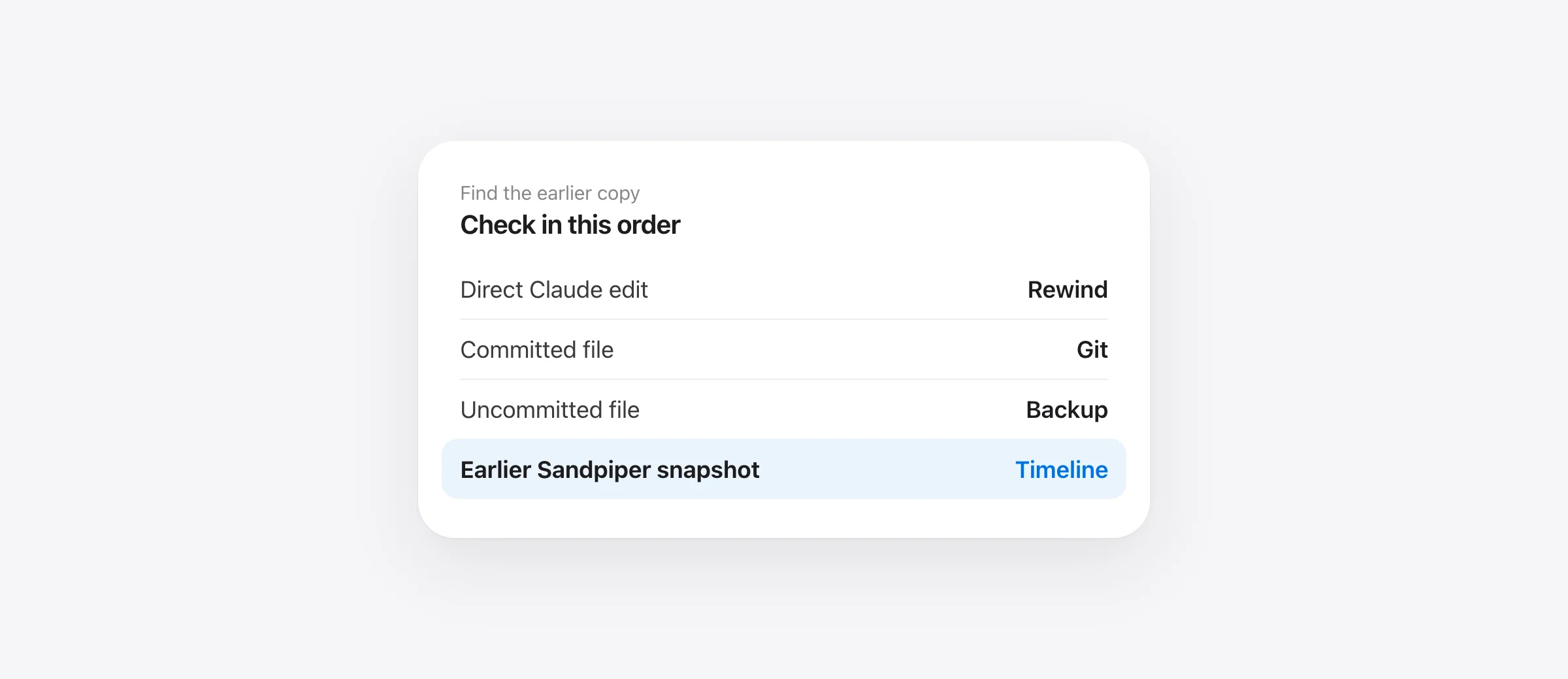
Recovery order
- Stop the agent and avoid cleanup commands.
- Check Claude Code rewind if its file-edit tools made the change.
- Inspect Git without overwriting other work.
- Check Time Machine, editor history or a snapshot made before the deletion.
Seeing a whole folder vanish after a Claude Code run is alarming, especially when the agent used rm -rf. The first useful question is how the files changed. Claude Code's checkpointing documentation says its file editing tools are tracked, but Bash changes such as rm, mv and cp are not. That distinction decides whether /rewind is a recovery tool here.
Freeze the situation before trying a fix
Stop the agent session from making more changes. Keep the terminal transcript and the project open; they identify the deleted path and command. Do not run git reset --hard, git clean, an automated formatter, or a broad restore while you are still identifying what happened. Those actions can replace the remaining uncommitted work. If the project is small enough, copy the current folder to a separate location before experimenting.
Write down the exact path, whether the file was tracked by Git, and when you last saw it. If the agent deleted a generated folder such as an ignored build directory, rebuilding may be easier than recovery. Treat a source directory, local configuration or unsaved document differently.
Check Claude Code rewind when its editor changed files
In the same Claude Code session, run /rewind or press Escape twice with an empty prompt. Select the prompt before the bad change. Claude offers a code-only restore when it has tracked file changes for that checkpoint; you can keep the conversation. Read the proposed point carefully because a restore can revert later edits made through Claude's file tools.
If there is no code restore option, or the transcript shows a Bash deletion, do not repeat rewind hoping the missing folder will return. The documented checkpoint boundary excludes Bash modifications. Subagent and outside-session edits have their own documented limits. Our guide to Claude Code rewind and its limits explains those cases in detail.
Ask Git what it actually knows
Run these read-only checks from the project root:
git status --short
git ls-files -- path/to/missing-file
git log --oneline -- path/to/missing-file
A path printed by git ls-files was tracked in the index. If the last committed copy is the version you need, preview it first with git show HEAD:path/to/missing-file. To restore that one path from the index, use git restore -- path/to/missing-file after confirming you will not overwrite a newer surviving copy. Git's restore documentation describes the source selection and its effect on working-tree files.
For a folder, narrow the path rather than restoring the entire repository. If the agent deleted several files but you had new edits in neighboring files, a whole-tree reset is the wrong granularity. You can restore individual committed paths and leave unrelated work alone. If a needed version existed only in a commit you later moved away from, inspect git reflog and the relevant commit before choosing a restore source. Reflog is a history of reference positions, not a history of every keystroke.
An untracked file that was never added to Git has no committed source to restore. A .env file ignored by Git is a common example. Git may still know a file that was staged earlier, but do not assume that. Check backups and editor history rather than running more destructive Git commands.
Look for a backup that predates the command
If Time Machine was already enabled, open the folder that held the missing item, enter Time Machine and move to a point before the deletion. Apple's restore guide shows how to select a file or folder and return it to its original location. A local snapshot may be available even while the backup disk is disconnected, but its history is limited and depends on Time Machine already being configured.
Editor local history can help for files you opened or saved in that editor. Check it before assuming it has every file in a deleted tree. Cloud sync version history may help for a synced document, but it is separate from the local Git project. If the deleted target was a remote database or service, local file recovery will not reconstruct it.
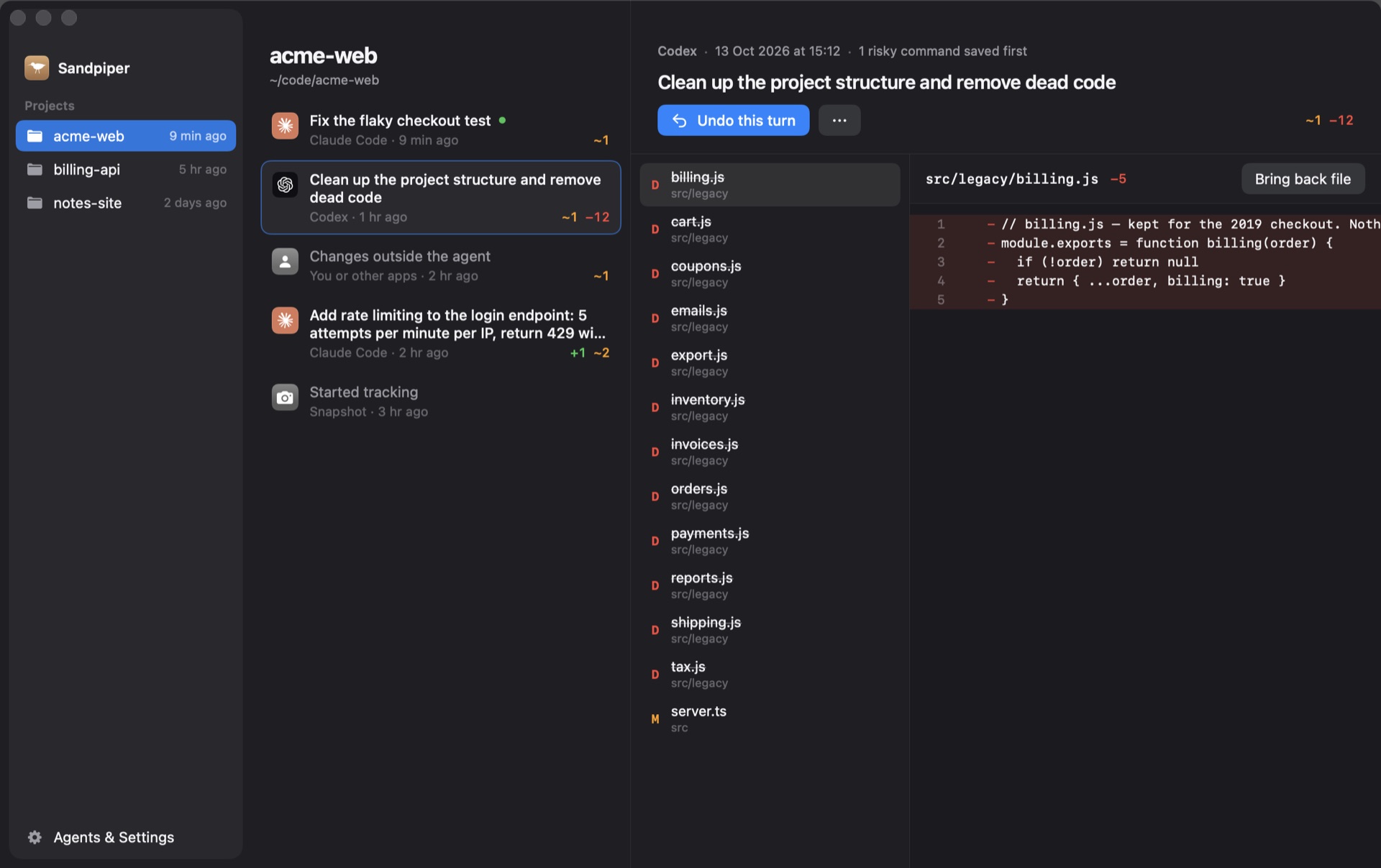
If Sandpiper was installed and had captured this project before the incident, open its timeline, locate the turn or pre-command snapshot, review the changed paths, then restore the file, folder or turn. Sandpiper takes a safety snapshot before a restore so that the restore itself can be reversed. Its exclusion rules and file-size limit still matter: check the missing path in the snapshot rather than assuming coverage.
Three examples that need different recovery sources
A committed source file was deleted by Bash. Claude's rewind will not track the Bash deletion. Git has the committed version, so preview and restore that exact path. If you also changed that file after the commit, Git only gives you the committed version; check another backup for your newer edits.
A new, untracked component was deleted by Bash. Git may list it as absent only indirectly because it never tracked it. Reflog will not manufacture its contents. Check your editor's local history and a backup captured before the command. If Sandpiper had already taken a project snapshot that includes the component, inspect and restore that path.
The agent removed a folder and then recreated a partial version. Do not restore the whole repository blindly. Compare filenames and contents from the earlier copy with the current tree. Keep any useful newer files, then restore only the missing or damaged paths. Afterward, test the feature, because an apparently complete directory can still contain mixed versions.
After recovery, make the next incident smaller
Verify the recovered files by opening them and running the project's normal tests. Compare git status --short with what you expected; a clean Git status alone does not prove that ignored configuration or untracked documents are back. Commit meaningful milestones and keep a separate backup for the Mac. A local per-turn snapshot helps with agent mistakes, while an external backup protects against disk loss.
If no earlier copy exists in Claude's supported checkpoints, Git, editor history or backups, a new utility cannot retroactively create one. The useful next step is to reconstruct from collaborators, deployed artifacts or other copies and protect future runs. Our agent backup checklist for Mac gives a short setup.
Frequently asked questions
Can Claude Code /rewind undo rm -rf?
No. Claude Code documents that its checkpoints do not track files modified by Bash commands, including rm. Try Git or an existing backup instead.
Can I install Sandpiper after the deletion and recover the files?
No. Sandpiper needs a snapshot from before the deletion. Installing it now protects later work but does not reconstruct files it never saved.
Will Git recover an untracked file?
Usually no. Git restore reads content Git already has. An untracked file that was never added, committed or otherwise saved needs another backup or editor history.
Does Git reflog recover uncommitted edits?
Reflog records movements of Git references such as HEAD. It can find lost commits, not arbitrary uncommitted working-tree bytes.
Sources

Telman Gadimov builds Sandpiper, a free local undo app for AI coding agents, and Murmur. We make Sandpiper. Recovery steps for Claude Code, Git and Time Machine are grounded in their official documentation. Sandpiper can help only if it captured the project before the deletion.


