Start here
Git can restore content it already stored. It can reliably bring back committed files, may help with previously staged content, and usually cannot recreate a never-added untracked file or an unstaged edit that existed only on disk. Preserve the current project before testing any restore.
When an AI agent deletes uncommitted work, the phrase “just use Git” hides an important detail: Git is not a recording of every working-tree state. It stores commits, an index, and objects written by some operations. A file you typed and never added may have no Git copy at all. Work out which category the lost version belonged to before choosing a command.
Identify the state of the missing work
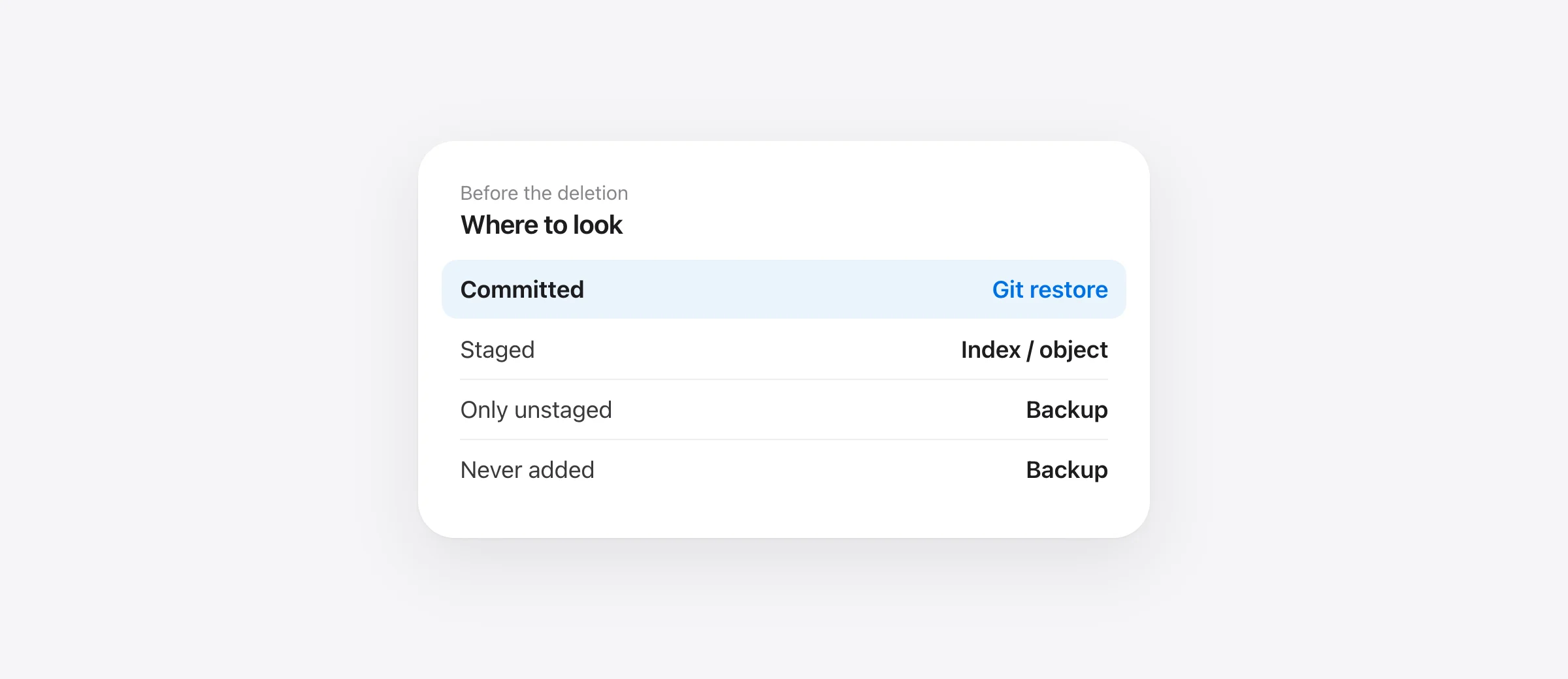
| Before deletion | Likely Git source | First check |
|---|---|---|
| Committed | Commit object | git log -- path |
Staged with git add | Index or an object it wrote | git status, inspect index |
| Edited but never staged | Usually none for those edits | Editor history or backup |
| New, untracked, never added | None in normal Git history | Editor history or backup |
Ignored, such as .env | Usually none | Backup or secret manager |
These are common cases, not a promise that a staged object remains reachable forever. Git's status documentation separates changes between HEAD, the index and the working tree. That separation is the basis of a safe recovery attempt.
Inspect without overwriting the remaining work
Stop the agent and copy the current project if practical. Run git status --short. For a known path, use git ls-files -- path/to/file to see whether Git tracks it. Use git log --oneline -- path/to/file to look for committed versions. If you find one, preview it with git show COMMIT:path/to/file. Only then decide whether to restore that path.
Do not run git reset --hard to “see if it helps.” It can replace the working tree and destroy other edits you still have. Likewise, git clean -fdx can remove untracked and ignored files. The Git clean reference explains that -x includes ignored paths. If you need to inspect what clean would target, use its dry-run option and read the list before any actual cleanup.
Restore committed content narrowly
When a committed version is the version you need, git restore --source=COMMIT -- path/to/file writes it to the working tree. Without --source, Git normally restores a working-tree file from the index. Check that you are in the correct repository and that the path is exact. Restore a file or small folder rather than the whole tree when the agent touched only part of the project.
If a commit seems lost because a branch moved, git reflog can show earlier positions of HEAD or a branch. Git describes reflogs as records of reference updates. That can locate a previous commit, but it does not mean reflog contains your never-committed draft. Inspect the commit you find before changing the working tree.
What if the file was staged but never committed?
Adding a file can write a blob into Git's object database. If the index still points to the version, inspect it before altering the index. If a destructive operation removed the index entry, git fsck may reveal dangling objects. This is an advanced, uncertain recovery path: objects can be pruned, names may be lost, and a dangling blob needs to be identified by its content. Git's fsck documentation describes what it reports. Preserve a copy of the repository, including .git, before trying deeper object recovery.
If the changes were only unstaged, even this route may have nothing to find. Check editor local history, Time Machine and any local snapshots. Do not promise that a disk-recovery utility can reconstruct a specific deleted file, especially if the disk has continued to receive writes.
Keep index, working tree and backup separate
A quick example shows why recovery advice often conflicts. You commit version A of a file, stage version B, then type version C without staging it. If the working-tree file is deleted, Git may still hold A in the commit and B in the index, but it has no reason to hold C. git restore -- path normally writes B from the index. git restore --source=HEAD -- path writes A. Neither command reconstructs C unless another system saved it.
This is why you should inspect git diff --cached and git show HEAD:path before running restore. They tell you which versions Git can actually show. If C matters, look for the editor or backup copy first. The distinction is especially important when an agent changed the same file between your own edits.
Use a prior snapshot for the gap Git leaves
Sandpiper saves supported local project files before agent turns and risky shell commands, independent of whether they are committed. That can include an uncommitted source file or local configuration if it was within the captured project and below its size limit. Open the snapshot and check the specific path. It cannot restore bytes from before installation, ignored rebuildable directories it excludes, .git internals or remote data.
For a current incident, our Claude Code recovery guide gives a full triage sequence, and the Codex undo guide shows how to separate agent and personal edits. For future work, commit meaningful milestones, keep a machine backup and test your per-turn snapshot process on a disposable repo.
Frequently asked questions
Can git reflog recover an unstaged edit?
Not by itself. Reflog records prior values of references such as HEAD. It can help find a lost commit, but it does not save every working-tree edit.
Can git restore bring back an untracked file?
Only if a version was previously stored in Git through another action. A never-added untracked file has no ordinary Git restore source.
Does git clean remove ignored files?
With -x, git clean also removes ignored files. Run a dry run and preserve any needed files before using cleanup commands.
Will Sandpiper recover an ignored .env?
A pre-existing Sandpiper snapshot can keep supported project files such as .env, but check the captured file list and exclusions. It cannot recover a file from before installation.
Sources

Telman Gadimov builds Sandpiper, a free local undo app for AI coding agents, and Murmur. We make Sandpiper. Git behavior is based on official Git documentation. Where Git cannot prove a recoverable copy exists, this article says so rather than promising recovery.


