A setup you can test today
- Commit a known-good milestone in Git.
- Enable a machine backup with a separate destination.
- Install Sandpiper's hooks for the agents you use.
- Delete a disposable file with an agent and practice restoring it.
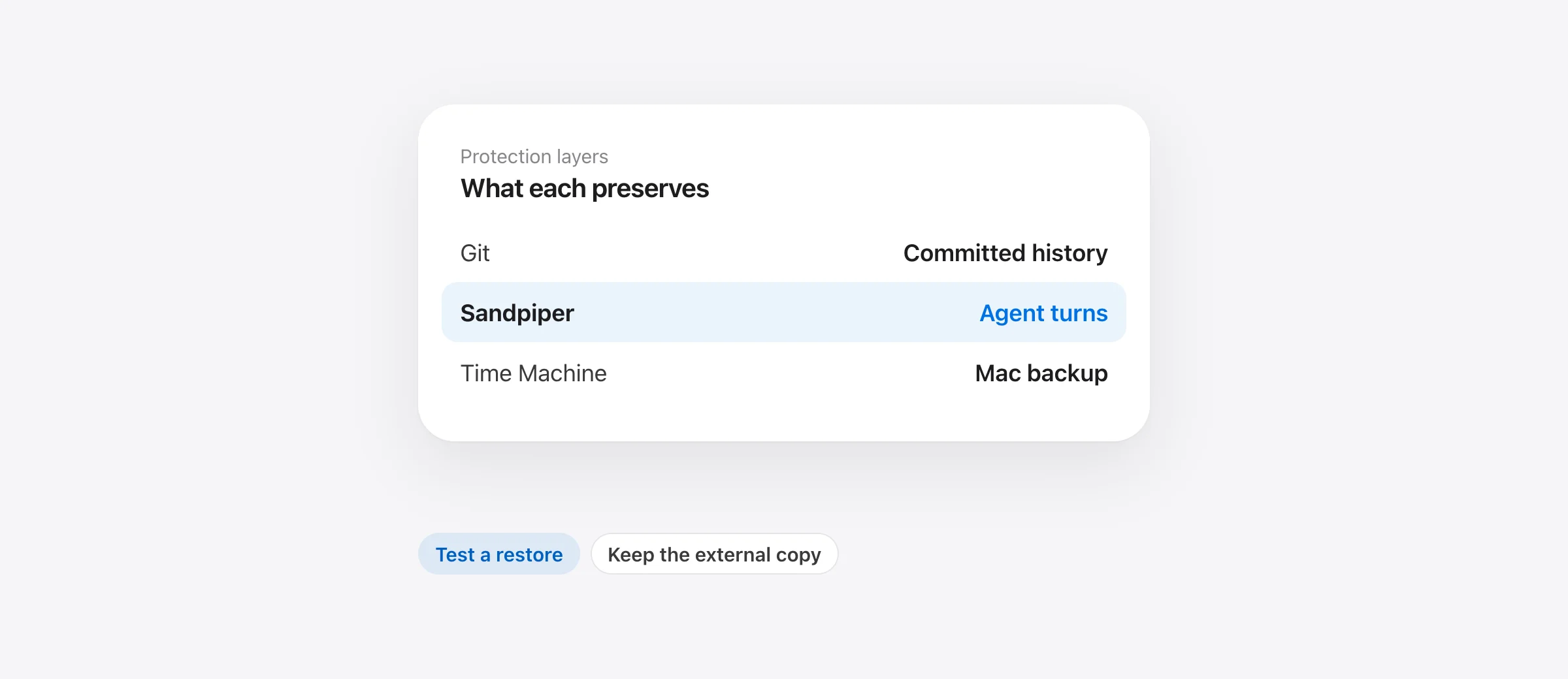
An AI coding agent backup on Mac has to account for a fast sequence of edits, shell commands and uncommitted files. One backup method rarely covers every case. A small system of Git commits, local snapshots and Time Machine gives each type of loss a clear recovery path.
Give each recovery method a job
| Method | Best recovery job | Important limit |
|---|---|---|
| Git commits | Durable project versions and collaboration | New or ignored files may never enter history |
| Agent checkpoint | Quick rollback within its own session | Coverage depends on the agent and tool |
| Sandpiper snapshot | Local project state before supported agent turns and risky commands | Must run first; exclusions and size limit apply |
| Time Machine | Broader Mac file backup and disk recovery | Local snapshots share the original disk |
For example, Claude Code documents that its rewind does not track Bash file changes. Cursor describes its checkpoints as tracking Agent changes, not manual edits. These features remain useful inside their coverage. A separate local snapshot can add a recovery point for supported project files when agent behavior crosses a tool boundary.
Make small Git commits at useful boundaries
Commit when the project reaches a state you can name: before a broad refactor, after a passing test suite, or before changing dependencies. A commit gives you a durable baseline to compare with agent output. It also makes it easier to review a proposed change. Keep secrets out of the repository and understand which files are ignored.
During agent work, use git status --short and git diff to see what changed. A clean status does not prove every local file is backed up, because Git ignores some paths. Our Git recovery guide for uncommitted work maps each file state to its likely recovery source.
Add a backup outside the project and disk
Set up Time Machine to a supported external or network destination and let it complete a backup. Apple says local Time Machine snapshots are stored on the Mac's APFS disk, saved approximately hourly and retained for a limited period. They are convenient for recent file recovery, but a disk failure can remove the original and the local snapshot together. Apple's local snapshot guide recommends normal backups as well.
Check that the folders holding your projects are included in your backup configuration. If a project lives on another volume, confirm that volume is covered. Backups that have never been restored are unproven; practice retrieving a harmless test file once.
Capture the moments between commits
Sandpiper is a free, on-device Mac app that snapshots supported project files before prompts in Claude Code, Codex, Cursor and Gemini CLI and before risky shell commands. It displays a timeline by session and turn, with changed files and diffs, and can restore a file, folder or turn. It is useful for uncommitted work that Git has not stored yet.
Install hooks for the agents you actually use. Codex requires a separate trust step: open /hooks and review Sandpiper's hook definitions. Official OpenAI documentation says new or changed non-managed hooks are skipped until trusted. Verify the hook is active before relying on a snapshot. For Claude Code or Cursor, verify the timeline after a harmless test turn as well.
Sandpiper does not protect every file: it excludes .git internals and ignored folders that tools can rebuild, lists but does not keep files above 256 MB, and cannot reverse changes to remote services or cloud databases. It stores snapshots on the Mac, so Time Machine or another independent backup remains necessary for disk loss.
Run a recovery drill in a disposable project
Create a temporary Git repo with a small tracked file and a new untracked note. Make a baseline commit for the tracked file. Have the agent edit or delete the disposable note, then inspect the Sandpiper timeline and restore it. Confirm its content, not just its filename. Separately, retrieve an earlier test file from Time Machine. This checks the two gaps most likely to be hidden by a green build: a file that Git never stored and a backup that was never tested.
Then write down one simple incident rule for yourself: stop the agent, preserve the current state, identify the missing path, and choose the source that actually captured it. The Claude Code recovery guide applies that rule to a real deletion scenario.
Review coverage when the project changes
Repeat the disposable-file drill after installing a new agent, changing hook settings, moving projects to another volume or changing the backup destination. Those changes can alter what runs or what gets saved. In Codex, a changed non-managed hook definition needs to be reviewed again. A green status light in one app does not verify another app's hook or a different project's paths.
For the first real project, pick one representative source file and one untracked local file below the size limit. Confirm both appear in an actual snapshot. Then check a deliberately excluded folder such as rebuildable output so you know how exclusions appear in the timeline. This gives you a concrete expectation of what a future restore can and cannot return.
Frequently asked questions
Is Git enough to protect against an agent deleting files?
Git protects versions it has stored. Uncommitted, untracked and ignored files can be outside that history, so use another backup for them.
Does Time Machine replace per-turn snapshots?
Time Machine is a broader Mac backup, but its local snapshots are approximately hourly when enabled. Per-turn snapshots offer a different recovery point for rapid agent changes.
Can local snapshots recover from a failed disk?
No. Local snapshots are on the same disk. Keep a normal backup on a separate disk or supported destination.
Should I test restore before relying on Sandpiper?
Yes. Use a disposable project to confirm the hooks run and that a file deleted during a turn appears in the timeline and can be restored.
Sources

Telman Gadimov builds Sandpiper, a free local undo app for AI coding agents, and Murmur. We make Sandpiper. This setup uses documented Git, Apple and agent behavior. A local per-turn snapshot is one layer; it cannot replace an external backup.


