The short answer
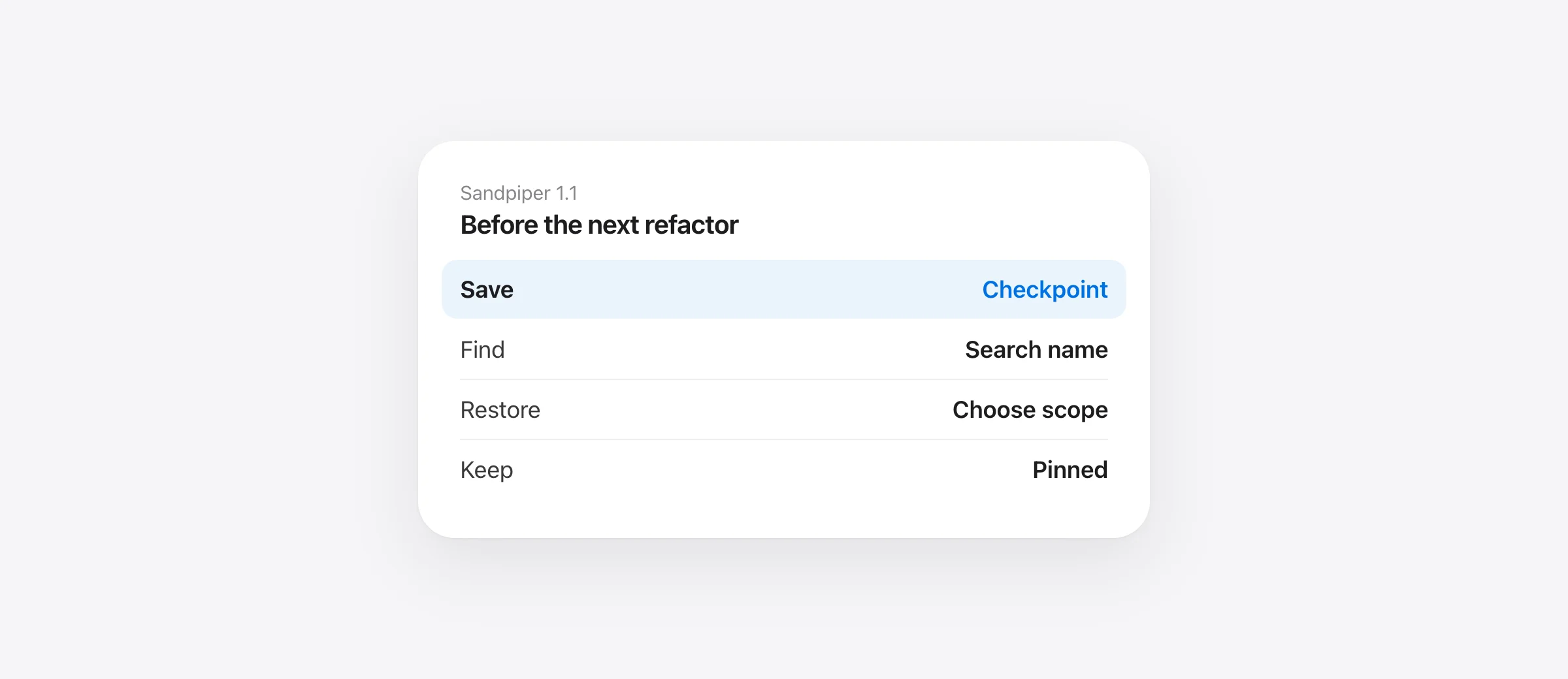
Claude Code creates its own checkpoints automatically before turns. To keep a separately named project-file recovery point on Mac, open a tracked project in Sandpiper, click Checkpoint, enter a name and save. Sandpiper pins it so routine cleanup keeps it.
If you searched for Claude Code save checkpoint, you probably want something more memorable than “the turn before the second attempt.” A name such as Before auth refactor gives you a useful baseline even after other tasks enter the history.
Keep the two kinds of state separate. Claude's native checkpoint belongs to its session. A Sandpiper checkpoint saves supported local project files and does not save or restore the conversation. A Git commit is another option when the state is ready to become repository history.
Start with a tracked project
Open Sandpiper's timeline and select the project in the left sidebar. If it has not appeared yet, configure your agent in Agents & Settings and verify a harmless turn in that Git repository. Confirm that the expected folder appears. Do not assume a similarly named folder or another worktree shares the same history.
Wait for the agent to finish writing before taking an important baseline. This gives the saved point a clearer meaning. Sandpiper is not a transactional database snapshot of an application that is still modifying many files. For a disposable test, an ordinary text file is enough.
Save a name that describes the state
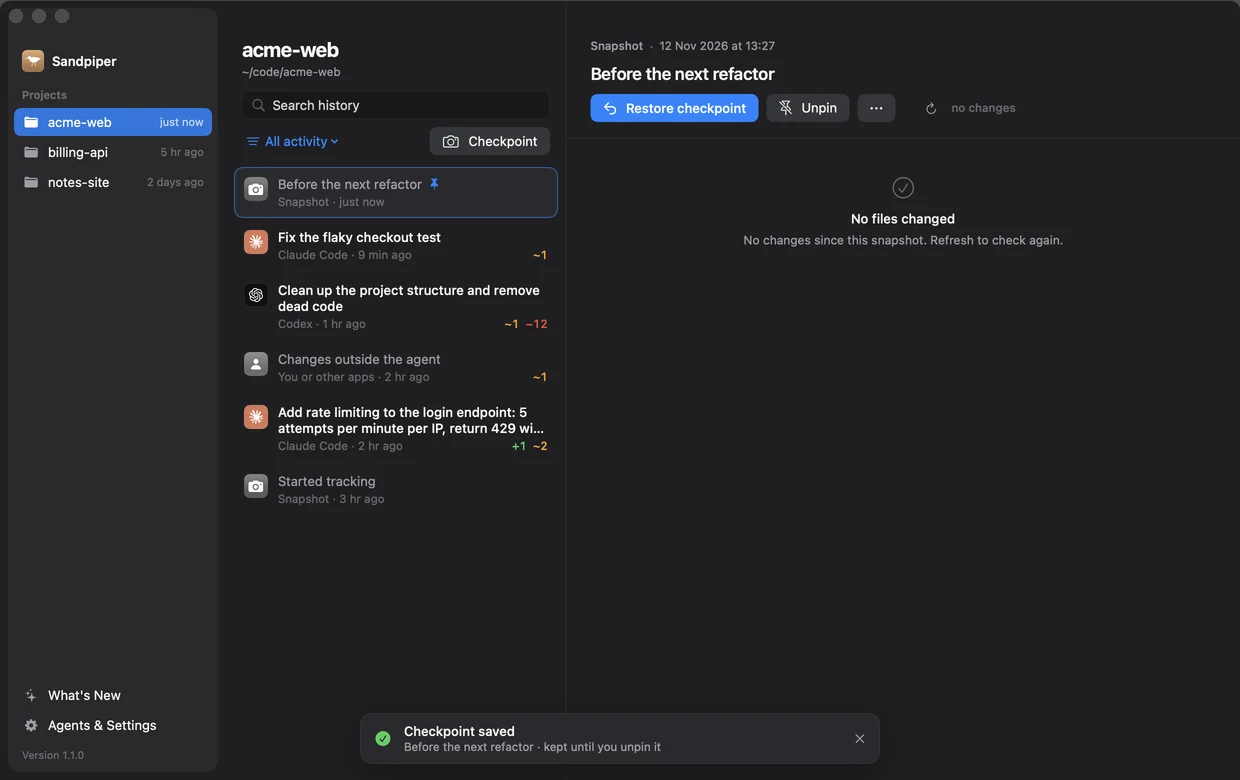
- Click Checkpoint above the project's history.
- Enter a short state name, such as
Tests passing before checkout rewrite. - Click Save and wait for the saved notice.
- Find the checkpoint row and its pin marker in the timeline.
The name should describe what you could return to, not just the date. Before dependency upgrade is useful when an upgrade later changes a lockfile and generated code. If the baseline matters because tests passed, actually run those tests before using that label; the name is your description, not a test result generated by Sandpiper.
What pinning preserves
The app creates this checkpoint as a pinned snapshot. Automatic history cleanup retains pinned snapshots. That makes it suitable for a baseline you need beyond the ordinary timeline-retention window. Keep only the points you still need: retained versions can continue using disk space as files change.
Pinning changes retention, not capture coverage. Sandpiper still excludes paths such as .git internals and rebuildable folders under its exclusion rules. Files over 256 MB are listed but their content is not kept. A pin cannot make an excluded file recoverable, and deleting the Mac's history store removes the local copy.
For durable collaboration, keep appropriate Git commits. For a failed or lost disk, keep an independent backup. The backup-tool comparison separates those jobs.
Find the checkpoint after more agent work
Select the same project, press Command-F and type part of the name. Search matches timeline titles, including named checkpoints. If an agent filter is active, switch to All activity first: manual checkpoints do not belong to Claude, Codex or Cursor.
A freshly saved checkpoint can show No files changed. Its detail compares the saved point with the working folder; when nothing has changed since capture, an empty diff is expected. After edits, use the refresh control to inspect the current difference. The empty diff does not mean the checkpoint contains no files.
Restore the smallest scope that solves the problem
If one changed file needs its previous content, inspect that file's diff and use its restore control. If the entire experiment should return to the baseline, choose Restore checkpoint. The confirmation explains that later project work is part of that whole-project rollback.
Sandpiper saves the current state before restoring. After a successful action, its notice can offer Redo. Read any skipped-file warnings and verify the resulting files; a safety copy does not make every path eligible for replacement. If the notice disappears, the restore also remains in history.
Run the relevant test after restoring. If you changed a login flow, test that flow rather than treating the checkpoint name as proof that every current dependency still matches. The agent-change review workflow gives a concrete file-by-file check.
Unpin a milestone when it is no longer needed
Select the checkpoint and click Unpin. It now follows normal history retention. This is different from deleting it immediately. If you want to keep it again while it still exists, select it and choose Keep forever.
A useful routine is one named checkpoint before the experiment, a narrow review afterward, and a normal Git commit once the result is ready. That gives the checkpoint a clear role without filling permanent repository history with every abandoned attempt.
Frequently asked questions
How do I save a checkpoint in Claude Code?
Claude Code creates its native checkpoints automatically before turns. For an independently named project-file snapshot on a supported Mac, select the tracked project in Sandpiper and click Checkpoint. That is a Sandpiper snapshot, not a new Claude conversation checkpoint.
Will a Sandpiper checkpoint expire?
A checkpoint created with the app's Checkpoint button is pinned. Automatic history cleanup keeps it until you unpin it. Unpinning returns it to normal retention; it does not immediately delete it.
Does Restore checkpoint change my Claude chat?
No. Sandpiper restores supported project files. It does not rewind the agent's conversation, remote services or cloud databases.
Why does a new checkpoint say No files changed?
Its detail compares the saved snapshot with the current project. Immediately after capture, those supported files can be identical. The checkpoint still contains the saved recovery state.
Sources

Telman Gadimov builds Sandpiper, a free local undo app for AI coding agents, and Murmur. We make Sandpiper. The Sandpiper steps describe version 1.1.1 and use an isolated sample project. Native Claude checkpoint behavior was checked in Anthropic's documentation on November 12, 2026.


