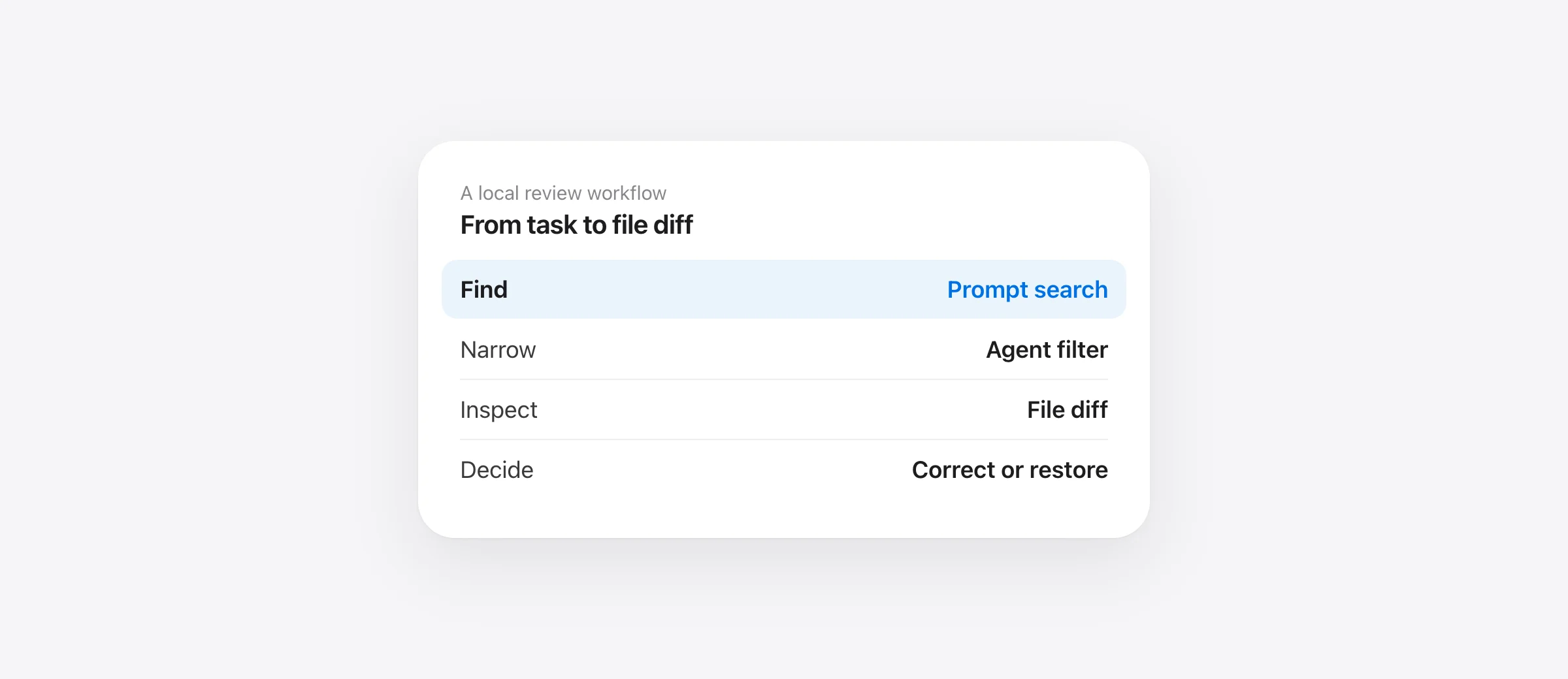
A review you can finish
- Find the task and the captured turn.
- Read the changed-file list and the actual diff.
- Check current, staged and untracked work separately.
- Run the checks for the behavior that changed.
- Keep, correct or restore the smallest useful scope.
To review Claude Code changes, start with a boundary you can name: the prompt, the intended behavior and the files that changed during that attempt. A repository-wide diff after several agents and manual fixes have run can be useful, but it may no longer represent one task.
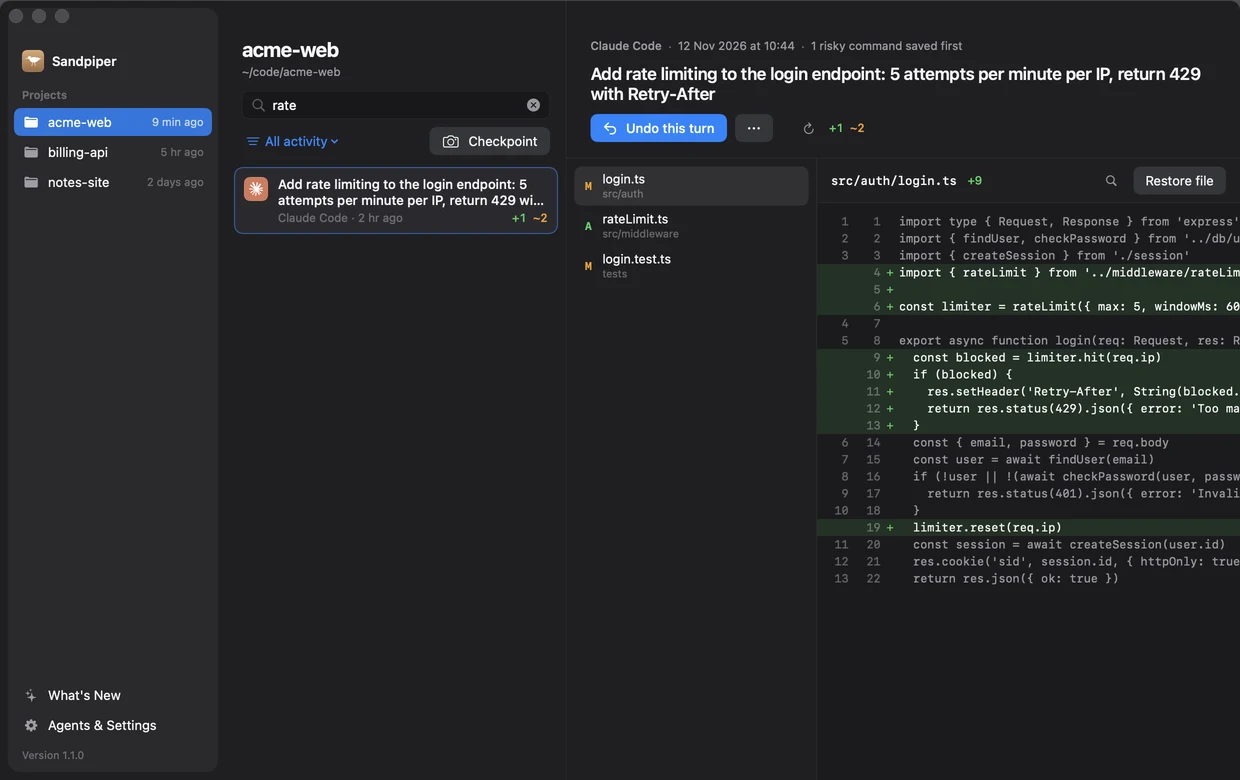
Sandpiper 1.1 helps with that first step. Its timeline can search prompt titles and checkpoint names, filter recorded activity by agent, and show a selected turn's file diff. These controls organize the review. They do not decide whether generated code is correct.
Find the turn by the work you requested
Open the project's timeline and press Command-F. Search for the recognizable part of the task, such as rate limiting. If the project has activity from several supported agents, use the filter above the list to narrow it to Claude Code. Select the matching turn, then read its title and time before opening a file.
The same timeline can include recorded Codex, Cursor or Gemini activity when their integrations are configured. Filtering narrows recorded turns; it does not establish exclusive authorship. If two agents worked concurrently, or you saved an overlapping manual edit, check the current file and your Git diff as well.
Review the patch against the requested behavior
For a rate-limiting task, a plausible patch is not enough. Check where the request identity comes from, when the counter resets and what happens at the limit. Read the changed test to see whether it covers the boundary. If the patch also rewrites unrelated session code, decide whether that wider change belongs in this task.
This example is a review method, not a finding about your project. The useful questions come from the requested behavior. A UI change needs keyboard and empty-state checks; a file restore needs scope and content checks. Tie the test to the outcome the prompt asked for.
GitHub's review guidance also recommends functional checks, requirements review and dependency scrutiny. Treat generated code and generated tests as material to inspect; a passing command is evidence about the cases it exercised.
Check the working tree, not just the historic turn
A historical turn and your current checkout answer different questions. The turn shows a captured interval. Your checkout can include changes made afterward. In the project directory, these read-only commands separate the current Git views:
git status --short
git diff --stat
git diff
git diff --cached
git ls-files --others --exclude-standard
Plain git diff compares unstaged tracked changes with the index; --cached shows staged changes. The last command lists ordinary untracked paths without listing ignored files. Read a relevant new file separately. If you need ignored paths too, inspect git status --short --ignored locally, taking care not to paste secret configuration into a review.
These Git commands do not identify the author of every edit or reconstruct a missing historical file. They help establish what is in the working tree now. Keep that current view beside the captured turn when later work matters.
Take a checkpoint before the correction
If the review reveals a problem and the next fix will touch several files, save a named checkpoint such as Before correcting auth patch. The app pins that recovery point. You can then inspect the correction against a recognizable baseline rather than trying to remember which intermediate state was usable.
The checkpoint walkthrough explains restore and unpin controls. A checkpoint preserves covered project files; it does not preserve a remote database or rewind the agent's conversation. Keep a normal commit when the result is ready for repository history.
Choose between a correction, a file restore and a turn undo
| What the review finds | Useful next action |
|---|---|
| A small mistake in otherwise useful code | Make a focused correction and test it |
| One file should return to its earlier content | Inspect that file and use its restore control |
| The captured attempt should be discarded | Review the turn's affected files before undoing the turn |
| The whole experiment should return to a named baseline | Choose Restore checkpoint and review its confirmation |
A turn undo affects paths changed in that captured interval. It is not a semantic reverse patch that automatically preserves later edits in those same files. If later work matters, save the current state and compare carefully. A whole-project restore has an even wider scope. Do not use it merely because one test failed.
Finish with evidence you can inspect
Run the relevant tests and inspect the resulting diff after any correction or restore. Confirm that deleted files really came back with the expected content. If a restore reports skipped paths, read the warning rather than assuming the entire project moved to the selected state.
The review is complete when you can explain the changed behavior, the important files and what the checks established. A searchable timeline makes that explanation easier to reconstruct later. The backup-tool comparison helps if the earlier copy was never captured in the first place.
Frequently asked questions
What is the best way to review Claude Code changes?
Connect the patch to the original task, inspect its affected files and tests, and check the current working tree for later edits. Use a captured turn for historical scope and Git for the current tracked-file difference. Neither replaces reading the code.
Does git diff show every change Claude made?
Not by itself. Plain git diff shows unstaged tracked-file changes against the index. Staged changes need git diff --cached, untracked files need a separate listing, and a historical agent turn can differ from the current working-tree diff.
Can Sandpiper search the full Claude conversation?
No. Its history search matches timeline titles such as prompts and checkpoint names, plus displayed agent names. It is not a full conversation or source-code search engine.
Does filtering by Claude prove only Claude touched those files?
No. The filter narrows recorded activity. Manual edits or other running agents can overlap the same project and files, so inspect current content before restoring.
Sources

Telman Gadimov builds Sandpiper, a free local undo app for AI coding agents, and Murmur. We make Sandpiper. App instructions describe version 1.1.1; screenshots show an isolated sample project. Sandpiper displays file history and diffs. It does not perform an AI code review or prove which process authored every line.


