Choose by the missing recovery point
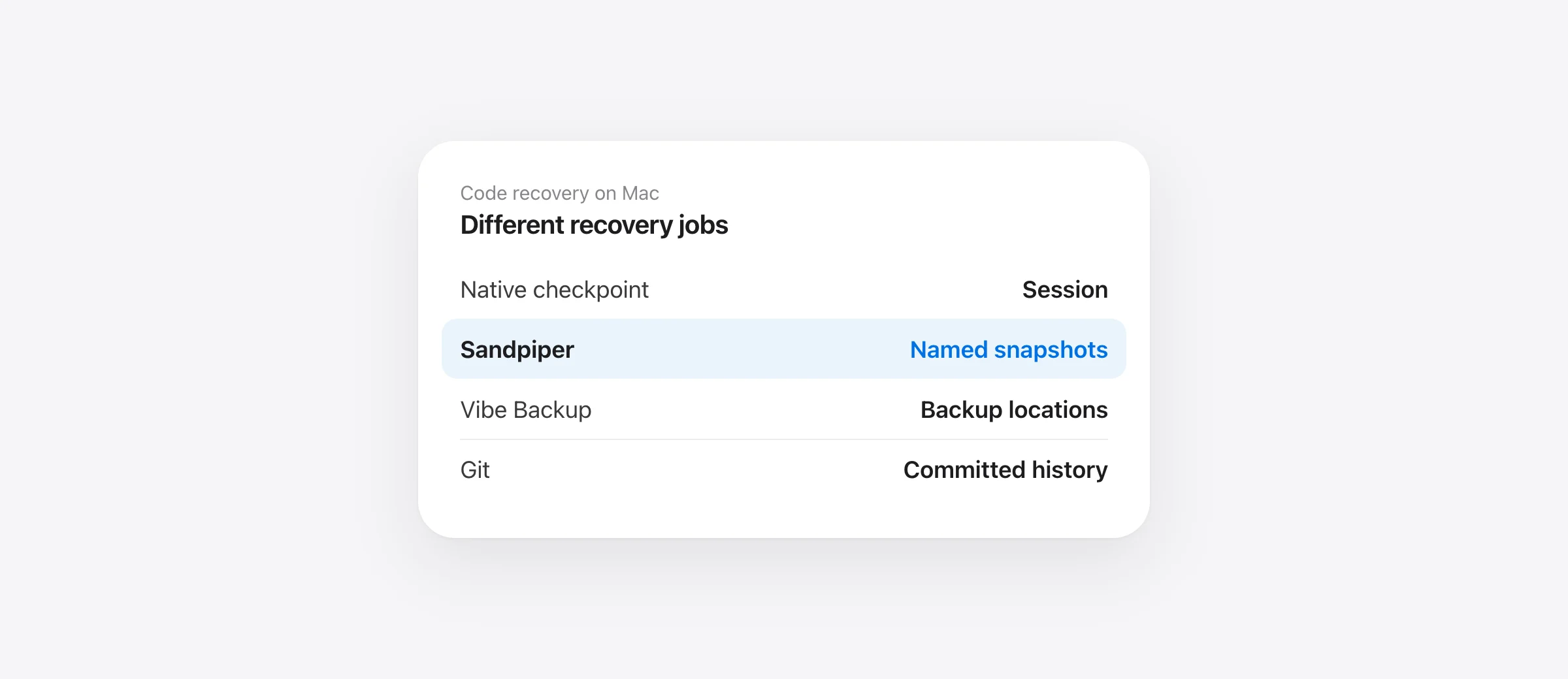
For quick session recovery, start with Claude's native checkpoints. For named local recovery points and a timeline across supported agents on Mac, evaluate Sandpiper. For configurable backup destinations, examine Vibe Backup. Keep Git for committed history and an independent backup for disk failure.
Claude Code backup tools can mean two different things: saving a conversation, or saving the project files that conversation changed. This guide compares code recovery. If you need a transcript, context export or session migration, a file snapshot alone will not do that job.
The useful buying question is concrete: “If the next refactor changes six files and deletes an untracked note, where is the earlier copy?” The answer depends on what ran before the refactor, which paths it captured and how narrowly you can restore. A large feature list does not answer those questions by itself.
Compare the recovery jobs
| Option | Useful when | Check before relying on it |
|---|---|---|
| Claude Code checkpoints | You want to rewind captured changes within the session | Whether the particular file entered checkpoint tracking |
| Sandpiper | You want prompt search, agent filters and named pinned project snapshots | Mac requirements, installed hooks and captured-file exclusions |
| Vibe Backup | You want a Mac snapshot app with published MCP and backup-location features | The plan's restore-history and automation limits |
| Git commits | You need project history that can be reviewed and shared | Whether the important version was actually committed |
These options can work together. Sandpiper is a local change-history app, not an AI reviewer, a cloud backup service or a replacement for your normal repository.
Native checkpoints: use the recovery you already have
Anthropic documents automatic checkpoints before turns. Coverage follows files captured by Claude's editing tools; later shell edits to those files can also rewind, while Bash-only files remain outside that tracking. Use the rewind coverage guide when a particular path is missing.
If your goal is a quick correction inside one conversation, start by checking the existing recovery point. A separate app becomes more useful when you need an independently named baseline or you work across multiple agents.
Sandpiper: search the turn and keep a named baseline
Sandpiper 1.1 adds three practical controls to its local timeline. Search history finds prompt titles and checkpoint names. An agent filter narrows the list. Checkpoint saves the selected project's current supported files under a name you choose and pins that snapshot against automatic cleanup.
That changes the recovery workflow. Before asking for a large refactor, save Before checkout refactor. After the agent finishes, search for the task, open its file list and inspect the diff. Bring back a selected file, undo the turn, or choose a whole-project restore when that wider scope is intended. The named-checkpoint walkthrough shows the exact buttons.
The app is free, on-device and requires macOS 26 or later on Apple silicon. Automatic capture depends on configured hooks for supported agents. A checkpoint saves only covered local paths: exclusions and the 256 MB per-file limit still apply. A pinned snapshot remains on this Mac; it does not become an off-device backup. Sandpiper does not restore a Claude conversation.
Vibe Backup: examine destination and plan requirements
Vibe Backup's website describes manual snapshots, MCP checkpoints and configurable backup locations. Its free plan lists three projects and latest-version restore. Its paid plan lists older-version recovery, scheduled backups and additional destinations. Those are published claims, not results of our testing; verify the current plan before choosing it.
This is worth evaluating if your purchase decision starts with where backups should live or which scheduled workflow you need. Test a representative restore and inspect the actual agent integration. A documented capability and a confirmed capture in your own project are different evidence.
Git: keep the versions you intend to share
A Git commit records the staged project version. It is a useful named milestone and a normal part of collaboration. It does not automatically save every intermediate working-tree state. If a file or edit never entered stored history, a later commit cannot recover its earlier bytes.
You do not have to turn every agent experiment into a permanent commit. Keep commits at meaningful project boundaries and use an additional local recovery point for work between them. The Mac agent-backup setup explains the separate role of a machine backup.
Test one ordinary mistake before choosing
Use a disposable project with a tracked source file and an untracked note. Create the recovery point, change the source and remove the note, then recover both. Confirm the content. Check whether the restore also moves files you meant to keep, and whether its own safety copy is available. This exercise answers more than an advertised snapshot-speed number.
If you alternate between Claude Code, Codex or Cursor, repeat the capture check for each configured integration. A working hook for one agent does not establish coverage for another. Choose the tool whose captured paths, naming and restore scope match the way you actually work.
Frequently asked questions
What is the best backup tool for Claude Code?
It depends on the restore you need. Native checkpoints help within a Claude session; Sandpiper adds a local project timeline and named pinned snapshots on supported Macs; Vibe Backup advertises MCP checkpoints and backup destinations; Git keeps committed history. Keep an independent backup for disk loss.
Does backing up Claude Code history back up my source files?
A saved conversation is not proof that earlier source-file bytes were saved. Verify code recovery separately from chat or session backup.
Can I use Sandpiper for free?
Yes. Sandpiper is free, with no account or paid tier. It requires an Apple silicon Mac running macOS 26 or later.
Can any of these tools recover a file deleted before setup?
Only if a usable copy already exists in an earlier checkpoint, Git object, editor history or backup. Installing a new snapshot app after deletion cannot recreate uncaptured bytes.
Sources

Telman Gadimov builds Sandpiper, a free local undo app for AI coding agents, and Murmur. We make Sandpiper. This comparison uses our app's released behavior and the other products' published documentation checked November 12, 2026. We have not run a comparative performance test.


