Before clicking Restore
- Inspect the checkpoint preview and the current Git diff.
- Copy any manual work you need to keep.
- Restore the intended point in the Agent timeline.
- Check the actual files and run your normal verification.
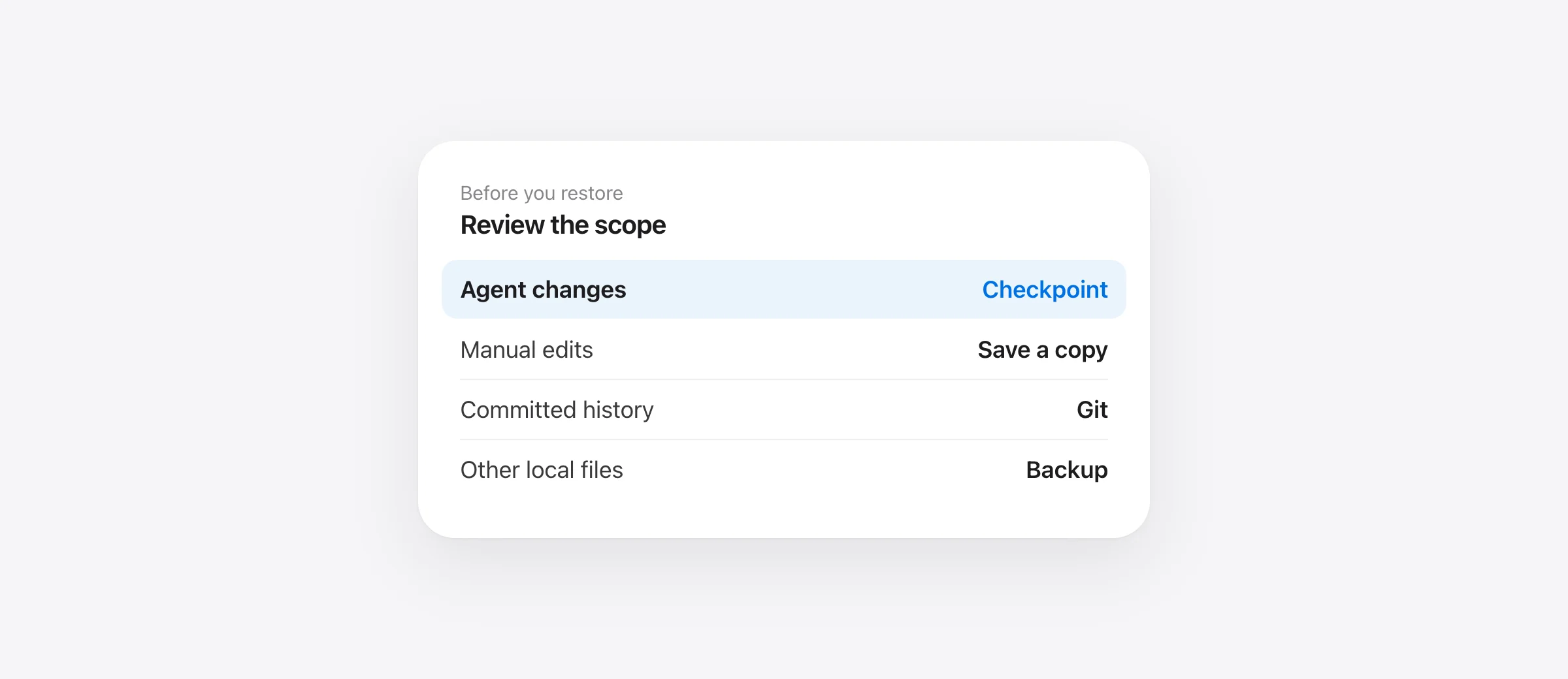
A Cursor Restore Checkpoint can return files to an earlier state after Agent takes a wrong turn. Cursor's Agent documentation says you can click a checkpoint in the chat timeline to preview the files at that point, then restore. It also describes a Restore Checkpoint control on previous requests and a control shown when hovering over a message. The restore affects files, not the conversation messages.
Choose the checkpoint by the last good state
Find the message before the Agent change you want to undo. Preview the checkpoint and note which files will move back. If you asked Agent to complete several independent tasks in one chat, an early checkpoint may revert more work than the one mistaken edit. Save a copy of any important current files before restoring if the preview is ambiguous.
After restore, inspect the code and run the relevant test. A successful UI action does not tell you whether a generated file, an external service or a later manual change is correct. Use git status --short and git diff to see the working-tree result.
Example: Agent refactor plus a manual fix
Suppose Cursor Agent rewrites three components. You then fix a fourth file by hand and discover the refactor was wrong. A checkpoint before the refactor can return Agent files to their earlier state, but Cursor's documentation does not describe manual edits as checkpointed Agent work. Copy the fourth file or make a separate commit before the restore. Afterward, inspect all four files and the test result. The important question is whether the manual fix still makes sense against the earlier component code.
If you cannot tell from the checkpoint preview which paths will change, pause and save a copy of the current tree. A restore is easy to click; rebuilding an untracked manual draft is not. Use the preview as a scope check, not just a thumbnail of a past chat message.
Know what Cursor says checkpoints cover
Cursor describes checkpoints as local snapshots of Agent changes. Its documentation explicitly says manual edits are not tracked by checkpoints and that checkpoints are separate from Git. This is the key limit when you edited a file after Agent did. Preserve your manual version before restoring, then compare the result. If both the agent and you touched the same file, a small manual patch may be safer than moving the entire file back.
Do not infer that every action visible in an Agent session has a recoverable local file version. Shell commands can touch ignored files, generated folders, packages or services outside the editor's ordinary file-edit flow. Check the specific path and the checkpoint preview. If the file is absent there, look at Git, editor history or another backup instead of repeatedly restoring different chat points.
Use Git for durable history
Before Agent starts a large task, make a commit of a known-good state when appropriate. The commit gives you a stable reference independent of a chat session. For a tracked file that should return to a committed version, inspect the version before using Git restore. For untracked and ignored files, a Git commit may not exist. Our uncommitted-work recovery guide explains that distinction.
Cursor's own docs recommend Git for permanent version control. Checkpoints help with quick local rollback; a committed history and a separate backup solve other problems. The right recovery source depends on where the missing bytes actually existed.
Where Sandpiper fits on a Mac
Sandpiper is a free local app that installs hooks for Cursor and other coding agents. Once installed, it snapshots supported project files before agent prompts and risky shell commands. Its timeline can restore a file, folder or turn from a pre-existing snapshot. This is useful when you want a project-level timeline across several agents or need coverage for a command that changed local files.
Sandpiper is not retroactive. It does not keep .git internals, ignored rebuildable output, files above its size limit or remote databases. Read its captured file list before restoring. Keep Git and a machine backup as well. Our agent backup checklist shows a simple way to combine them.
If Restore Checkpoint appears to do nothing
First confirm you chose a checkpoint that previewed a tracked Agent file change. Then check whether the missing path was manually edited, ignored, or changed by a command outside the tracked operation. Do not assume a chat message itself guarantees a file snapshot. Compare the current file and Git diff with the preview. If no recoverable version exists there, switch to the backup that actually held the file rather than repeating the same restore.
Frequently asked questions
Where is Restore Checkpoint in Cursor?
Cursor's documentation says to click a checkpoint in the chat timeline, use Restore Checkpoint on a previous request, or use the control shown when hovering over a message. UI placement can vary by version.
Does a Cursor checkpoint restore my manual edits?
Cursor documents checkpoints as tracking Agent changes, not manual edits. Preserve your own work separately before restoring.
Is a Cursor checkpoint the same as a Git commit?
No. Cursor stores checkpoints locally and describes them as separate from Git; Git is for permanent version history.
Can Sandpiper recover files deleted before I installed it?
No. A Sandpiper snapshot must have been captured before the change.
Sources

Telman Gadimov builds Sandpiper, a free local undo app for AI coding agents, and Murmur. We make Sandpiper. Cursor checkpoint instructions and scope are based on Cursor's official documentation checked October 13, 2026.


