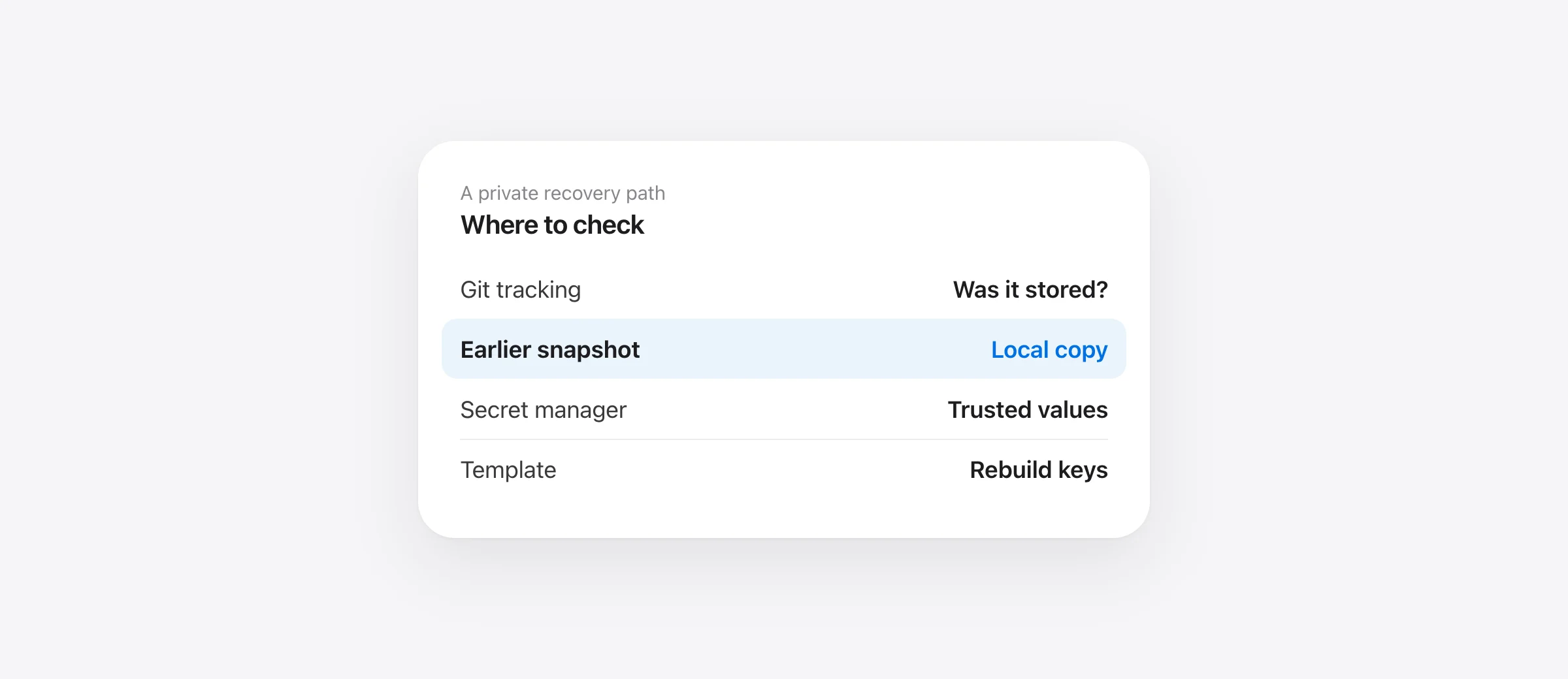
Recover without exposing secrets
- Stop the agent and identify which
.envpath disappeared. - Check whether Git ever tracked that exact file.
- Inspect a pre-deletion backup or Sandpiper snapshot.
- Rebuild missing values from a trusted secret source if no copy exists.
A deleted .env file can make an app fail immediately while git status still reports a clean tree. That is common because projects often ignore local environment files. If an AI agent removed it, or ran git clean -fdx, work from the exact path and an earlier copy. Do not paste the file's values into an agent chat, issue or public commit while troubleshooting.
This guide focuses on a local Mac project file. A hosted platform's environment variables, a secret manager and a cloud database are separate systems with their own audit and recovery paths.
Confirm which file is missing
Projects commonly use .env, .env.local, .env.development or files under a package directory. The app error may mention one of them, but check the configuration or README for the actual file it loads. Also verify you are in the right project and branch. A missing file in one worktree may still exist in another checkout.
Read the agent transcript for the exact command and working directory. git clean -fdx includes ignored files because of -x; the Git manual says so. A plain git reset --hard normally targets tracked content instead, with a documented exception for untracked paths obstructing tracked files. The command matters because it narrows where to search.
Check whether Git has a copy without printing secrets
Run the path checks from the correct repository. These show filenames and history without dumping the file content:
git ls-files -- .env
git check-ignore -v .env
git log --oneline -- .env
git ls-files tells you whether the current index tracks the path. git check-ignore -v identifies the rule that would ignore an untracked file. Git's check-ignore documentation notes that tracked files normally do not appear in its output, so read the commands together. A file can have an ignore rule and still have been tracked in an earlier commit.
If a previous commit genuinely contains the needed file, use a private copy of the repository to inspect and recover it, then assess whether committing those values was itself a security mistake. Avoid printing the file in shared terminal logs. If no Git history contains it, git restore will not invent the values. An ignore rule controls Git's normal tracking behavior; it is not a backup mechanism.
Check backups that existed before the deletion
Look in the project's approved secret manager or password manager, another trusted local checkout, and any editor history that may have saved the file. If Time Machine was already configured and included the project, Apple's restore guide shows how to recover a file from an earlier backup. Restore into a private location first if you need to compare versions or avoid overwriting a partially rebuilt file.
If Sandpiper had already captured the project, open the turn before the deletion and inspect the exact .env path. Its local snapshots can include supported project files ignored by Git, but you must verify the path was saved; installation afterward cannot help. Restore the file, check its permissions and run the app's local validation without echoing secret values.
If the file was removed by git clean -fdx, our git clean recovery guide covers the other untracked and ignored files that might also be missing.
Rebuild when no earlier copy exists
Check for a committed .env.example or other documented template. It should describe required variable names and placeholder values, not production secrets. Create a new local .env from that shape, then obtain each real value from its owner or the approved secret store. For newly generated local-only credentials, follow the service's setup instructions. Do not copy tokens from an untrusted build log or assistant transcript just because they appear to work.
Keep a list of variable names and their source while rebuilding, without writing secret values in the list. Start the app and check the specific missing-variable errors one at a time. Some values point to local emulators or test services; others may point to production. Verify the environment before running migrations, sending requests or performing any action that changes remote state.
Decide whether credentials need rotation
Deleting a file does not itself disclose its contents. Restore or recreate it first. Rotate a token when you find evidence it was committed publicly, pasted into an untrusted tool, copied into a shared artifact, or otherwise exposed. GitHub's guidance for exposed repository secrets says revocation or rotation comes before history cleanup. Follow the provider's replacement procedure, then update every place that legitimately uses the old value. Rotation is a response to exposure, not a substitute for recovering an ordinary deleted file.
If the old .env was accidentally committed, removing the current file from Git does not erase historical commits others may still have. Treat that as a separate incident and use the provider's guidance for the specific credentials involved.
Protect the replacement file
Confirm the path is ignored with git check-ignore -v, but do not confuse ignored with backed up. Keep a trusted secret source for the values and an independent Mac backup for local configuration. Before the next agent turn, test that your per-turn snapshot captures a harmless local test file in the same project. You can then check whether the .env path appears in a snapshot without publishing its contents.
The broader agent backup setup for Mac combines Git, local turn snapshots and a separate machine backup. The Git recovery guide explains why ignored and unstaged files need that second source.
Frequently asked questions
Does .gitignore back up my .env?
No. Ignore rules tell Git which untracked paths to omit from normal tracking. They do not save a copy of the file.
Can git restore recover an ignored .env?
Only if that version was previously stored in Git despite the ignore rule. Check tracking and history first. Most never-tracked .env files need another backup or recreation.
Should I rotate every secret because .env was deleted?
Deletion alone is not evidence of exposure. Rotate credentials if the values were leaked, copied to an untrusted place, or you cannot otherwise trust their handling.
Can Sandpiper restore a deleted .env?
If Sandpiper captured that project and path before the deletion, its local snapshot can restore the file. Verify the path is present in the snapshot; installation after loss is too late.
Sources

Telman Gadimov builds Sandpiper, a free local undo app for AI coding agents, and Murmur. We make Sandpiper. Git and Time Machine steps are sourced from their official documentation. The article distinguishes deletion from credential exposure; deleting a secret does not itself mean it leaked.


