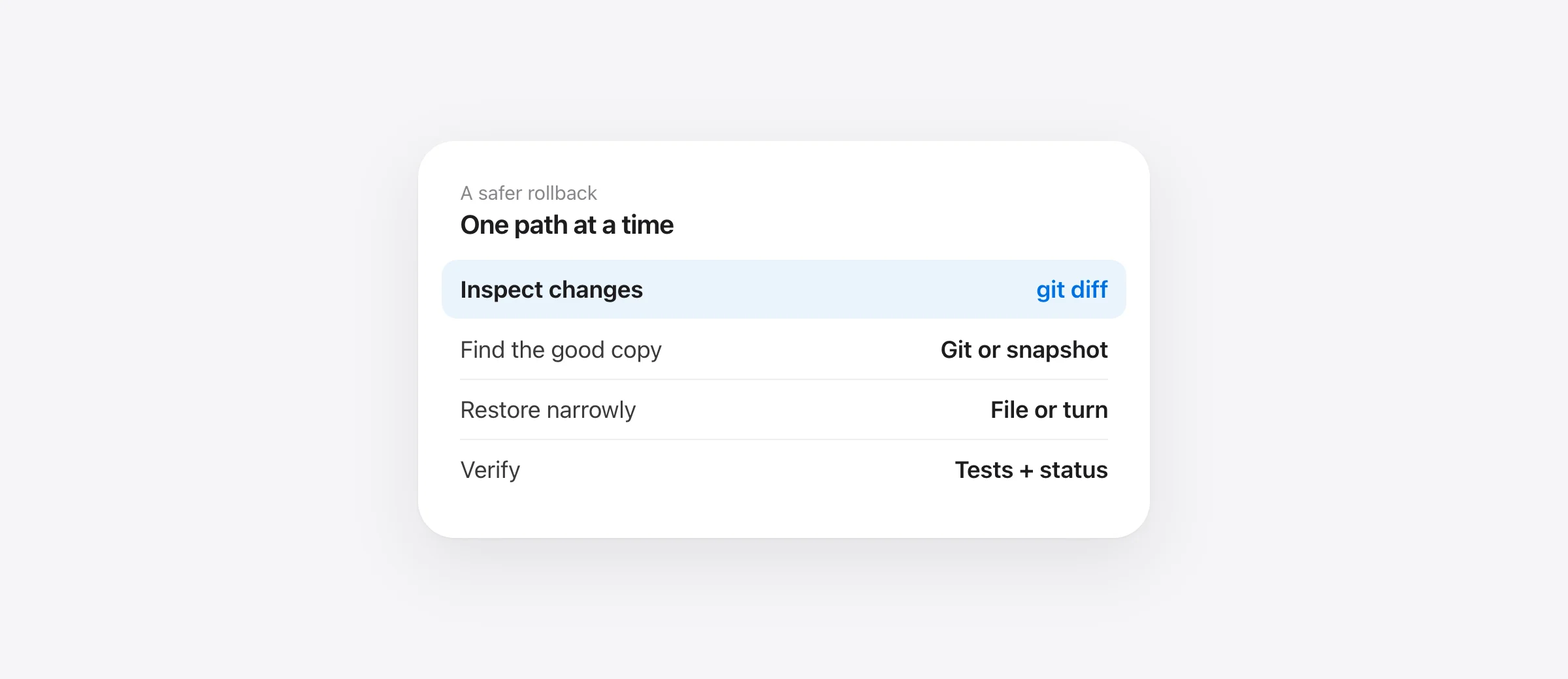
Safe undo sequence
- Stop the Codex turn and save a copy of the current project if possible.
- Run
git status --shortand inspect the diff. - Restore only paths whose earlier content you can identify.
- Verify both recovered files and your remaining edits.
If you need to undo Codex changes, avoid starting with a command that resets the entire repository. Codex may have changed several files while you edited others. The task is to identify which version belongs in each path. This guide uses Git as the common baseline and a pre-existing local snapshot when Git has no copy of the work.
Inspect the project before changing it again
Stop the agent from issuing more tool calls. From the project root, run:
git status --short
git diff --stat
git diff -- path/to/file
git status distinguishes tracked changes from untracked paths, while git diff shows unstaged edits. Also inspect staged changes with git diff --cached if status marks any. These are read-only checks. The Git status reference explains what each category means.
Compare the diff with the Codex transcript and your own activity. A file can contain both your new work and the agent's unwanted lines. A one-command restore of that whole file would lose both sets of changes. If unsure, copy the file first, then use a patch or manual edit to remove only the unwanted hunk.
When Git has the version you need
For a tracked file that should match the current index, git restore -- path/to/file replaces its working-tree content. Preview the earlier version before running it, especially if you have edits in that file. If you want a copy from a particular commit, git show COMMIT:path/to/file lets you inspect it first. Git also supports git restore --source=COMMIT -- path/to/file; confirm the commit and path carefully because the destination is your working tree.
For a set of deleted tracked files, narrow the restore path to the deleted folder or individual files. A whole-tree restore is justified only when all current work in the tree is disposable. The distinction matters more than the speed of the command.
If Codex created a bad commit, inspect the commit and branch history before choosing a reversal. On a shared branch, a new revert commit usually preserves the history others already have. On a private branch, other history operations may be possible, but they are a different task from recovering uncommitted files.
Example: Codex edits a file you were editing too
Imagine you are changing validation in src/login.ts while Codex refactors error handling in the same file. The result fails tests. A full-file git restore would erase both changes and return to the index version. Instead, view git diff -- src/login.ts, copy the current file, and identify the exact hunks that came from the refactor. Revert those hunks manually or with a patch, keeping your validation change. Run the focused test and review the final diff.
If the agent changed many files, group them by outcome: files wholly owned by the bad turn, files with your later edits, and newly created files. The first group can often be restored together from a known source. The mixed group needs line-level review. New files require checking whether they are disposable or contain useful work before deletion.
When Git has no copy
Git cannot restore bytes that were never stored in it. An untracked draft, ignored .env, or an uncommitted version of a tracked file may exist only in the working tree. If that copy is gone, check editor local history, Time Machine or a project snapshot made before Codex touched it. Reflog can help locate previous commits; it is not a record of arbitrary uncommitted edits.
On a Mac where Sandpiper was already running, its timeline groups local changes by agent turn. Open the Codex turn, inspect the file list and diff, and restore the one file, folder or turn you need. Sandpiper takes a safety snapshot before it restores. Check the snapshot for the exact path: ignored build output, .git internals and files above its size limit are outside its normal recovery coverage. A snapshot cannot reach a remote database.
Set up protection before the next Codex session
Sandpiper installs user-level hooks for Codex so it can snapshot before prompts and inspect potentially destructive shell commands. Official OpenAI documentation says non-managed hooks are skipped until you review and trust their exact definition. In Codex, open /hooks, inspect Sandpiper's entries, then trust them. If a hook changes later, Codex can require review again. Test with a disposable file before relying on it for valuable work.
Continue making small Git commits and normal machine backups. A hook is a useful local guardrail, but the official docs do not describe hooks as a complete enforcement boundary. Our Mac backup checklist for coding agents combines these layers without assuming any one of them covers every failure.
Verify the undo
Open the restored file, run the relevant test or build, and inspect git status --short once more. Do not use a clean status as the sole success condition: Git ignores some important local files. Check the exact artifact that was lost and confirm your own later work remains.
Frequently asked questions
Can git restore undo only one Codex-edited file?
Yes, if the version you need exists in Git. Check the current diff and the restore source first; restoring a path can overwrite newer working-tree edits in that path.
Will git reset --hard recover my uncommitted work?
No. It can discard uncommitted work. Preserve the current state and identify the source of each file before any broad reset.
Can Sandpiper recover a Codex deletion from before installation?
No. It needs a snapshot captured before the deletion, with its hooks installed and trusted in Codex.
Why does Sandpiper ask me to trust Codex hooks?
Codex requires review and trust for the exact definition of non-managed hooks. Open /hooks in Codex and inspect Sandpiper's hooks before trusting them.
Sources

Telman Gadimov builds Sandpiper, a free local undo app for AI coding agents, and Murmur. We make Sandpiper. This article describes Git's documented behavior and Codex's official hook trust flow; it does not claim that one Codex interface behaves identically to another.


