Willow Voice pricing, checked October 23, 2026
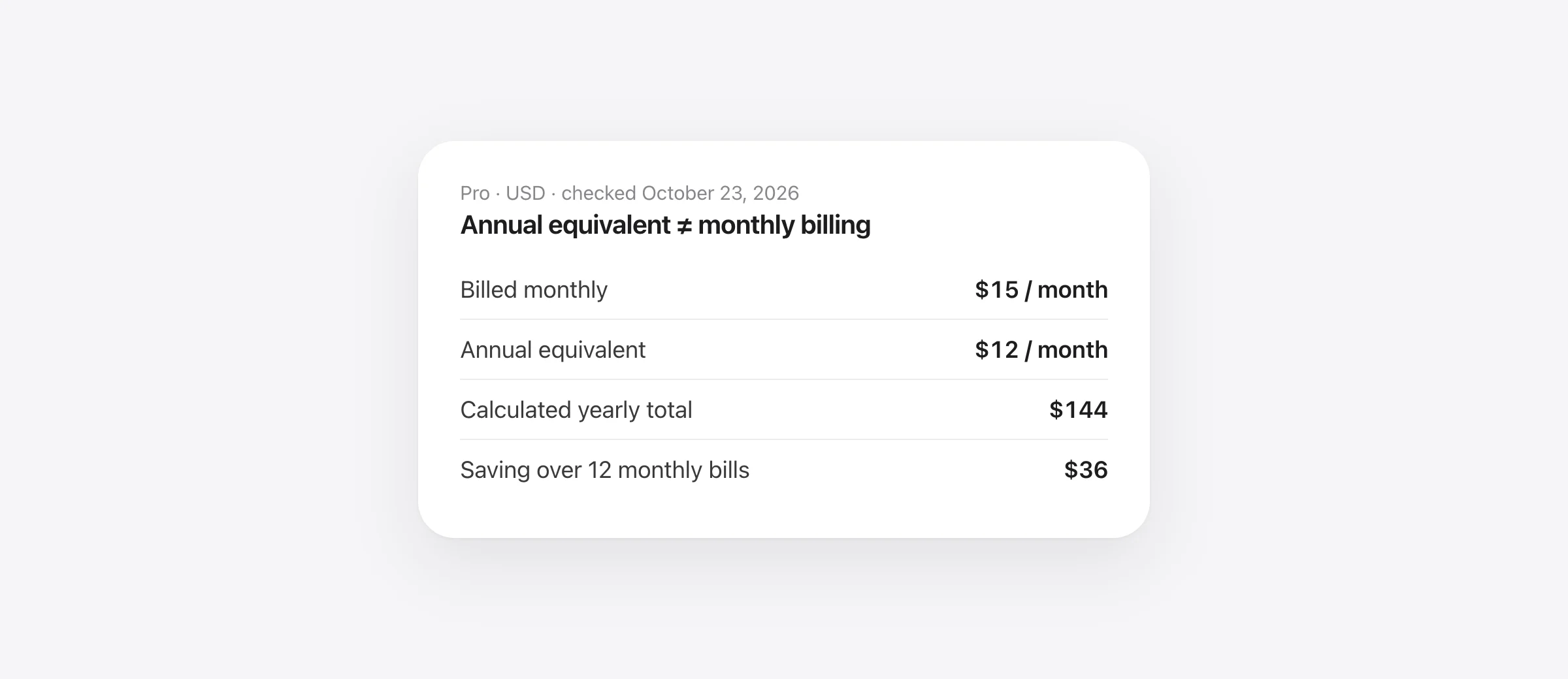
Basic is free. Pro is $15/month, or $12/month with annual billing. The annual equivalent totals $144. Business shows $35/month or $28/month annually; Enterprise is custom. Prices are USD before applicable taxes.
Willow Voice pricing is easiest to evaluate by separating three decisions: which speech model you need, whether you use Scribe for writing, and whether an administrator needs to enforce settings for a team.
A higher tier can make sense without being necessary for everyone. If the free workflow already produces a draft you are happy to use, an unlimited paid allowance alone is not a reason to upgrade. If a paid feature removes a repeated editing task, a monthly trial of your own workflow can give you useful evidence.
What does Willow cost over a year?
| Plan | Monthly billing | Annual equivalent | Calculated annual payment |
|---|---|---|---|
| Basic | Free | Free | $0 |
| Pro | $15/month | $12/month | $144 |
| Business | $35/month | $28/month | $336 |
| Enterprise | Custom | Custom | Request a quote |
The rates come from Willow's pricing page; annual totals are our multiplication by twelve. These examples assume one billed seat and unchanged rates. Confirm the unit, minimum seats and total on a team quote rather than treating this table as a contract.
For Pro, twelve monthly payments total $180. Annual billing saves $36 over that uninterrupted year. Business's corresponding arithmetic is $420 versus $336, a difference of $84. The annual discount rewards a longer commitment; it does not make an unused subscription useful.
Willow Free vs Pro: the differences that affect a draft
Basic includes unlimited Frontier Mini speech-to-text, limited personalization and 20 Scribe uses per week. Pro lists Frontier Pro, style memory, unlimited Scribe and increased dictation length. These are the vendor's plan descriptions, not measurements of improvement in your voice or language.
The distinction matters because “unlimited” can describe one component while another has a quota. Plain dictation and asking a writing tool to draft or rewrite are different activities. When a limit appears, identify which action triggered it before assuming ordinary speech-to-text has stopped being free.
The pricing page we checked did not state an exact numeric duration for each dictation tier. Do not base a purchase on an old “minutes per recording” figure from a third-party comparison. If long dictations matter, confirm the current limit in your account and test a representative recording.
A useful upgrade question is: “Which output do I get on Basic, and what changes when I perform the same task on Pro?” That is more concrete than asking whether the paid model is described as smarter.
Annual billing becomes cheaper after ten monthly payments
A Pro annual payment of $144 falls between nine monthly payments ($135) and ten ($150). If you would use Pro for ten or more paid months during the year, the annual amount is lower under these assumptions. If you stop after three months, monthly spending is $45 rather than the $144 annual purchase.
Business has the same proportional relationship: nine monthly payments cost $315 and ten cost $350, compared with a $336 annual amount. That arithmetic does not establish how seat removals, prorating or cancellation work. Obtain those terms before planning a changing team around a fixed yearly budget.
For a five-person Pro example, the nominal annual total is $720; twelve months of five monthly seats would cost $900. The $180 difference assumes every person keeps a seat for the whole period and no special quote applies. If only two people end up using the app, adoption matters more than the discount.
Record the renewal date and expected total when purchasing. An annual equivalent is useful for comparing rates, but the actual debit is the amount your budget needs to absorb.
Test whether the paid workflow earns its cost
Use ordinary work instead of a demonstration paragraph chosen to make dictation look impressive. A fair evaluation includes a routine draft and one task that usually causes corrections.
- Prepare three prompts. Choose a short message, an email with dates and names, and a structured writing request.
- Run the comparable tasks in each available plan. Record the mode and plan, especially if introductory access temporarily exposes paid features.
- Keep the raw outputs. Compare meaning before making edits. Note dropped conditions, changed numbers and invented details.
- Time your corrections. Stop when the text meets your own sending standard, not when the app finishes transcribing.
- Review after a normal week. Buy the longer billing period only if the useful behavior repeats.
For a dictation test, try: “Tell Kamal the draft is ready for review, not publication. The budget is 2,400 dollars. Please keep the customer names out of the shared version.” Check the name, amount and both restrictions.
For a writing test, try: “Draft a brief reply acknowledging the delay. Ask whether Friday works for a review. Do not promise a delivery date.” A fluent reply that invents a delivery commitment fails this test.
These are original evaluation prompts, not results from running Willow. Keep a simple note with task, mode, errors and correction time. That gives you a reason to pay or stay free based on your work.
Calculate value from editing time, not advertised speed
Suppose a paid workflow saves you two minutes per working day over twenty days. That is 40 minutes a month. At $15, you are spending $22.50 per hour saved. If it saves five minutes a day, the same calculation becomes $9 per hour saved.
Those are hypothetical examples. Your actual calculation is monthly cost ÷ hours of editing avoided. Use the full workflow: launching the app, waiting for output, fixing meaning and transferring the result if needed. Do not count time savings from an error you discover only after sending a message.
For accessibility or fatigue, minutes are not the only benefit. A task becoming comfortable enough to complete can justify the purchase even when its speed is similar. Write down that benefit explicitly rather than inventing a productivity percentage.
Privacy settings and team enforcement are different purchases
Willow's security page says Privacy Mode is on by default and that administrators can enforce it. Its processing explanation also describes cloud infrastructure. A no-retention claim does not by itself mean that processing happens entirely on your Mac.
For an individual, inspect the settings used by the actual mode. For a team, ask who can change those settings and whether the agreed policy is enforced. If your organization needs a BAA, security report or contractual controls, check the applicable agreement before treating a plan badge as approval for your data.
Do not infer exact offline coverage from the presence of an offline marketing claim either. Confirm which functions work disconnected, on your hardware, with your language. A billing comparison cannot replace that workflow check.
When an alternative is a better fit
Choose the Basic plan if it handles your work. Consider Pro when a specific upgrade repeatedly helps. Consider a team tier when the administrative requirements are real and documented.
If you are comparing subscriptions, use Willow vs Wispr Flow and the separate Wispr Flow pricing guide. Those comparisons answer a different question from choosing a Willow billing period.
We make Murmur, which offers Mac-wide on-device dictation for $19 once after a 2,000-word trial. It requires Apple silicon and macOS 26 or later, with Apple Intelligence enabled for AI cleanup. Consider it if that narrower Mac workflow fits; do not treat it as an equivalent purchase for all of Willow's writing or team features.
Our Mac dictation without a subscription guide compares other payment models. Whichever product you choose, test the free or introductory workflow first, identify the paid feature you need, and verify the actual checkout amount.
Frequently asked questions
Is Willow Voice free?
Yes, Willow offers a permanent Basic plan. Its model and Scribe allowance differ from Pro. Test the continuing Basic workflow rather than assuming every feature shown during an introduction will remain available.
Does $12 per month mean I can pay Willow $12 each month?
That is the annual-plan equivalent shown on the pricing page. Twelve times that figure is $144 before applicable taxes. Check the actual checkout charge and renewal period before subscribing.
Is Willow Pro worth paying for?
It depends on whether the upgrade reduces correction work or unlocks a writing task you repeatedly need. Compare the same prompts, count factual errors and measure editing time before committing to annual billing.
Do I need Business for private dictation?
Willow describes Privacy Mode as enabled by default. Business adds enforced privacy and team controls; an individual preference and an administrator-enforced policy serve different purposes. Check the settings and contract your organization requires.
Does a paid plan guarantee offline use?
No. Billing tier, processing location and data retention are separate questions. Verify the selected workflow, supported offline features and account settings rather than inferring them from the plan name.
Sources

Telman Gadimov builds Murmur, a dictation app for Mac that runs entirely on-device. We make Murmur. Willow's public pricing and security pages were checked October 23, 2026. We calculated the cost examples and wrote the trial worksheet; we did not run a new Willow accuracy benchmark or purchase a Willow plan.


