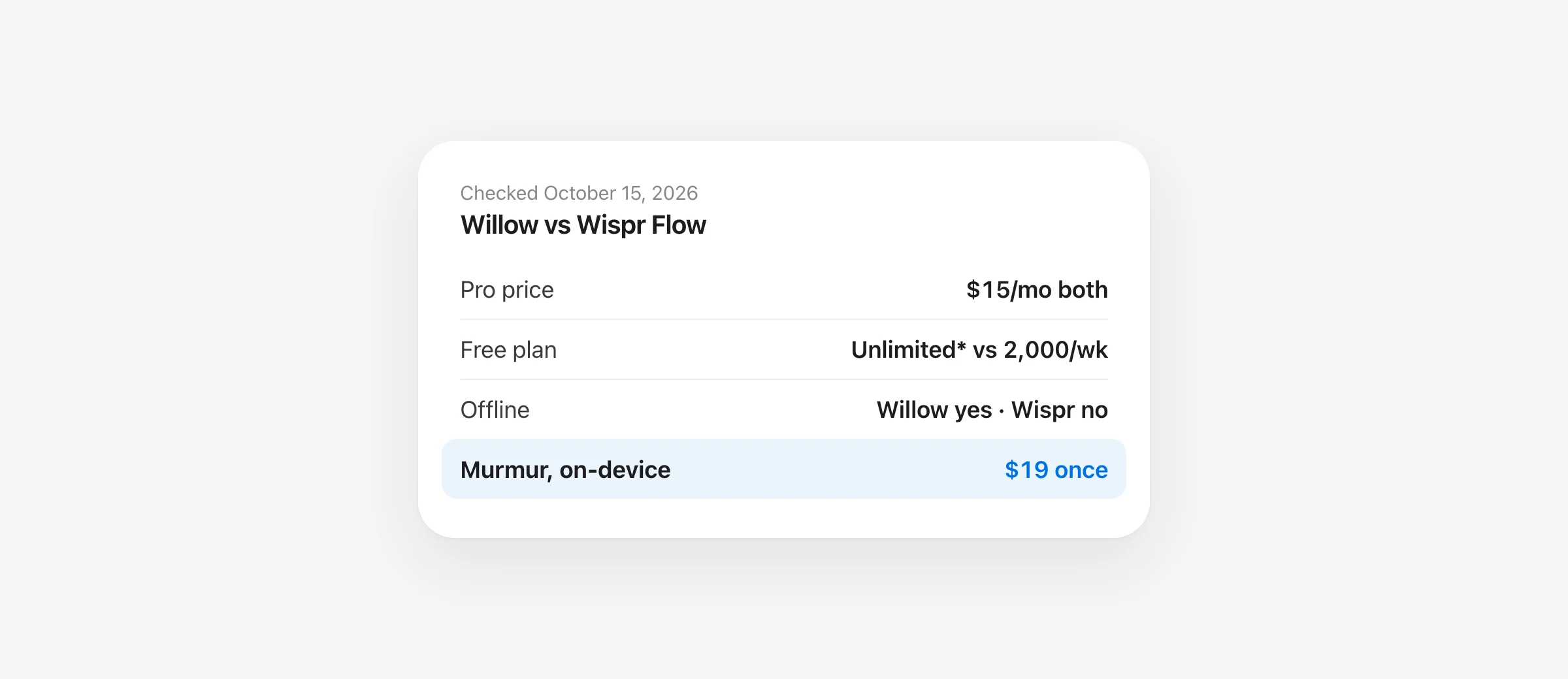
Willow vs Wispr Flow is closer than most comparisons: both are cloud AI dictation apps that clean up your speech in any text field, and both charge $15 a month or $144 a year for Pro. Pick Willow if you want an unlimited free plan, private-by-default settings or an offline mode. Pick Wispr Flow if you need Android, an Intel Mac, a meeting notetaker or cheaper team seats.
The short version
- Same Pro price: $15 a month, or $12 a month billed yearly, on both.
- Better free plan: Willow. Unlimited dictation on a lighter model, versus Wispr Flow’s 2,000 words a week on desktop.
- More private by default: Willow. Wispr Flow turns on model training and Context Awareness by default on Free and Pro; you can switch both off.
- Works offline: Willow only. Wispr Flow says transcription “always occurs on the cloud”.
- More devices and team value: Wispr Flow. Android, Intel Macs, a notetaker, and team features on the $12 Pro seat.
We checked both vendors’ pricing pages, help centers, privacy pages and App Store listings on October 15, 2026. We make Murmur, a Mac dictation app that competes with both, so we cover it separately at the end. We haven’t run a controlled accuracy test of these two apps, and we don’t pretend to below.
Willow vs Wispr Flow at a glance
| Willow | Wispr Flow | |
|---|---|---|
| Pro price | $15/mo, or $12/mo billed yearly | $15/mo, or $144/yr ($12/mo) |
| Free plan | Unlimited on Frontier Mini model; 20 Scribe uses a week; 5 minutes per dictation | 2,000 words a week on desktop, 1,000 on mobile; 14-day Pro trial |
| Platforms | Mac, Windows, iPhone; Android “coming soon” | Mac, Windows, iPhone, Android |
| Mac requirement | macOS 14 or later (per Homebrew; not stated by Willow) | macOS 12 or later, Apple silicon or Intel |
| Offline | Yes, optional offline mode on the device | No, cloud only |
| Default retention | Private Mode on: no audio, text or screen content kept | Audio discarded after transcription; model training on by default (Free, Pro) |
| Reads on-screen text | Context Awareness, optional | Context Awareness, on by default |
| AI writing | Scribe: drafts, replies and rewrites from a spoken intent | Command Mode (Pro, Mac and Windows, experimental) |
| Style | Learns your writing style over time (Pro) | Per-app styles: formal, casual, very casual |
| Meeting notes | Not on the pricing page | Notetaker on Mac and Windows, limited on Free |
| Compliance | SOC 2 Type II, HIPAA with BAA; enforced on Business | SOC 2 Type II, ISO 27001; HIPAA with BAA on any plan |
| Team plan | Business: $35/mo, or $28/mo billed yearly | Pro works for teams; Growth from $18/user/mo yearly |
| iPhone App Store rating | 4.6 (1.1K ratings) | 4.8 (17K ratings) |
Sources: Willow pricing, Willow security, Wispr Flow pricing, Wispr Flow plans, Wispr Flow data controls and both App Store listings, checked October 15, 2026.
How do Willow and Wispr Flow work?
The daily workflow is the same. You put the cursor in any text field, hold a hotkey, talk, and let go. The audio goes to the vendor’s servers, a speech model transcribes it, and a language model removes filler words, adds punctuation, applies your mid-sentence corrections and formats lists. The cleaned text is typed where your cursor was, in Slack, Gmail, Cursor, a terminal or anywhere else.
Both need an account before you dictate, and both support 100+ languages. The differences are in the layers around that core: which model the free plan gets, how each learns your style, what extra AI tools exist, and what each keeps afterward.
Accuracy and personalization: how each tries to get your words right
Willow runs two speech models it built, called Frontier. The free plan uses Frontier Mini, which Willow’s pricing page calls its “weaker” model; Pro gets Frontier Pro, described as “faster, more accurate, priority transcription.” Pro also adds “smart memory of your writing style,” so output drifts toward how you write in email, Slack and docs. An auto-learning dictionary picks up names and product terms, and Willow says its dictation “reads code context so file names, variables, and functions come through correctly.”
Wispr Flow doesn’t split its plans by speech model; its free plan is limited by word count instead. It learns names and jargon automatically, and with Auto-add to Dictionary on, it watches the text box after pasting and adds words you respell. You can set a separate style per kind of app: formal, casual or very casual. Context Awareness reads text around the cursor and in the active window to get names and capitalization right.
That last point is a real trade-off. Context helps both apps spell your colleague’s name correctly, but it means on-screen text travels with your audio. Willow makes it optional; Wispr Flow turns it on by default. More on that in the privacy section.
If you’re fighting the same misheard words in any dictation app, the fixes are similar everywhere; see our guide to custom vocabulary and replacements on Mac.
Speed and accuracy claims (the vendors’ numbers, not ours)
Neither company publishes a method we could reproduce, and we haven’t tested them head to head. Here is what each claims, word for word:
- Willow: “3x more accurate than built-in dictation, with text appearing in as little as 200ms.” Its switch page also lists a “Zero Edit Rate” of 95%, “190ms” latency and “98%+ with context” accuracy.
- Wispr Flow: “4x faster than typing.” Its homepage demo compares 45 words per minute on a keyboard with 220 on Flow.
Treat these as marketing. “Faster than typing” depends on how fast you type and how much you edit afterward, and both apps send audio to a server, so your connection matters. The honest test is your own: dictate the same three messages into each app and count the corrections.
Formatting and AI edits: Scribe vs Command Mode
Plain dictation turns your words into clean text. Both apps also have a second mode where you tell the AI what to write.
Willow Scribe is the more developed of the two. You press a separate hotkey and describe what you want (“reply saying Thursday works, ask for the agenda”), and Scribe drafts it in your style, using the app and conversation on screen as context. You can also select text and say how to change it: shorter, warmer, more detail. Free accounts get 20 Scribe uses a week; Pro is unlimited.
Wispr Flow Command Mode lets you edit selected text, draft a reply or run a search by voice. It is Pro-only (free accounts get no response), works on Mac and Windows, and is switched off by default under Settings › Experimental. Wispr Flow also bundles Notetaker, which records meetings on Mac or Windows without a bot and produces transcripts, summaries and next steps; free accounts get a weekly meeting limit.
If you write lots of replies from rough intent, Willow’s Scribe is the bigger draw. If you sit in many meetings, Wispr Flow’s Notetaker is something Willow’s pricing page doesn’t offer.
Platforms: Mac, Windows, iPhone and Android
| Platform | Willow | Wispr Flow |
|---|---|---|
| Mac | Yes; Homebrew lists macOS 14 or later | Yes; macOS 12 or later, Apple silicon or Intel |
| Windows | Yes | Windows 10 or 11, x64 (no Windows on ARM) |
| iPhone | AI keyboard app, iOS 18 or later | AI voice keyboard app, iOS 18.3 or later |
| iPad | Listed as iPhone only | Not supported |
| Android | “Coming soon” | Android 13 or newer |
Both iPhone apps work as a keyboard you switch to in any app. Willow’s App Store listing says Pro adds “sync with the Mac app,” and Wispr Flow says it “syncs seamlessly across Mac, Windows, iPhone, and Android.” If anyone in your household or team uses Android, Wispr Flow is the only one of the two that works there today.
Privacy and data handling: what each keeps
Both are cloud services. Your audio leaves the device for transcription in their normal mode, and both say their third-party AI providers are bound by zero-data-retention terms and can’t train on your data. The difference is the defaults.
Willow starts in Private Mode. Its privacy policy (updated August 5, 2026) says audio is processed “transiently,” and that Willow “does not retain dictated text or screen content in this mode.” Sharing anonymized text to improve Willow is an opt-in setting. Context Awareness is optional, and when it’s off, Willow “does not process active-window content.” The policy also says data runs on US cloud infrastructure, encrypted in transit and at rest.
Wispr Flow deletes audio once it’s transcribed unless you turn on Dictation Cloud Storage. But two settings are on by default for Free and Pro accounts: Improve the model for everyone, which lets Wispr use your audio, transcripts and edits to train its models, and Context Awareness, which can send app info, text before and after your cursor, and other on-screen text. Wispr says Context Awareness “does not take screenshots.” You can switch both off in Settings › Data and Privacy, and on Growth and Enterprise model training is off and locked. Wispr processes and stores data in the US.
| Default on Free and Pro | Willow | Wispr Flow |
|---|---|---|
| Audio kept after transcription | No | No, unless Dictation Cloud Storage is on |
| Your data used for model training | No (opt-in) | Yes (opt-out) |
| Reads text from the active window | Only if you enable it | Yes, until you disable it |
| Admin can enforce privacy for a team | Business and Enterprise | Growth and Enterprise |
On compliance, Wispr Flow is ahead on paper: SOC 2 Type II and ISO 27001 on every plan, and HIPAA-ready dictation on any plan once you sign a BAA in the app (which disables Notetaker and Scratchpad). Willow says it is SOC 2 Type II audited and supports HIPAA through a BAA, but its pricing table puts “SOC 2 Type II compliance” and “Enforced HIPAA compliance” on the Business plan. If you handle health data alone on a Pro plan, ask Willow before relying on it.
One small flag for Willow’s iPhone app: its App Store privacy label, which is self-reported by the developer, lists usage and advertising data that may be used to track you. That concerns app analytics, not your dictations, but privacy-minded buyers should know.
Offline: does either work without internet?
Wispr Flow: no. Its data controls page says “Transcription always occurs on the cloud,” and no plan changes that. No connection, no dictation.
Willow: yes, as an option. Its feature page lists an offline mode that lets you “dictate without internet, powered entirely by your device.” Willow’s own changelog shows offline mode arriving on Mac and iPhone in January 2026 (the iPhone note mentions a local Whisper model) and becoming reliable on Windows in August 2026. A Willow blog post describes it as a setting rather than the default.
What Willow doesn’t say clearly: which plans include offline mode, which model it uses on the Mac, and whether Scribe and full AI formatting work offline. If offline matters, switch off Wi-Fi during your trial and see what still works. Our offline dictation guide explains how to test speech and cleanup separately.
Willow vs Wispr Flow pricing
For individuals, the paid plans are priced identically. Willow’s site shows Pro at $15 a month or $12 a month billed yearly, and its iPhone app lists the annual plan at $143.99. Wispr Flow’s help center lists Pro at $15 a month or $144 a year. Both say you can cancel any time.
| Plan | Willow | Wispr Flow |
|---|---|---|
| Free | Unlimited on Frontier Mini, 20 Scribe uses/week, 5-minute dictations | 2,000 words/week desktop, 1,000/week mobile |
| Pro, monthly | $15 | $15 |
| Pro, billed yearly | $12/mo ($143.99/yr in the App Store) | $144/yr |
| Trial | No Pro trial listed; free plan has no time limit | 14-day Pro trial (30 days by referral) |
| Students | 30% off Pro (also educators, nonprofits, military) | Free Student plan with .edu email; otherwise $7.50/mo or $72/yr |
| Teams | Business: $35/mo, or $28/mo yearly | Pro covers teams at $12–15/user; Growth $23/user/mo, or $18 yearly |
| Enterprise | Custom | Custom |
Two details buyers miss. First, Willow’s free plan has changed: TechCrunch’s May 2026 roundup described Willow’s free desktop tier as 2,000 words a month, but the current pricing page lists unlimited dictation on Frontier Mini. Willow’s iPhone listing still mentions a weekly word limit on the free tier, so mobile may differ. Second, Willow runs a switch offer: send a receipt from another dictation app’s annual plan and it gives you Willow Pro free until that plan ends. It applies only to annual plans.
Wispr Flow’s Growth plan is $23 per user a month for dictation only, or $33 with unlimited Notetaker ($18 and $26 billed yearly). Willow’s pricing page shows Business at $35 or $28 “/mo” without saying per user, so confirm seat pricing with Willow’s sales team. For more on Wispr’s plans, see our Wispr Flow pricing breakdown.
Sources: willowvoice.com/pricing, Willow and Wispr Flow App Store listings, docs.wisprflow.ai plans article, saymurmur.app. Taxes and regional prices excluded.
Show the numbers
| 3-year cost (USD) | |
|---|---|
| Willow Pro, monthly | $540 |
| Wispr Flow Pro, monthly | $540 |
| Willow Pro, yearly | $432 |
| Wispr Flow Pro, yearly | $432 |
| Wispr Flow paid student plan | $216 |
| Murmur (Mac only) | $19 |
| Willow or Wispr Flow free plan | $0 |
Over three years, the Pro bill is the same whichever you pick. The cost question is really whether the free plan covers you. If you dictate a few hundred words a day, Wispr Flow’s 2,000-word weekly cap runs out midweek, while Willow’s free plan keeps going on the lighter model.
Integrations and extras
- Wispr Flow: calendar and Slack connections on the free plan; Notetaker output usable in Claude and ChatGPT through MCP; shared dictionary and snippets for teams; SSO, SCIM, audit logs and MDM deployment at higher tiers.
- Willow: an optional, read-only Google connection (calendar, contacts and directory) per its privacy policy; shortcuts for saved text; shared team dictionary and dashboards; SSO and SCIM on Enterprise, plus a usage API.
Neither needs a plugin to work in a given app. If a text field accepts typing, both can type into it.
What did TechCrunch say about Willow and Wispr Flow?
TechCrunch’s “The best AI dictation apps, tested and ranked” by Ivan Mehta (May 2, 2026) is the most visible roundup for this query. Despite the title, it lists picks without a numbered ranking or a verdict on either app.
It describes Wispr Flow as “a well-funded AI dictation app” with custom words and instructions, formal and casual styles, and file and variable recognition in tools like Cursor. It describes Willow as one that “advertises itself as a big time-saver for those who don’t like to type,” noting it can turn a few dictated words into a full passage and lets users opt out of model training. Its free-plan figures for Willow are older than Willow’s current pricing page, as noted above. Typeless, Superwhisper, VoiceInk and Aqua are among the other apps it lists.
Which should you pick? A matrix by situation
| Your situation | Better fit | Why |
|---|---|---|
| You want a good free plan and won’t pay | Willow | Unlimited dictation on Frontier Mini vs 2,000 words a week |
| You use an Android phone | Wispr Flow | Willow’s Android app is still “coming soon” |
| You have an Intel Mac or older macOS | Wispr Flow | Supports macOS 12 and Intel; Willow’s cask needs macOS 14 |
| You sometimes dictate without internet | Willow | Optional offline mode; Wispr Flow is cloud only |
| You want nothing kept or trained on, with no setup | Willow | Private Mode and no training are the defaults |
| You sit in lots of meetings | Wispr Flow | Notetaker included, no bot joins the call |
| You draft replies from rough intent | Willow | Scribe, with 20 free uses a week |
| You’re a student with a .edu email | Wispr Flow | Free Student plan vs 30% off Willow Pro |
| Small team, simple admin | Wispr Flow | Team features on the $12–15 Pro seat |
| Healthcare individual needing a BAA | Wispr Flow | BAA available on any plan; Willow enforces HIPAA on Business |
| You already pay yearly for another dictation app | Willow | Switch offer: Pro free until your current annual term ends |
Our verdict on Willow vs Wispr Flow
For a single person on a Mac and iPhone, Willow is the easier recommendation in October 2026. It costs the same as Wispr Flow, gives far more on the free plan, keeps less by default and can work offline. Scribe also gives it a drafting tool that Wispr Flow only partly matches with Command Mode.
Wispr Flow is the safer pick for mixed-device households and teams. It runs on Android and older Macs, includes meeting notes, carries ISO 27001 alongside SOC 2, offers a BAA on any plan, and its team features start on the regular Pro seat. Its iPhone app also has far more App Store ratings. Just switch off model training and Context Awareness in Settings › Data and Privacy if you don’t want them.
Because the free plans are real, the best move is to install both, dictate the same five messages in your usual apps, and keep the one you corrected less. If you’re weighing Wispr Flow against a local Mac app instead, our Superwhisper vs Wispr Flow comparison covers that trade-off.
Other options: Typeless
Typeless shows up in the same searches (“typeless vs wispr flow”). Its pricing page lists a free plan with “limited words each week,” and Pro at $12 per member a month billed yearly or $30 billed monthly. It lists desktop apps for macOS, Windows and Linux plus iOS and Android, per-app tones, a personal dictionary, and privacy items including “Zero cloud data retention” and “Never trained on your data.” Enterprise adds SSO, SCIM and enforced HIPAA controls. At $30 month to month it is the most expensive of the three unless you pay yearly.
If you want dictation that stays on your Mac
Willow’s offline mode is optional and Wispr Flow has none, so both send your voice to a server in normal use. If that’s the part you’d rather avoid, a local app fits better.
Murmur is ours. You hold right ⌘, talk and let go, and polished text appears where your cursor is. Speech runs on Apple’s on-device SpeechAnalyzer and the cleanup (fillers removed, self-corrections applied, lists formatted) runs on Apple Intelligence’s on-device model, so nothing leaves the Mac and it works offline. Hold right ⌥ to rewrite selected text by voice, the way Scribe and Command Mode do. It also has per-app styles, snippets and a custom dictionary.
What you give up: Murmur is Mac only, with no Windows, iPhone or team plan, and it needs macOS 26 or later on Apple silicon with Apple Intelligence turned on for the AI polish. It costs $19 once for up to three Macs. For more local and cloud options, see our Wispr Flow alternatives for Mac and the wider best dictation apps for Mac.
Frequently asked questions
Is Willow better than Wispr Flow?
Neither wins outright. Willow has the more generous free plan, private-by-default settings and an offline mode. Wispr Flow has Android, Intel Mac support, a meeting notetaker and a cheaper per-seat team plan. Pro costs the same on both, so try each free plan on your own writing before paying.
Is Willow Voice free?
Yes. Willow’s Basic plan is free with no credit card and gives unlimited dictation on its lighter Frontier Mini model, 20 Scribe uses a week and up to 5 minutes per dictation. The better Frontier Pro model, style memory and unlimited Scribe need Pro. Willow’s iPhone App Store listing mentions a weekly word limit on the free tier, so check the limit inside the app.
How much does Willow Voice cost?
Willow Pro is $15 a month, or $12 a month billed annually (the iPhone App Store lists the annual plan at $143.99). The Business plan is listed at $35 a month, or $28 a month billed annually, and Enterprise is custom. Students, educators, nonprofits and military get 30% off Pro, per Willow’s help center.
Do Willow or Wispr Flow work offline?
Willow lists an offline mode that runs dictation on your device, and its changelog shows it on Mac, iPhone and Windows. It is a setting, not the default. Wispr Flow does not work offline: its data controls page says transcription always occurs in the cloud.
Why is Wispr Flow better for some people?
Wispr Flow runs on Mac, Windows, iPhone and Android, supports Intel Macs back to macOS 12, includes a meeting notetaker on Mac and Windows, and lists SOC 2 Type II and ISO 27001 on every plan. Its iPhone app also has far more App Store ratings than Willow’s (17K versus 1.1K on October 15, 2026).
What is the best AI dictation app?
It depends on your devices and privacy needs. Willow and Wispr Flow are the strongest cloud options across Mac, Windows and iPhone. If your audio must stay on the Mac, an on-device app like Murmur, Superwhisper with local models or Apple Dictation fits better. Our Mac buying guide compares them side by side.
Is Superwhisper secure?
Superwhisper can run speech and language models entirely on your Mac, and its documentation recommends a fully local setup for sensitive data such as health records. Its cloud models go through providers under zero-data-retention API terms, and it offers a BAA for cloud use. Check which models your modes use.
Sources
- Willow: pricing
- Willow: dictation features
- Willow: Scribe
- Willow: security
- Willow: enterprise
- Willow: privacy policy (updated August 5, 2026)
- Willow: switch offer
- Willow help: dictation time limits
- Willow help: discounts for students, educators, nonprofits and military
- Willow changelog
- Willow blog: offline speech-to-text tools
- Willow Dictation & AI Keyboard on the App Store
- Wispr Flow: pricing
- Wispr Flow help: plans and what’s included
- Wispr Flow: data controls (updated August 18, 2026)
- Wispr Flow: privacy and security
- Wispr Flow help: security and compliance FAQ
- Wispr Flow help: Context Awareness
- Wispr Flow help: Command Mode
- Wispr Flow help: supported devices and system requirements
- Wispr Flow: AI Voice Keyboard on the App Store
- Typeless: pricing
- Homebrew: willow-voice cask
- TechCrunch: The best AI dictation apps, tested and ranked (May 2, 2026)
- Superwhisper: sensitive data best practices

Telman Gadimov builds Murmur, a dictation app for Mac that runs entirely on-device. We make Murmur, a Mac dictation app that competes with both products. Every Willow and Wispr Flow fact here comes from the vendors’ own pages, help centers and App Store listings, checked October 15, 2026. We have not run a head-to-head accuracy or speed test of Willow and Wispr Flow, and speed and accuracy figures are the vendors’ own claims.


