The verdict
- Choose Apple Dictation if you dictate short bits occasionally, want zero setup, or are on macOS 27 with an M3 or newer Mac, where it now polishes English text with AI.
- Choose Wispr Flow if you dictate all day on several devices (including Windows or Android) and don’t mind cloud processing and $12–15 a month.
- Choose an on-device app with AI cleanup if you want Wispr-style results without sending your voice anywhere, on an M1 or M2 Mac too.
Apple Dictation vs Wispr Flow at a glance
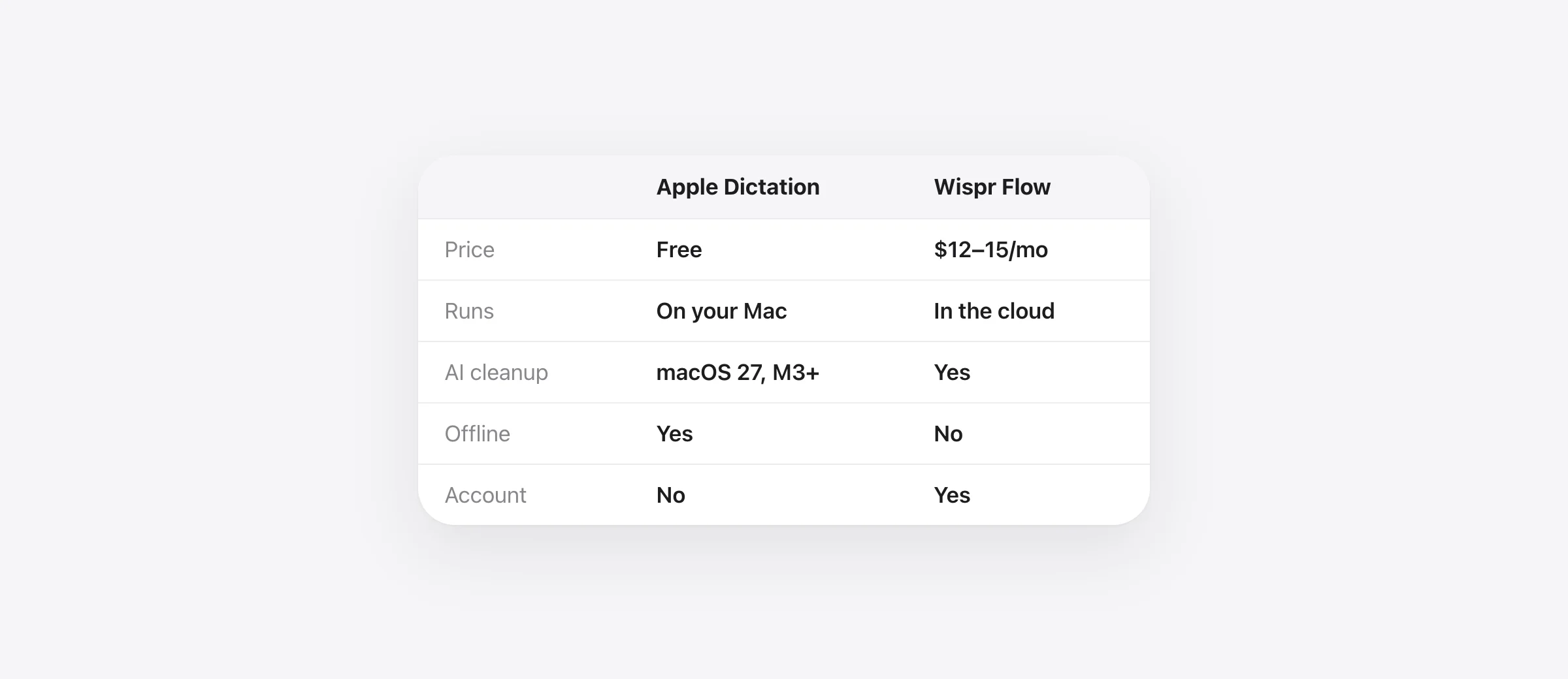
| Apple Dictation | Wispr Flow | |
|---|---|---|
| Price | Free | Free up to 2,000 words/week; Pro $15/month or $12/month yearly |
| Where speech is processed | On your Mac (Apple silicon, many languages) or Apple’s servers | Always in the cloud |
| Works offline | Yes, for on-device languages | No |
| Account | None | Required |
| Removes “um”, applies corrections | macOS 27, English, M3+ (reported) | Yes |
| Formats lists, adapts tone per app | No | Yes |
| Edit selected text by voice | No | Command Mode (Pro) |
| Custom vocabulary | No | Dictionary |
| How you start it | Press a shortcut; stops after 30 s of silence | Hold Fn; Fn+Space for hands-free |
| Reads on-screen text | No | Context Awareness, on by default |
| Platforms | Mac, iPhone, iPad | Mac (macOS 12+), Windows, iOS, Android |
Checked October 11, 2026 against Apple’s and Wispr’s documentation (sources below).
Why dictate at all
Because talking is much faster than typing. In a study by researchers at Stanford, the University of Washington and Baidu, people entered English text by voice at 153 words per minute, nearly three times faster than typing on a keyboard. And the average typist isn’t fast: across 168,000 volunteers, the mean was 52 words per minute on a physical keyboard.
Sources: Ruan, Wobbrock, Liou, Ng, Landay (IMWUT 2017); Dhakal, Feit, Kristensson, Oulasvirta (CHI 2018).
Show the numbers
| Words per minute | |
|---|---|
| Speaking (English, with speech recognition) | 153 wpm |
| Fastest 10% of typists | 78 wpm |
| Average typist, physical keyboard | 52 wpm |
| Typing on a phone keyboard | 52 wpm |
The catch is that people don’t speak the way they write. We say “um”, restart sentences and correct ourselves mid-thought. Whether dictation saves time depends on how much fixing the text needs afterwards. That’s the real difference between these two tools.
What Apple Dictation does well
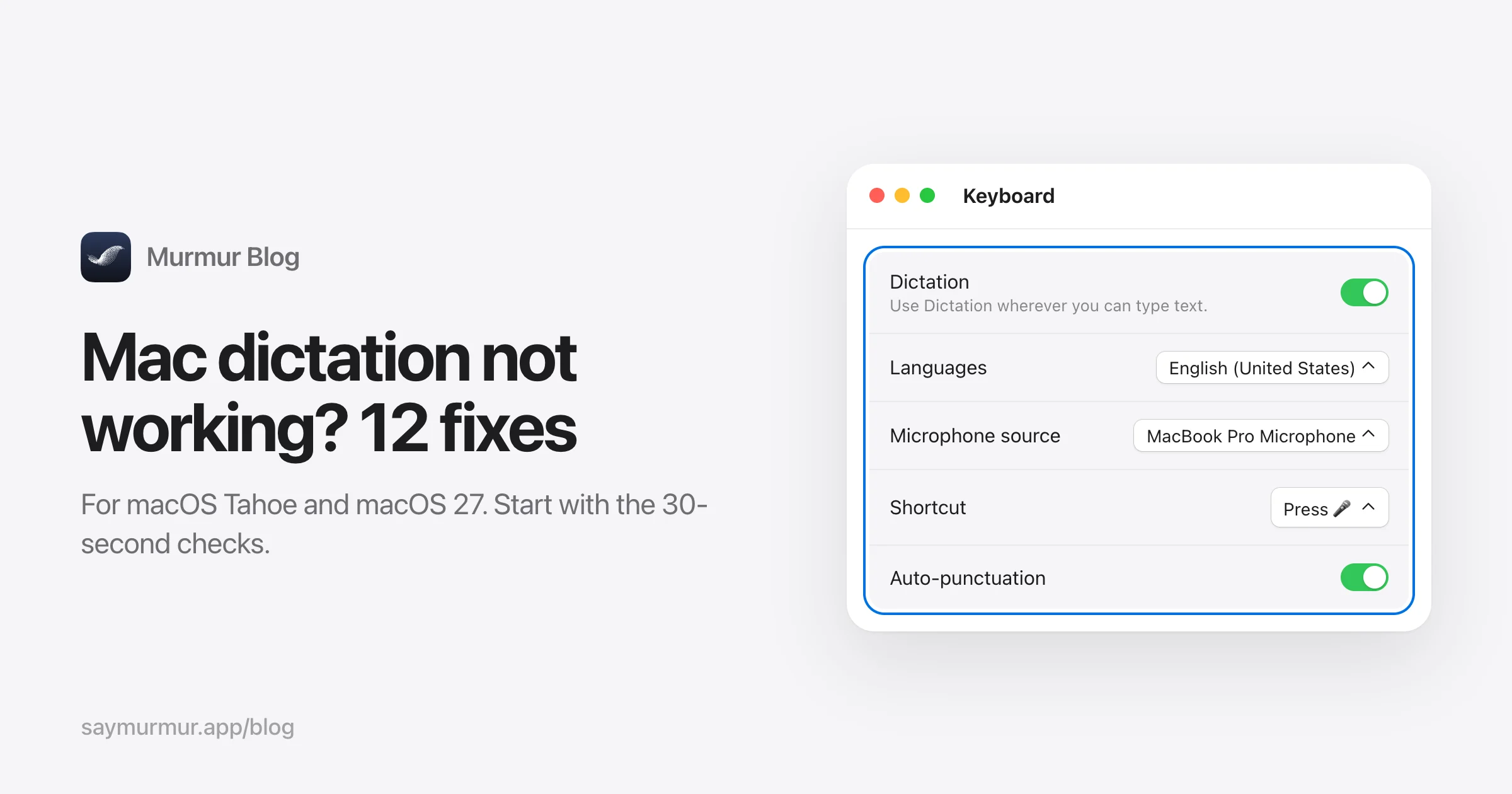
- It’s free and already there. Turn it on in System Settings › Keyboard › Dictation and press the Microphone key.
- It’s private. On Apple silicon, many languages are processed on your Mac with no internet connection. Sharing recordings with Apple is opt-in.
- No length limit. On current Macs you can dictate text of any length, punctuation is added automatically, and you can keep typing while it listens.
- macOS 27 adds AI. Apple says dictation now “captures what they say as polished text with greater precision”. In Apple’s own evaluation, people preferred it over the previous system 44.7% to 17.6%.
Where Apple Dictation falls short
- The AI upgrade has strict requirements. Apple lists more advanced Dictation for English only, and MacRumors reports it needs an M3 or later with at least 12 GB of memory. On an M1 or M2 Mac, or on macOS 26, you get plain transcription.
- It stops when you pause. After 30 seconds without speech, Dictation turns itself off. If you think as you talk, that’s frustrating. (More on that in our dictation troubleshooting guide.)
- No control over the output. There’s no custom vocabulary for names and jargon, no per-app tone, and no way to rewrite text by voice.
What Wispr Flow does better
Wispr Flow’s output is the reason it’s worth $2 billion. Say “um, let’s meet Thursday, no wait, Friday, and bring the, uh, the slides” and Wispr Flow will typically give you “Let’s meet Friday and bring the slides.” It formats lists, matches the tone of the app you’re in, learns your vocabulary, and its Command Mode lets you select text and say “make this more concise”. It also follows you to Windows, iPhone and Android, which Apple Dictation can’t.
Where Wispr Flow falls short
- Everything goes through the cloud. Wispr’s security FAQ says it “processes dictated audio in the cloud”. No connection, no dictation.
- It sends more than your voice. Context Awareness, on by default, sends the app name, the text around your cursor and other on-screen text. Model training on your data is also on by default for Free and Pro users unless you opt out.
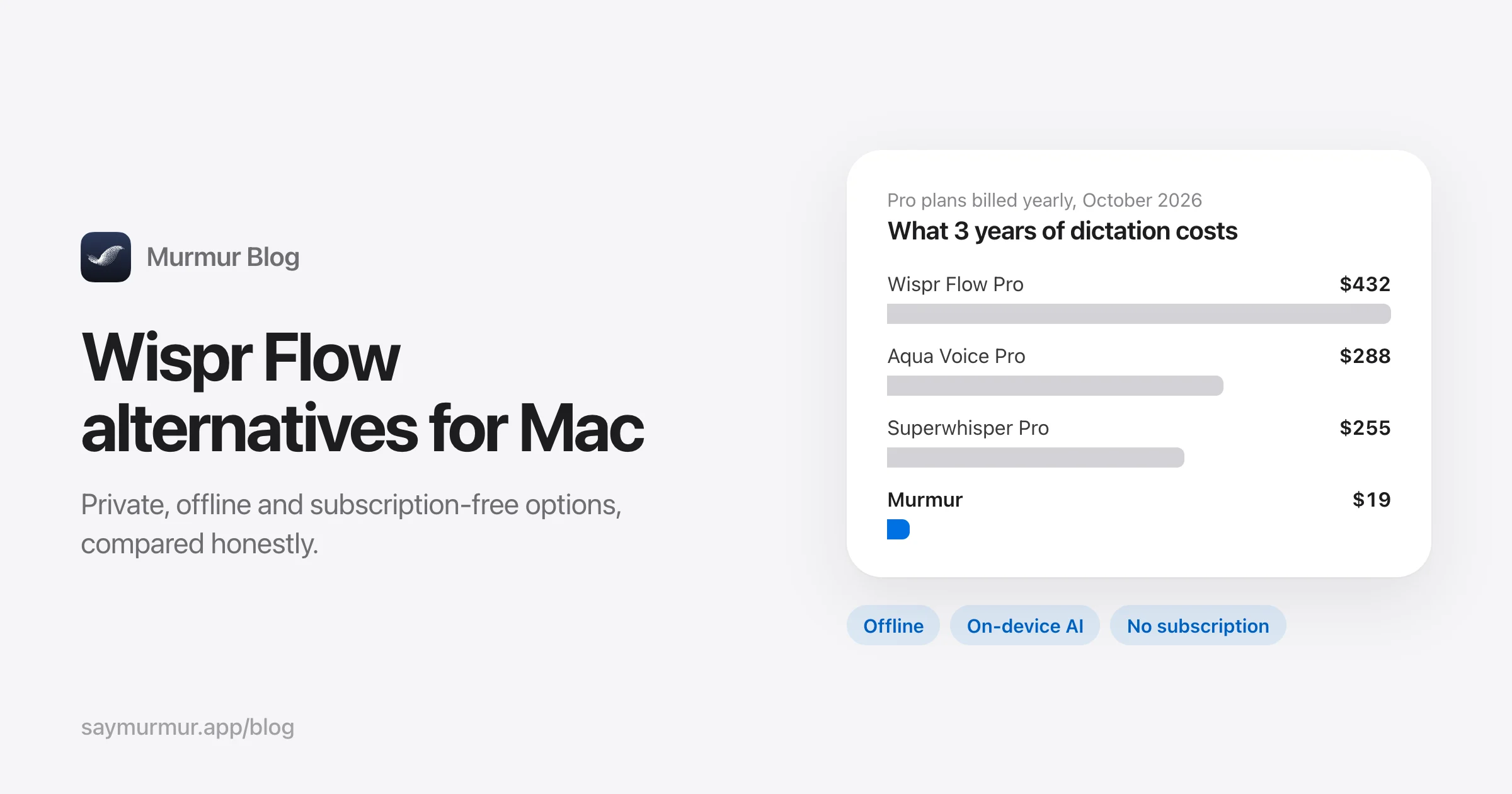
- It costs $144 to $180 a year, and the free plan’s 2,000 words a week is about 15 minutes of talking.
The third option: Apple’s engine, Wispr’s workflow
There’s a middle path that didn’t exist before macOS 26. Apple now lets any app use its on-device speech engine (SpeechAnalyzer) and its on-device language model (Apple Intelligence). An app can combine them to give you Wispr-style cleanup without anything leaving your Mac.
That’s what we built Murmur to do:
- Hold right ⌘, talk, let go. Text appears in any app, about 0.2 seconds after you stop talking in our speed tests. Pauses don’t cut you off.
- AI cleanup on your Mac. Filler words out, corrections applied, lists formatted, on any Mac that supports Apple Intelligence (M1 and later), not only M3.
- Per-app styles, voice editing, dictionary and snippets, like Wispr Flow’s Pro features.
- $19 once instead of $144 a year, with 2,000 words free and no account.
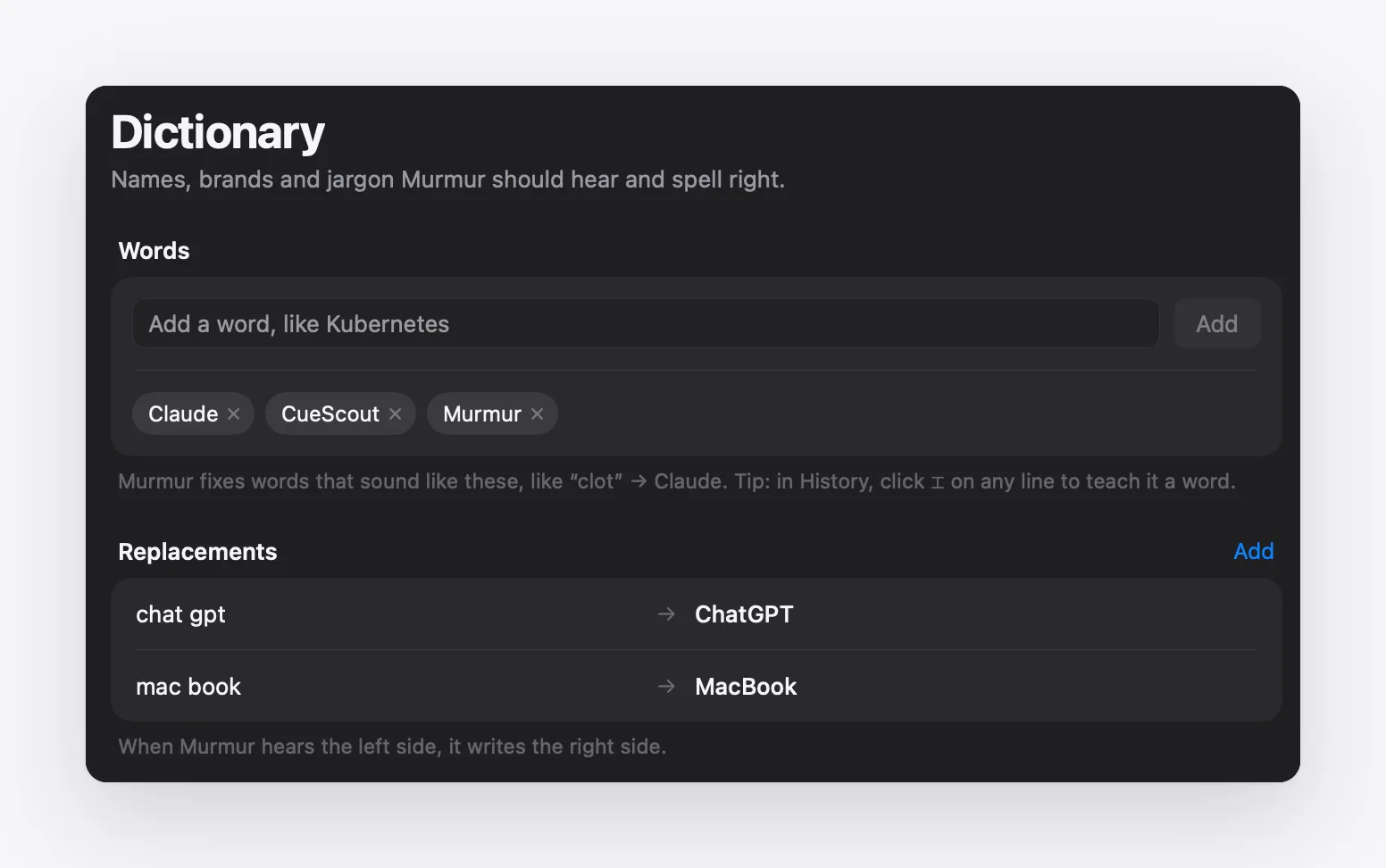
The limits are the flip side of being on-device: Murmur is Mac-only, needs macOS 26 or later, and Apple’s on-device model is smaller than the cloud models behind Wispr Flow, so very long, rambling monologues get lighter cleanup.
Which should you choose?
| You are… | Best choice |
|---|---|
| An occasional dictator who wants nothing to install | Apple Dictation |
| On macOS 27 with an M3/M4/M5 Mac, dictating in English | Try Apple’s new AI dictation first |
| Dictating all day on Mac, Windows and phone | Wispr Flow |
| Handling client, health or unreleased work | An on-device app: Murmur, VoiceInk or Apple Dictation |
| On an M1/M2 Mac wanting AI cleanup without a subscription | Murmur |
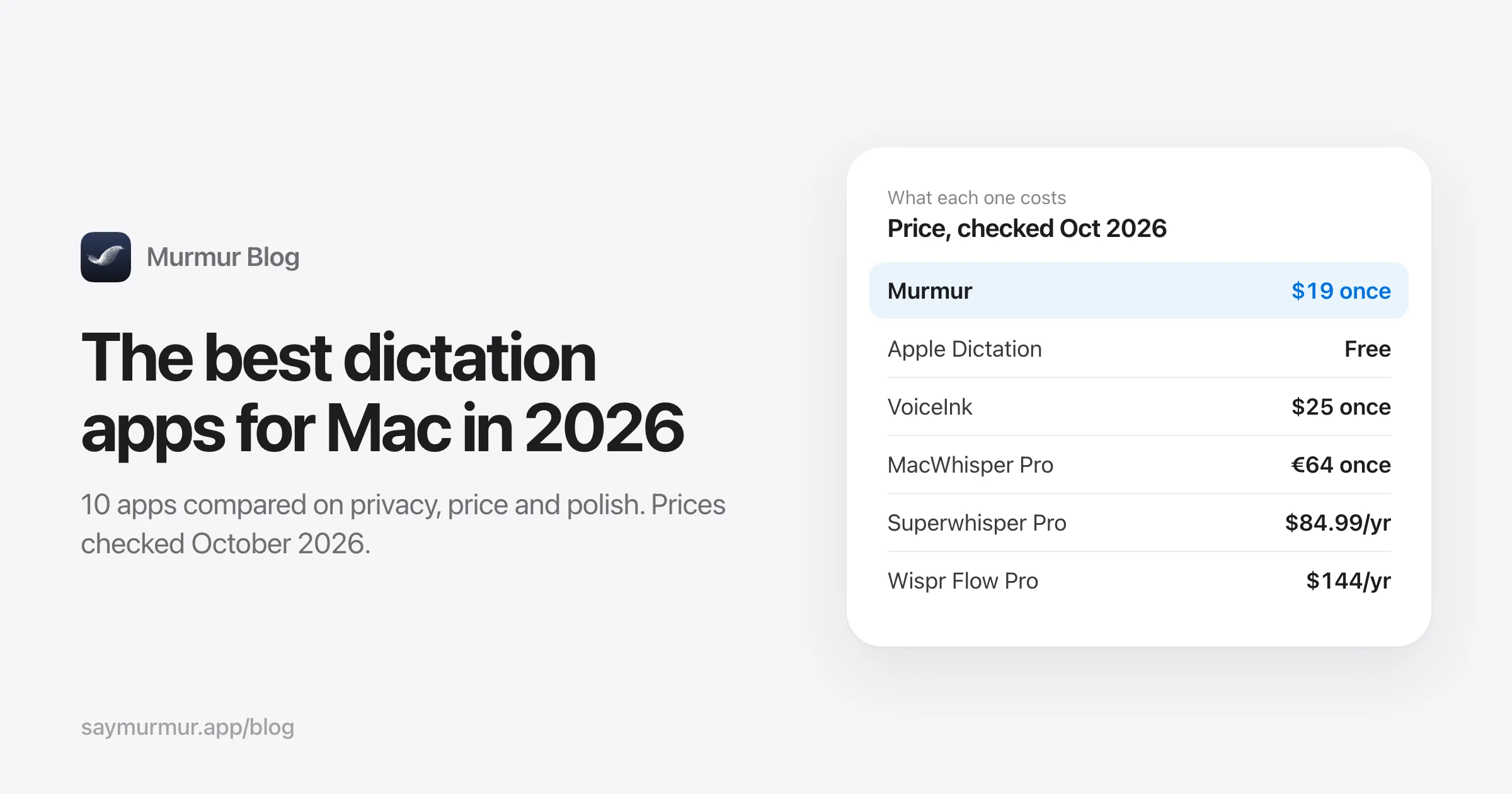
Still deciding? Our roundup of the 10 best dictation apps for Mac covers Superwhisper, VoiceInk, MacWhisper and the rest, and our list of Wispr Flow alternatives focuses on private and one-time options.
Frequently asked questions
Is Apple Dictation as good as Wispr Flow?
For accuracy of the words themselves, Apple Dictation is close. The difference is cleanup: Wispr Flow removes filler words, applies your self-corrections and formats the text, while Apple Dictation writes down what you said. macOS 27 adds AI-polished dictation, but only in English and, according to MacRumors, only on Macs with an M3 or later and 12 GB of memory.
Is Wispr Flow worth it if I have a Mac?
It’s worth it if you dictate long passages every day, also use Windows or Android, and are comfortable with your voice and on-screen text being processed in the cloud. If you mostly dictate on one Mac and value privacy, Apple Dictation (free) or an on-device app with AI cleanup costs far less.
Does Apple Dictation send my voice to Apple?
On Apple silicon Macs, dictation in many languages is processed on the device and doesn’t need an internet connection. For other languages, requests go to Apple’s servers. Keyboard settings show which applies to you. Sharing audio recordings with Apple to improve Siri and Dictation is opt-in.
Can Apple Dictation remove “um” and “uh”?
Before macOS 27, not reliably: it transcribes what you say. macOS 27’s more advanced Dictation captures speech as polished text, on supported Macs and in English. Apps like Murmur and Wispr Flow remove filler words on any supported Mac.
How much faster is talking than typing?
In a Stanford, University of Washington and Baidu study, people entered English text by voice at 153 words per minute versus 52 on a keyboard, almost three times faster. A study of 168,000 typists on physical keyboards found an average of 52 words per minute.
Sources
- Apple: Use Dictation on your Mac
- Apple Newsroom: next generation of Apple Intelligence (September 2026)
- Apple: macOS feature availability
- MacRumors: advanced AI dictation requirements
- Apple Machine Learning Research: third generation of Apple Foundation Models
- Wispr Flow pricing
- Wispr Flow: Security and compliance FAQ
- Wispr Flow: Context Awareness
- Wispr Flow: Supported devices and system requirements
- Ruan et al., Comparing Speech and Keyboard Text Entry for Short Messages (IMWUT 2017)
- Dhakal et al., Observations on Typing from 136 Million Keystrokes (CHI 2018)

Telman Gadimov builds Murmur, a dictation app for Mac that runs entirely on-device. We make Murmur, so weigh our take accordingly: every claim here links to a source or to a test you can repeat.