First response
- Stop any agent still editing the repository.
- Copy the current project, including
.git, if feasible. - Inspect
git reflogfor lost commits. - Check editor history or a prior snapshot for unstaged edits.
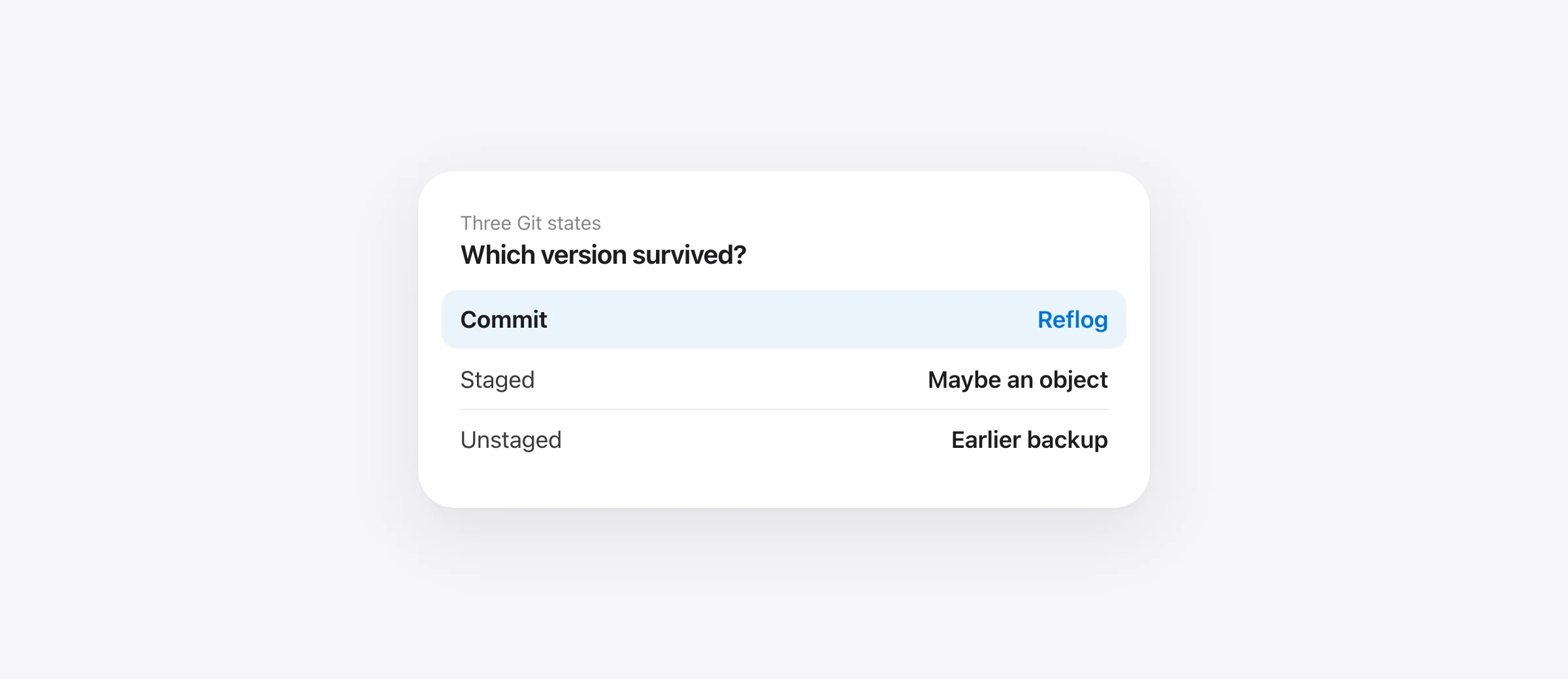
Recovery after git reset --hard depends on what was lost. A commit whose branch tip moved is often findable through Git's reflog. A staged but uncommitted version may exist as an object. An unstaged edit that lived only in the working tree may have no Git copy. Treat these as separate problems; one command cannot reliably solve all three.
An AI coding agent can run a reset during cleanup and report that the repository is “back to normal.” A clean git status does not prove your unsaved work is back. Start by preserving the state now on disk and identifying the exact reset command, target commit and affected paths from the transcript.
Understand what a hard reset changed
The Git reset manual says --hard resets the index and working tree to the selected commit, discarding changes to tracked files since that commit. Git's Reset Demystified guide explains the three places involved:
| Place | Before reset | After --hard |
|---|---|---|
| HEAD / branch | Points to the previous commit | Moves to the target commit |
| Index | May hold staged content | Replaced to match target |
| Working tree | May hold unstaged edits | Tracked files overwritten to match target |
Ordinary untracked files are generally not cleaned by reset itself. Git documents an exception: an untracked path in the way of writing a tracked file can be deleted. If the command was git reset --hard && git clean -fdx, the clean step is the likely cause of lost untracked and ignored files. The git clean recovery guide handles that case.
If you lost a commit, inspect reflog
Run these read-only commands:
git status --short
git reflog --date=iso
git log --oneline --all -n 20
Reflog records earlier values of references such as HEAD and branch tips. Look for the commit before the reset, then inspect it with git show --stat COMMIT and git show COMMIT:path/to/file. Do not assume the first reflog entry is the version you need; several agent commands may have moved the branch.
Once you find the right committed content, restore a specific file from that commit with git restore --source=COMMIT -- path/to/file after checking it will not overwrite newer work. If you need several files or a whole branch, create a separate branch or worktree at the recovered commit and compare, rather than immediately moving the current branch again. A reflog entry can expire or be pruned, so investigate promptly while preserving the repository.
If the lost version was staged
git add can write the staged content as a blob. After a hard reset, the index points elsewhere, but an older blob may still exist for some time as an unreachable object. The Git fsck manual explains how to inspect dangling objects. This is not a one-line, guaranteed undo: filenames may be absent, objects can be pruned, and the object might be an earlier version. Preserve a copy of the whole repository before searching deeply, and do not run Git garbage collection while trying to recover it.
For a file that was staged and then edited again, the object may hold only the staged version. The final unstaged lines could still be lost. Check git show or the object content before declaring recovery complete.
If the lost version was never staged
Git's own reset guide is explicit: a hard reset can overwrite working-tree changes that were never committed, and Git has no general way to recreate them. Reflog records commit references, not each working-tree edit. Check editor local history for files you saved or opened, Time Machine, a teammate's copy, or a local snapshot taken before the reset. Do not keep resetting to different commits in the hope that one contains the unstaged version.
If Sandpiper was already installed for the agent and captured this project before the command, locate the pre-command or turn snapshot. Inspect the exact file and restore only the needed path or turn. It cannot help if the snapshot did not exist yet, if the path was excluded, or if the work was in a remote service. A safety snapshot before its own restore helps you reverse a mistaken restoration.
Use a small example to identify your case
Imagine app.ts had version A committed, version B staged, and version C typed afterward. A hard reset to A makes the working tree look like A. Reflog can identify a prior commit if one moved, but version C was never a commit. Version B may still be a Git object; version C needs editor history or another backup. This is why “use reflog” is correct for one loss and misleading for another.
After recovering a copy, compare it with the current tree and run the relevant tests. Also check ignored configuration and untracked files if the transcript includes a clean command. Our file-state recovery guide gives a broader map, while the Mac backup setup shows how to create a recovery point before the next agent turn.
Frequently asked questions
Can reflog recover changes after git reset --hard?
It can help find commits whose branch reference moved. It does not record arbitrary unstaged working-tree edits.
Can a staged but uncommitted file survive hard reset?
Possibly as an unreachable Git object, because git add may have written a blob. That is not guaranteed; preserve the repository and inspect its objects before garbage collection.
Does git reset --hard delete every untracked file?
No. It primarily resets tracked files and the index, but untracked paths that obstruct writing tracked paths can be deleted. git clean is a separate command often run beside it.
Should I run another hard reset to undo the first?
No. Inspect reflog and current work first. If you need an old committed version, preview it and restore only the required path or use a separate worktree.
Sources

Telman Gadimov builds Sandpiper, a free local undo app for AI coding agents, and Murmur. We make Sandpiper. Recovery boundaries here are based on the official Git reset, reflog and object documentation. There is no guaranteed Git recovery path for an unstaged edit that existed only in the working tree.


