Choose by the work you actually do
- Apple devices and saved voice notes: put Monologue on your trial list.
- Mac, Windows and Android: evaluate Wispr Flow across your actual devices.
- Local speech and local AI writing on a supported Mac: include Murmur as a focused, one-time-purchase option.
Monologue vs Wispr Flow is a choice about a complete workflow, not just a microphone shortcut. Both can turn speech into text for everyday writing. The useful question is whether their processing, destinations and subscription make sense for the work you repeat.
Start with a specific task: answering customer emails on a Mac, drafting messages across a laptop and Android phone, or capturing ideas that you want to retrieve later. Those jobs can lead to different purchases even when the first dictated sentence looks similar.
Monologue vs Wispr Flow at a glance
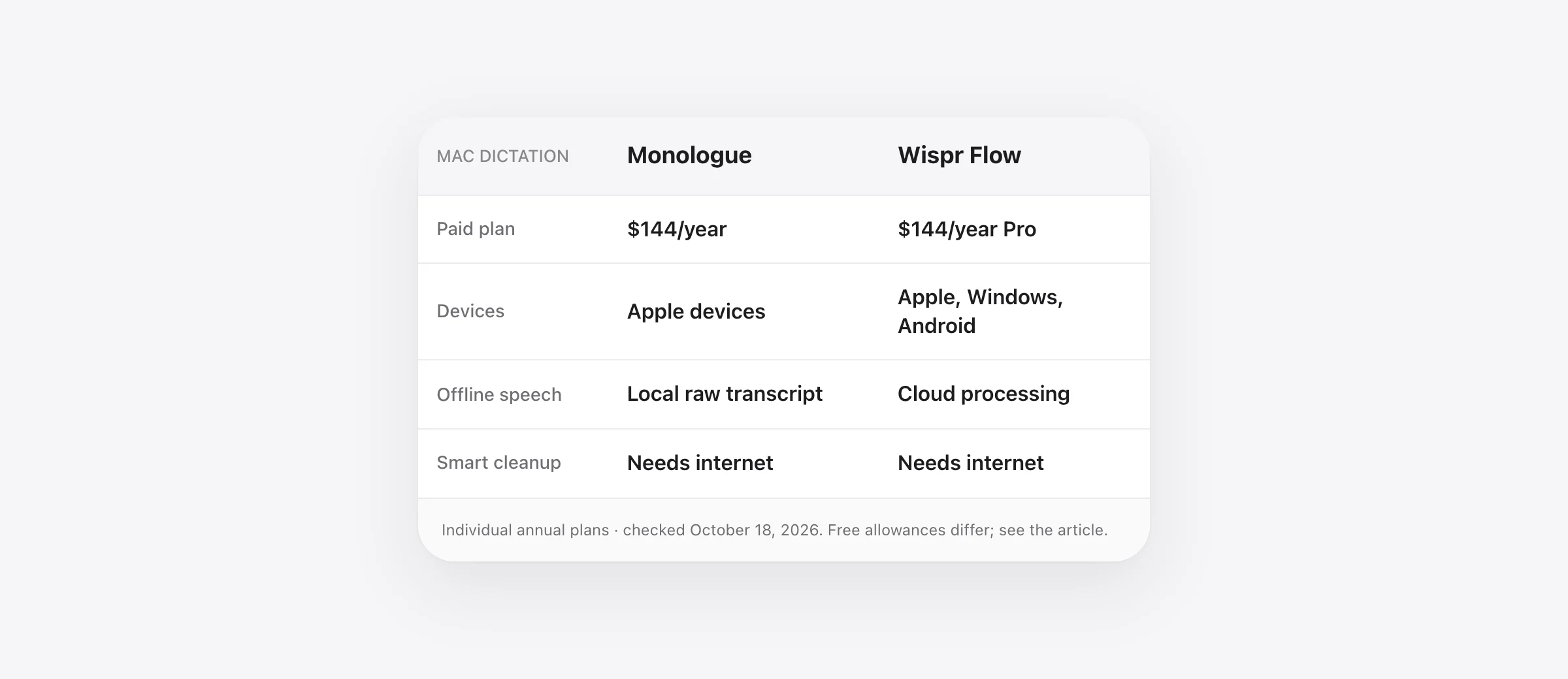
| Decision | Monologue | Wispr Flow |
|---|---|---|
| Devices | Mac, iPhone, iPad and Apple Watch | Mac, Windows, iOS and Android |
| Paid individual plan | $15/month or $144/year | Pro: $15/month or $144/year |
| Free route | Trial: 1,000 dictation words and 10 recorded notes | Ongoing limit: 2,000 words/week desktop; 1,000/week mobile |
| Offline distinction | Local raw transcription on Mac; smart formatting needs internet | Cloud processing; disabling model improvement does not make it local |
| What to evaluate | Dictation plus the value of saved voice notes | Writing across your mix of operating systems |
US-dollar public prices checked October 18, 2026; taxes, promotions and business plans excluded. Sources: Monologue pricing and Flow pricing. Annual billing is a $144 commitment, not a cancellable $12 monthly payment.
Where Monologue deserves a closer look
Monologue combines dictation with saved voice notes and bot-free meeting notes. Its Apple-device coverage can matter if your capture routine moves between a Mac, phone and watch. Count that benefit only if you actually need to revisit or reuse saved material.
For example, a product designer might speak a short idea while away from the desk and return to it during a planning session. The purchase question is whether this removes a recurring handoff: finding the recording, turning it into useful text, and putting the idea where work happens. A feature you never open contributes no value to that decision.
Monologue documents app- and website-specific modes and instructions. Evaluate one real destination at a time. A useful instruction is narrow: keep names unchanged, preserve qualifications, or format a list only when you actually speak one. Longer instructions are not automatically better.
Its Auto enter feature can simulate a submission key after processing. Leave that off while comparing email, forms and terminal prompts. You want to inspect the finished draft without the trial itself sending a message or executing a command.
Where Wispr Flow deserves a closer look
If your work includes Windows or Android, Flow's listed platform coverage belongs near the top of the decision. A Mac-only comparison misses the cost of maintaining a separate routine on another device.
Test the handoff directly. Draft a short reply on the Mac, then repeat the task on the other device you use every week. Check the keyboard interaction, the destination field and the amount of editing needed. Similar product names across platforms do not guarantee that every control or workflow behaves identically.
The ongoing free allowance is also worth trying before paying. If your actual use fits the limit, a subscription may not solve a problem you have. If you routinely reach it, collect a few representative drafts first so the upgrade decision reflects saved effort rather than one impressive demonstration.
Already comparing several cloud writing tools? Our Typeless vs Wispr Flow guide addresses a different pair. For local model selection against Flow's packaged workflow, use VoiceInk vs Wispr Flow.
Offline transcription and offline writing are different
Monologue's processing guide says its local Mac model can produce a raw transcript without internet after the model is downloaded. Smart cleanup and context-aware formatting still use its online service. That distinction matters if you are buying specifically for travel or local processing.
Decide what you expect without a connection. Plain text can be sufficient for a note. A workflow that depends on polished paragraphs needs a separate check. Download the required assets first, disconnect, dictate into a local document and inspect the actual result. Do not use an online email send as the test: delivery has its own network requirement.
Flow's current data controls separate model improvement from dictation cloud storage. Turning off model improvement does not stop cloud processing. Read each control according to what it changes rather than treating a privacy preference as a local model switch.
Check what gets saved, separately from what gets processed
Monologue's data privacy page distinguishes Dictation from saved Notes. It says Dictation audio and transcripts are not saved on its servers, while a recorded Note and derived content are stored in the account for later access and syncing. Its AI providers process Dictation with zero data retention.
Those are different data paths. A person who is comfortable dictating a short message may still want to review what happens when they deliberately save a meeting or note. Ask which feature you are enabling and what you intend to keep.
Monologue's Mac setup documentation also separates core Microphone and Accessibility permissions from optional Screen Recording for Deep Context. Start with the permissions needed for the task, then evaluate whether additional context improves a recurring example enough to justify enabling it.
A 15-minute comparison that produces a buying decision
The exercise below is original trial material, not measured output from either app. Use the same microphone, quiet room, language and destination in each trial. Keep enough of the allowance to repeat a problem once after changing a setting.
- Spend three minutes on an email. Say: “We can review the estimate on Thursday, but we cannot approve the extra work until Mina replies.” Check the day, name and limit on approval.
- Spend three minutes on a team update. Speak a short introduction and three tasks. Count any formatting work you must do before posting.
- Spend three minutes on your hardest vocabulary. Use two real project names in full sentences. Add supported dictionary entries and repeat the same lines.
- Spend three minutes on your second destination. Repeat a task in the app or device that usually causes friction. Check where the cursor was when text arrived.
- Spend three minutes deciding. Compare total correction time, meaning changes and any missing requirement. Choose the option that makes those actual tasks easier to finish.
Keep a tiny scorecard: task completed, seconds spent correcting, and meaning errors. A comma you fix quickly and a changed deadline are different problems. Record both without combining them into an invented accuracy percentage.
For recurring names, our custom vocabulary guide explains why a full-sentence test is more useful than saying an isolated name repeatedly.
When a focused local Mac app is enough
If the comparison leaves you thinking, “I only need to speak into the app in front of me,” include Murmur in the trial. Hold right Command, speak and release to insert text. Speech recognition and AI writing run on your Mac; selected-text voice editing uses right Option.
Murmur costs $19 once for up to three Macs. It requires Apple silicon and macOS 26 or later, with Apple Intelligence available and enabled for AI features. Download the models during setup before expecting offline use. The first 2,000 words need no account, and the purchase includes version 1 updates under the license terms.
That is a different scope from a synced notes or meeting workspace. Pay for the broader product when those extra jobs matter. If your priority is local everyday writing, test that simpler requirement first. Our no-subscription Mac dictation guide covers other one-time and free routes.
Frequently asked questions
Is Monologue better than Wispr Flow?
Choose by workflow rather than an unmeasured accuracy claim. Monologue is worth evaluating for Apple-device dictation and saved voice notes; Wispr Flow is worth evaluating for dictation across Apple devices, Windows and Android. Compare finished drafts in your own apps before subscribing.
Does Monologue work offline?
Its local Mac model can produce a raw transcript offline after download. Monologue documents smart cleanup and context-aware formatting as online steps. An offline transcript does not establish that the complete polished workflow runs locally.
How much do Monologue and Wispr Flow cost?
On October 18, 2026, both listed individual paid plans at $15 monthly or $144 annually. Monologue listed a 1,000-word and 10-note trial. Flow listed an ongoing free allowance of 2,000 words per week on desktop and 1,000 per week on mobile. Check current plan details before buying.
Does disabling model training make Wispr Flow local?
No. Wispr's documentation separates permission to improve its models from cloud storage and cloud processing. Review the current Data and Privacy controls individually; an opt-out from training is not an offline transcription mode.
What if I only want local Mac dictation without a subscription?
Murmur is one option: $19 once for up to three Macs, with 2,000 free trial words and no trial account. It needs Apple silicon and macOS 26 or later; AI features need Apple Intelligence. It is a focused writing tool rather than a substitute for every notes, meeting or cross-platform feature.
Sources
- Monologue: product scope and Apple platforms
- Monologue: plans and trial
- Monologue: local and remote processing
- Monologue: setup and permissions
- Monologue: modes and automatic sending
- Monologue: Dictation versus saved Notes privacy
- Wispr Flow: pricing and free allowance
- Wispr Flow: data sharing, storage and history
- Murmur: license and update terms

Telman Gadimov builds Murmur, a dictation app for Mac that runs entirely on-device. We make Murmur, an alternative discussed below. We checked official product pages on October 18, 2026. This is a documentation-based comparison, not a hands-on accuracy or speed benchmark.


