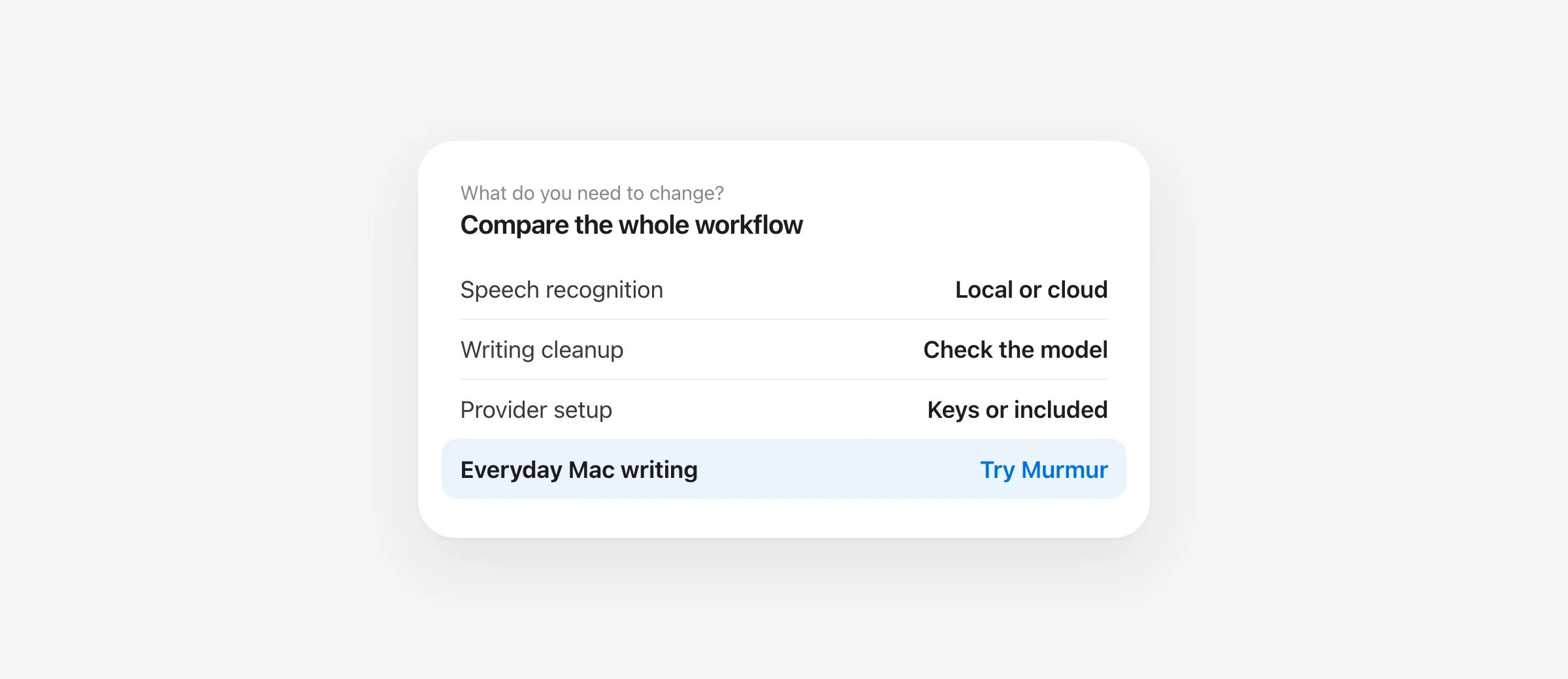
Choose the improvement you need
- Murmur: a focused local writing workflow for supported Macs, $19 once.
- VoiceInk: configurable transcription and enhancement providers, with a one-time Mac license.
- Superwhisper: free local Whisper dictation, or a paid package of cloud models and AI modes.
- Apple Dictation: built-in text entry when you need only occasional dictation.
The best Spokenly alternative for Mac is the one that improves a task your current setup handles poorly. Start there, because Spokenly already offers free local dictation and a bring-your-own-key route. Paying for a different app will not automatically make your writing easier.
We make Murmur, which appears in this guide. We checked official documentation on October 17, 2026. The comparisons describe purchase models and documented workflows, not hands-on accuracy scores or a claim that one tool recognizes every speaker better.
Check your Spokenly setup before choosing a replacement
First separate three reasons to switch: you want a different writing workflow, you want less configuration, or you want different billing. They lead to different shortlists. If your only problem is a Pro bill, check whether your normal task works in Spokenly's free local mode before buying anything.
The current pricing page lists unlimited Free local dictation and BYOK, Local+ at $29 once for Notch/Capsule recording styles, settings sync and support, and Pro at $99.99 annually, displayed as $8.33 a month. BYOK means Spokenly adds no app charge; the provider can charge for usage. Local+ does not include managed cloud models. Its availability also depends on purchase source: the page recommends the latest direct Mac download while the Mac App Store update is pending.
Offline cleanup is another reason to check the current version. Spokenly now documents Local Model Cleanup. On Mac it requires Apple silicon and macOS 26+, with a 768 MB download. It is disabled initially and performs cleanup rather than answering questions or following arbitrary rewrite instructions. English is its strongest documented language; evaluate your language before relying on it.
That distinction changes the shopping question. “I need filler removal without internet” is different from “I need to select a paragraph and dictate a new structure.” Test the first in your existing app. For the second, compare the exact rewrite behavior you expect.
Four Spokenly alternatives compared
| Option | Consider it for | Free route or regular price | Main check |
|---|---|---|---|
| Murmur | Local everyday writing without provider setup | 2,000 trial words; $19 once, up to 3 Macs | Apple silicon, macOS 26+; Apple Intelligence for AI |
| VoiceInk | Choosing models, prompts and output modes | 7-day trial; $25 / $39 / $49 once for 1 / 2 / 3 Macs | Hardware, provider bills and selected enhancement |
| Superwhisper | Free local Whisper or a broader paid bundle | Free; Pro $8.49/month, $84.99/year or $249.99 once | Features remaining after the Pro trial |
| Apple Dictation | Occasional paragraphs with manual editing | Included with macOS | Supported language and destination field |
Regular US-dollar prices checked October 17, 2026; taxes and promotions excluded. Sources: Murmur, VoiceInk and its trial instructions, and Superwhisper. A permanent free plan and a limited trial are different offers.
Murmur: simplify a Mac writing routine
Consider Murmur if you want to speak into your daily apps without selecting a speech provider or managing API keys. Hold right Command, speak, and release to insert text. Speech recognition and AI writing run on the Mac.
Per-app styles help when your correspondence and chats need different treatment. Snippets insert saved text from a spoken trigger, useful for an address or a repeated sign-off. The custom dictionary applies corrections after recognition; it does not retrain the speech model. That is a useful distinction when comparing it with a model's vocabulary hints.
You can also select existing text and hold right Option to request an edit. Suppose a spoken note already contains all the right details but needs a shorter opening. Test that small revision first. Then verify that names, deadlines and exceptions remain intact before sending it.
Murmur needs Apple silicon and macOS 26 or later. Its AI features require Apple Intelligence to be enabled and ready. The first 2,000 words are free without an account; the $19 license covers up to three Macs and version 1 updates. Future major versions may cost extra.
Choose it when: local everyday writing and fewer setup decisions are your goals. Keep a broader tool if you rely on meeting recording, an MCP integration or provider selection. Those requirements deserve their own test rather than an assumption that all dictation apps are interchangeable.
VoiceInk: keep control of models and modes
VoiceInk is worth evaluating when you can name a configuration you want. Its model guide separates speech transcription from optional text enhancement. Local, hosted and compatible custom endpoints serve different needs; third-party API usage is separate from the Mac license.
For local cleanup, VoiceInk Refine requires Apple silicon with at least 16 GB of memory. It has a fixed task, rather than custom instructions or context. A local cleanup result therefore does not prove that an arbitrary email-drafting mode will work offline.
Picture a writer who wants a plain transcription mode for quotations and a separately configured enhancement mode for summaries. Keeping those tasks distinct helps avoid polishing text that needs to remain literal. For someone who never changes processing behavior, the same flexibility may add decisions without improving the finished draft.
Compatibility needs checking: the installation docs say macOS 15+, while the homepage says Apple silicon and macOS 14.4+. The docs caution that local models are unreliable on Intel. Verify the current installer on your machine, particularly if your reason for switching is older hardware.
Choose it when: deliberate model and prompt choices solve a recurring problem. Our VoiceInk alternatives guide covers what you should preserve when moving between configurable apps.
Superwhisper: decide whether Free or Pro replaces your work
Superwhisper's Free plan provides unlimited local Whisper dictation, vocabulary, replacements and two modes without AI processing. Pro adds cloud models, AI modes and file transcription. Its introductory Pro allowance eventually falls back to Free, so assess the mode you will keep.
A managed package can be convenient if you want hosted processing without organizing separate provider billing. But a list of included features is useful only when one handles your actual work. Identify the paid behavior you would miss before comparing subscriptions.
If your requirement is offline text cleanup, check S1-mini's limits: it supports English Message and Mail modes. Do not assume a local cleanup model also handles every custom mode. Test your longer writing task separately.
Choose it when: its ongoing free mode is enough, or its paid package removes work you otherwise have to manage. The VoiceInk vs Superwhisper comparison examines the configurable-provider versus bundled-service decision in more detail.
Apple Dictation: try the option already on your Mac
For a few paragraphs a week, open System Settings → Keyboard → Dictation and try Apple's included tool. Its guide explains how to enable dictation and where to check whether general text input uses on-device processing for your setup. Languages and features vary.
Start in your normal destination, such as a draft email. Count the corrections and check whether the shortcut feels natural. A successful scratch note does not establish that a complex browser editor will behave the same way.
Choose it when: basic text entry plus your own editing covers the job. If you repeatedly need snippets, app-specific output or selected-text revisions, include those tasks when assessing another app.
Choose between local, cloud and BYOK workflows
Draw your intended path in one line: microphone → speech recognition → text cleanup → destination. Put “local” or the provider name beside each processing step. A local recognizer followed by hosted cleanup is a mixed workflow, even though part of it works without internet.
Spokenly's Local Only Mode blocks external network activity with documented exceptions for model downloads and localhost. Distinguish that configuration from simply choosing a local speech model. An online model fails while blocked; that is not evidence the local recognizer is broken.
For a BYOK workflow, inspect costs in the provider account, choose a spending limit if available, and test both recognition and enhancement. “No subscription to the app” does not establish zero operating cost. Our dictation guide without subscriptions explains purchase tradeoffs.
Local processing also does not stop your destination app from syncing text. A local note and a shared browser document have different destinations. Choose based on the complete task you need to perform.
Run a 20-minute replacement test
These are proposed test materials, not measured results. Allow 20 minutes after installation and model downloads. Compare Spokenly with one candidate using the same microphone, room and destination.
- Minutes 0–3: record the exact mode, language and enhancement setting in each app.
- Minutes 3–8: dictate a short message and a work paragraph. Count meaning-changing errors before punctuation.
- Minutes 8–12: test your recurring vocabulary and one saved phrase. Check the final spelling.
- Minutes 12–16: repeat the required local task without internet, after downloading its assets.
- Minutes 16–20: edit both drafts to sendable text and record the correction time.
“Ask Leyla to review the Northbank outline. The estimate is 2,750 dollars, excluding support. Move our check-in from Wednesday to Friday at 10:15. Do not confirm delivery yet.”
This original sample combines a name, a project term, an amount and a changed date. Substitute your own vocabulary. For dictionary comparisons, remember that Spokenly's model-specific keyterms and a post-recognition replacement are different mechanisms. Test the finished sentence rather than equating settings with the same label.
A switch is worthwhile when it gives you a repeatable improvement: less editing, a required local mode, simpler setup or a useful output behavior. If the candidate loses your most important task, keep Spokenly or use separate tools for separate jobs. For a broader local shortlist, see offline dictation apps for Mac.
Frequently asked questions
What is a good Spokenly alternative for Mac?
Try Murmur for focused local writing on a compatible Mac, VoiceInk for configurable models and modes, Superwhisper for free local Whisper dictation or its paid bundle, and Apple Dictation for occasional text entry. Choose around the task you need to improve, rather than an unsupported accuracy ranking.
Is there a free Spokenly alternative?
Apple Dictation is included with macOS, and Superwhisper has an ongoing free local Whisper plan. Spokenly itself also has unlimited free local dictation, so switching is not necessary merely to avoid a subscription.
Does Spokenly require a subscription?
No. Its free local and bring-your-own-key routes do not require Pro. Local+ is a separate $29 one-time option for extras; Pro includes managed cloud services. Provider usage can still cost money when you supply your own API keys.
Can Spokenly clean up dictation offline?
Yes. Spokenly documents Local Model Cleanup, with Apple silicon and macOS 26 or later required on Mac. It is a cleanup step, rather than a general assistant that follows arbitrary requests. Download the model before testing offline.
Which Spokenly alternatives avoid provider accounts?
Murmur does not require an account for its 2,000-word trial, and its speech and AI writing run locally. Apple Dictation also avoids configuring a separate speech provider. Free local modes in other apps may cover the same need; check the complete mode you intend to use.
Sources
- Spokenly: current plans and purchase-source differences
- Spokenly: Local Model Cleanup
- Spokenly: Local Only Mode and its exceptions
- Spokenly: dictionary and model-specific vocabulary
- VoiceInk: Mac licenses
- VoiceInk: model and provider choices
- VoiceInk: Refine requirements
- VoiceInk: installation requirements
- Superwhisper: plans
- Superwhisper: local language model restrictions
- Apple: Dictation on Mac
- Murmur: privacy
- Murmur: license and version terms

Telman Gadimov builds Murmur, a dictation app for Mac that runs entirely on-device. We make Murmur, one of the options below. Features and published prices were checked against official sources on October 17, 2026. These are workflow recommendations; we have not run a controlled accuracy or speed benchmark.


