See what changed
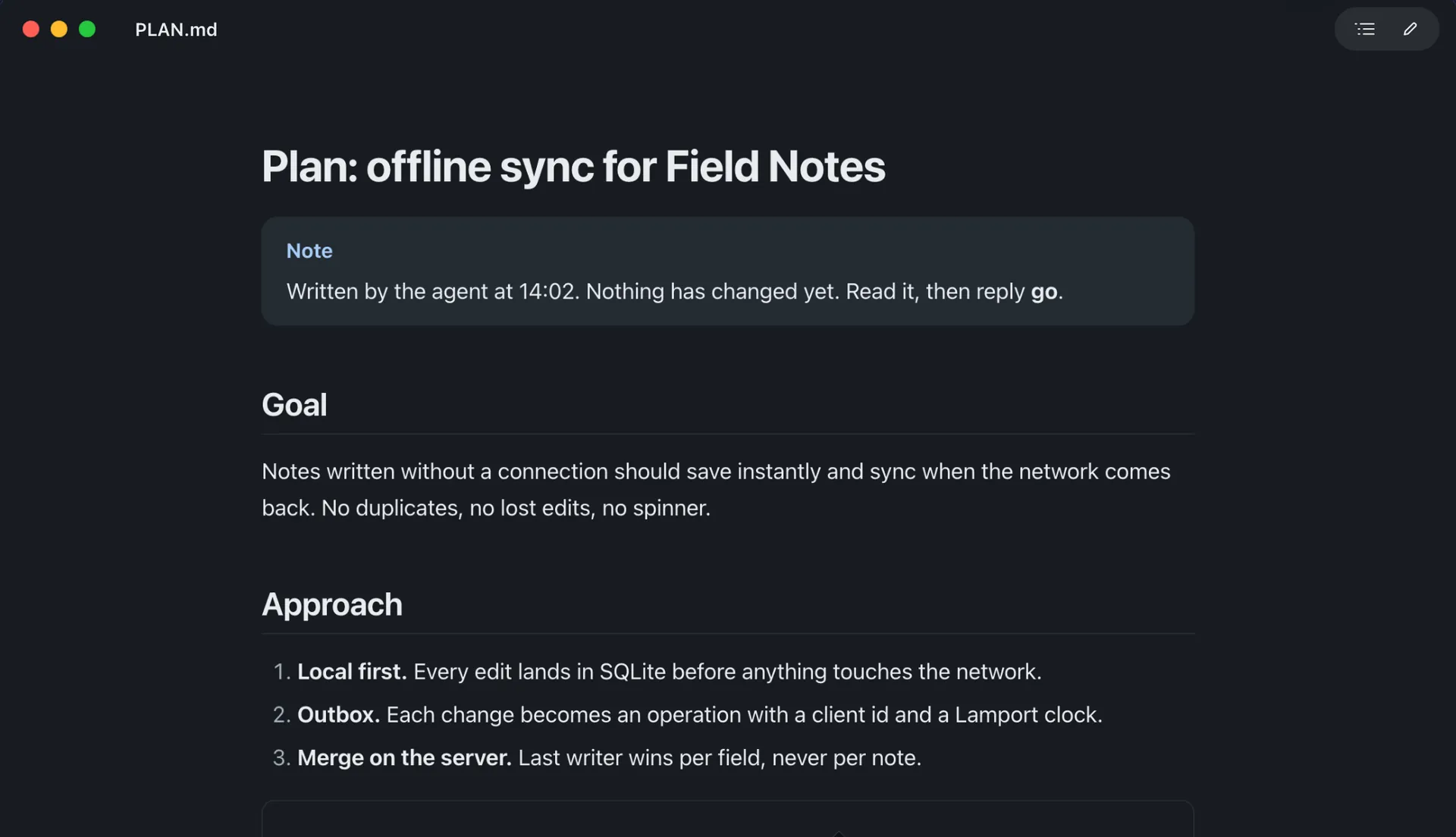
When an agent saves, new and edited blocks glow green. The pill jumps between them.
Steps
- Read the current save path
- Sketch the outbox schema
- Write the migration

A light Markdown reader for Mac that updates the moment your agent saves.
FreemacOS 26Apple silicon12 MB
Wren is a Mac app. Send the link to your Mac.
Live reload
When an agent rewrites the file, Wren updates the view instantly. New and edited blocks glow green, and a 3 changes ↓ pill jumps between them.
Reading at the end of the file? The view follows it as it grows.

Diagrams
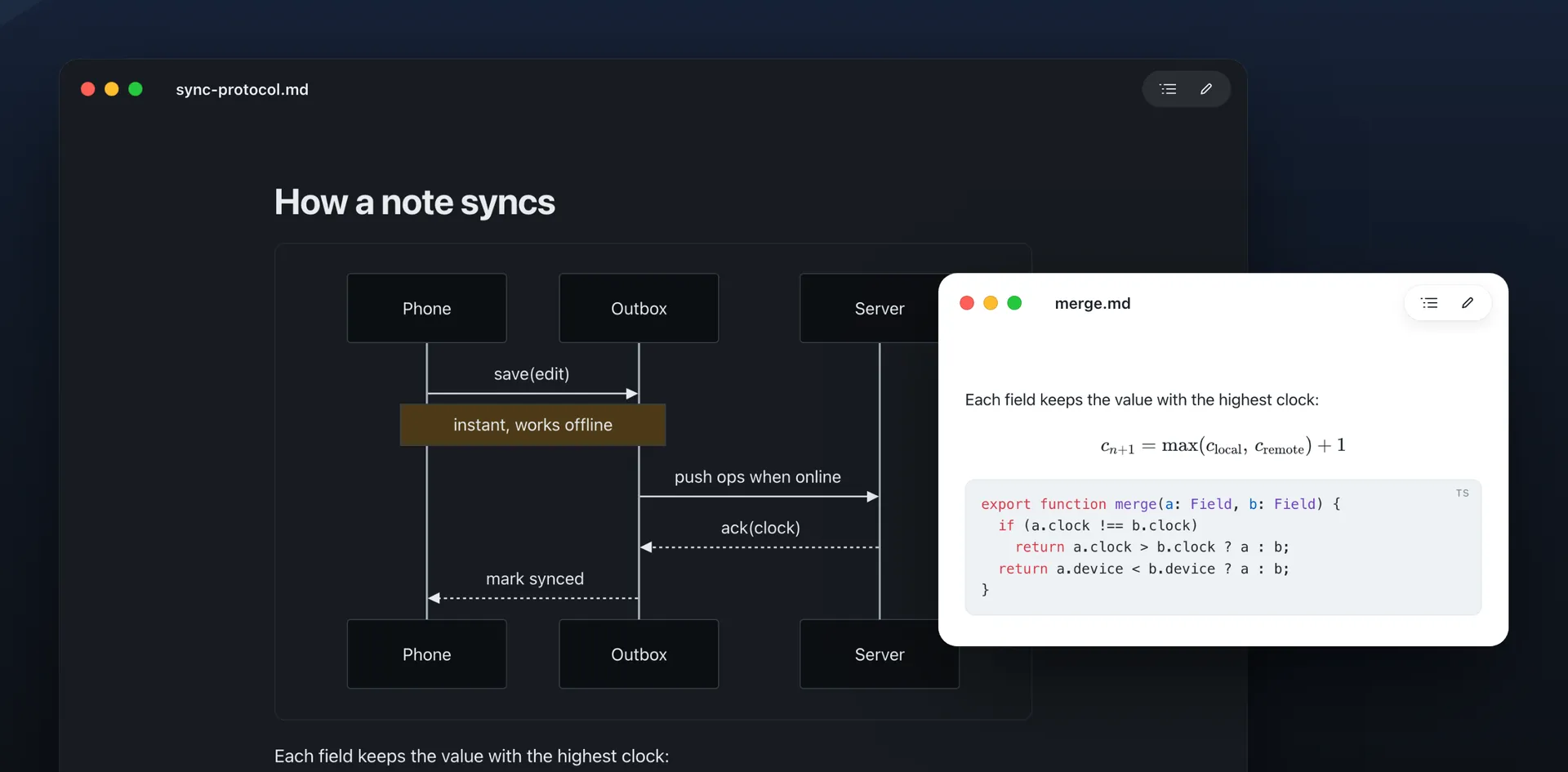
Mermaid diagrams render right in the page. Click one to open it full-window: zoom, pan, copy it as an image or save it as SVG.
Math and code come out right too. Everything is bundled, so it works offline.
Edit
Press ⌘E for a split editor with live preview. The two panes scroll together. Press it again to go back to reading.

Projects
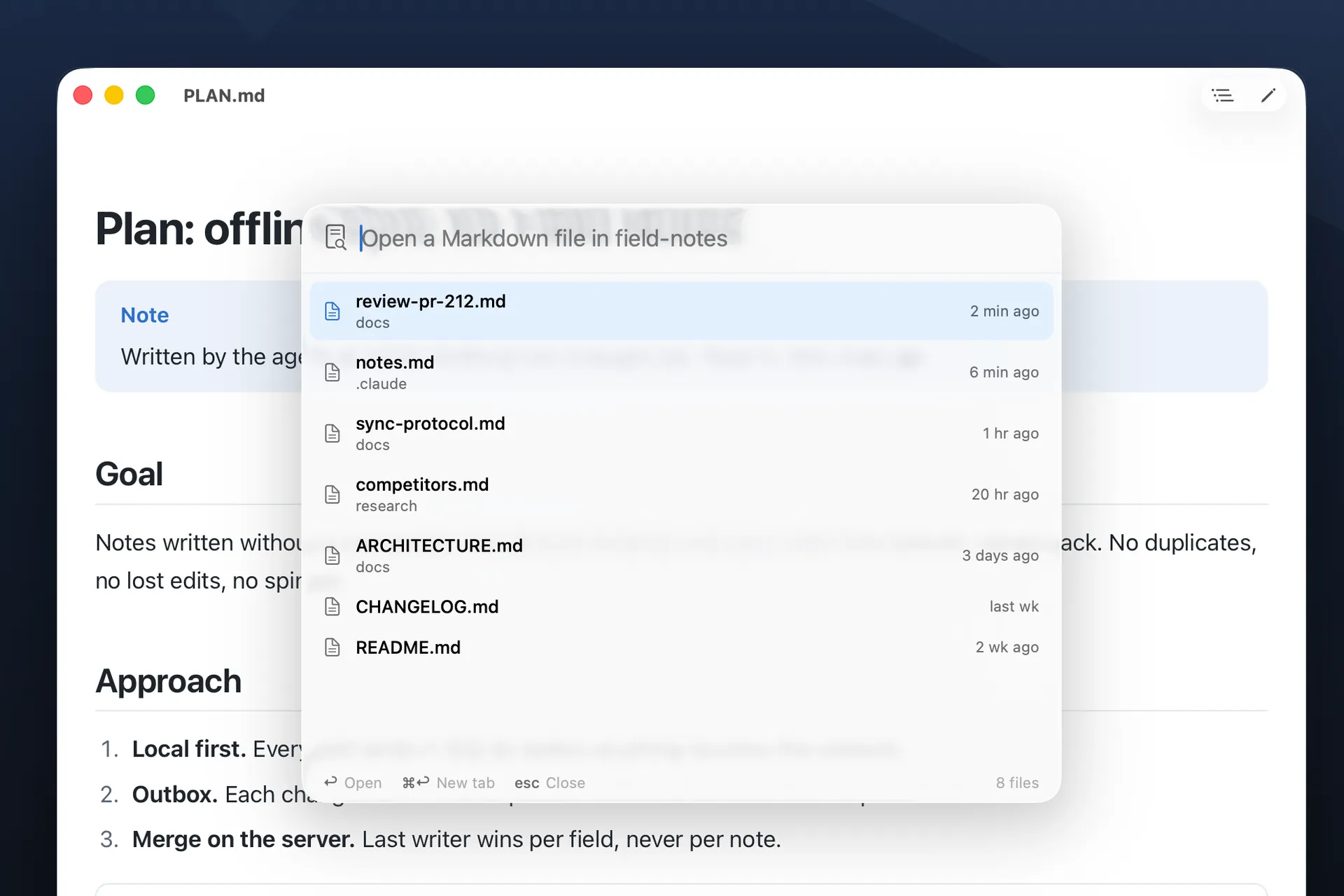
Press ⌘P to find any .md file in the project, newest first. Even the ones inside .claude/.
Press ⌘B for a live tree of the folder's Markdown. A green dot marks files an agent changed since you last read them.
A reader first, with just enough editor to fix a line. Every tile below works. Try them.
When an agent saves, new and edited blocks glow green. The pill jumps between them.
Steps
The view updates the moment the file does. Unsaved edits? It asks first.
Steps
Read the current save path Sketch the outbox schema Retry with exponential backMermaid, math and code, all offline. Zoom in and drag around.
cn+1 = max(clocal, cremote) + 1
⌘P finds any .md in the project, even in .claude/. Type to try.
Click a checkbox and Wren writes the [x] back to disk.
- [ ] Write the migrationPress Space on a file in Finder for a fully rendered preview.
Wren, GitHub, Paper and High Contrast, each light and dark. Sans, serif or mono. Or your own CSS.
Review: PR 212
Blocking
Outbox.flush(). Two timers can send the same operation twice.deleted_at. See Outbox.swift:88.⌘E opens the editor beside the page. Type on the left and watch the right.
⌘B shows the folder's Markdown. Green dots mark what an agent changed.
⇧⌘F searches every Markdown file at once.
wren opens files and folders. Pipe anything into wren -.
A PDF, one self-contained HTML file, or rich text for Mail.
And the small things
[!NOTE] alerts
Copy buttons on code
Smart lists
Pasted images saved to assets/
Outline ⇧⌘O
Find ⌘F
Text size ⌘+
Print ⌥⌘P
Wren, GitHub, Paper and High Contrast, each in light and dark. Sans, serif or mono. Or bring your own CSS, and it reloads as you save.

Yes. No account, no tracking, and no paid tier. Download it and it's yours.
Yes. Mermaid, KaTeX and code highlighting are bundled inside the app. Nothing loads from the internet.
Apple silicon Macs on macOS 26 Tahoe or later.
Yes. Wren offers on first launch, and you can change it any time. Then double-click any .md file and it opens in Wren.
Wren is Markview's new name. On first launch it copies your settings and custom CSS across.
Read the guides: compare Mac Markdown viewers or read Claude Code plans with Wren.
FreemacOS 26No account