Fix the reference before changing the viewer
- Locate the
.mdfile and the actual image in Finder. - Calculate the path starting from the Markdown file's folder.
- Match the filename, extension and letter case exactly.
- Open a rendered preview and check the image there.
Try the downloadable image-path test folder. It contains two Markdown files and two small PNGs, with no scripts.
When Markdown images are not showing, first separate two possibilities: the image expression is being displayed as source, or the renderer tried to load an image and failed. Those symptoms point to different fixes.
If you see literal punctuation such as , open a rendered view and make sure the expression is not inside code formatting. If you see a missing-image symbol or alt text, follow the destination and check what actually exists there.
A Markdown image is a reference, not an attachment
The description between brackets is alt text. The destination in parentheses names the resource. Renaming a text file to .md or opening it in another reader does not create the referenced PNG.
GitHub's formatting guide documents image syntax and relative paths. The practical check is simpler: can you locate the exact file the reference describes?
If a colleague sends only a Markdown file whose images live in a nearby assets folder, ask for the whole folder or a checked self-contained export. The document can remain perfectly readable as text while all its pictures are absent.
Relative paths start at the document's folder
Our downloadable fixture has this layout:
markdown-image-paths/
├── README.md
├── docs/
│   └── guide.md
└── assets/
    ├── check.png
    └── check image.png
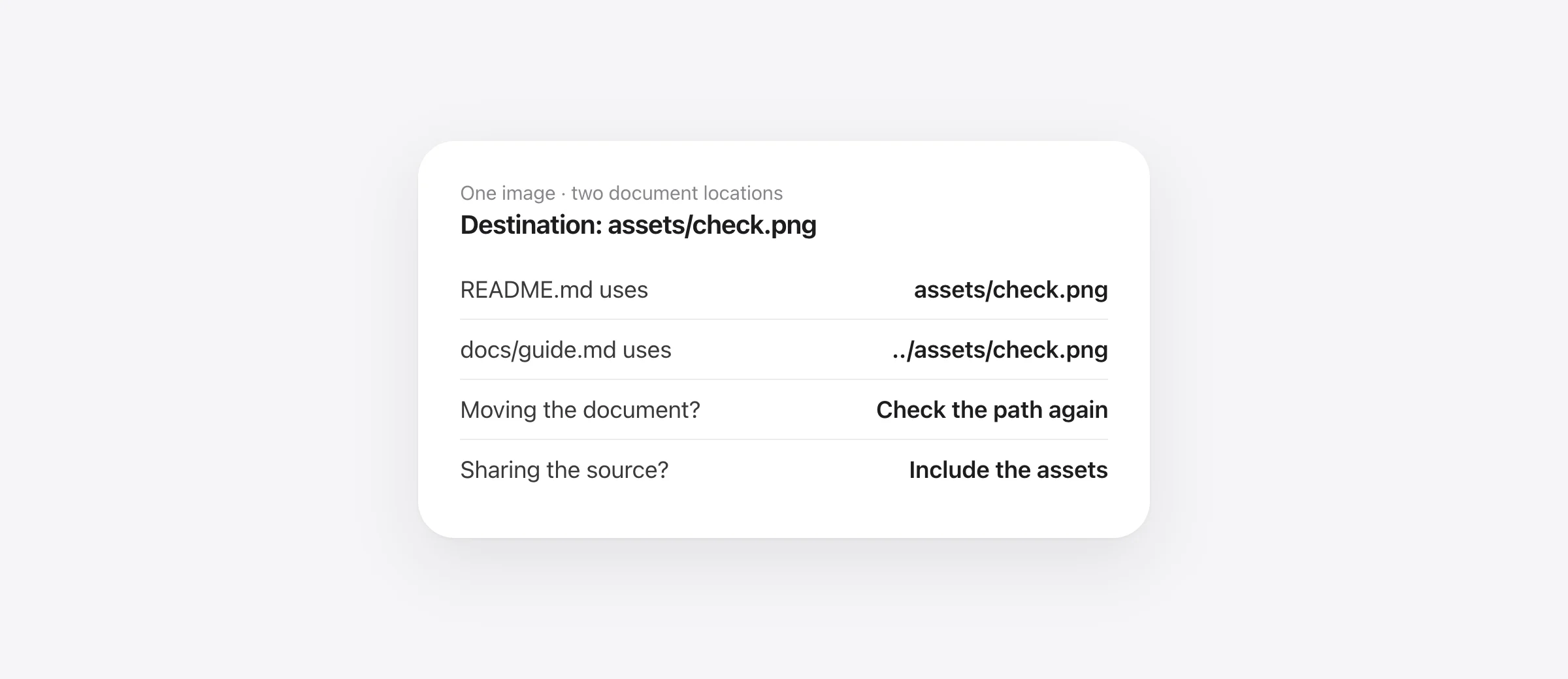
From README.md, the destination is assets/check.png. From docs/guide.md, go up one folder first: ../assets/check.png. Both references reach the same image.
| Document | Destination | Result in the fixture |
|---|---|---|
| README.md | assets/check.png | Correct image |
| docs/guide.md | ../assets/check.png | Correct image |
| docs/guide.md | assets/check.png | Looks for a nonexistent docs/assets folder |
Moving the Markdown file without updating the reference changes its meaning. Moving the whole fixture folder preserves the relationship. Think of the document and assets as one portable unit.

Check an actual folder in two minutes
- Extract the ZIP. Keep the extracted
markdown-image-pathsfolder intact. - Open README.md. In a rendered view, both image examples should show the square and circle.
- Open docs/guide.md. Its parent-directory reference should show the same image.
- Copy the whole folder elsewhere. Reopen both files from the copy and check them again.
If the sample works but your document does not, compare the folder relationships before reinstalling the app. If the sample also fails, check which view you opened, image permissions and the renderer's capabilities.
We tested the sample's parsing and URL resolution with Wren's bundled renderer in isolated Chrome. The root document produced two image references and the nested document produced one; the resolved local destinations matched the supplied assets. Chrome does not implement Wren's native asset handler, so that test checks parsing and destination choice, not every native permission condition.
Fix spaces, letter case and file extensions
For a destination with spaces, angle brackets make the intended path explicit:
The CommonMark specification defines image syntax using the link-destination rules. For everyday documents, simple filenames such as release-chart.png reduce opportunities for mistakes. If you rename an asset, update every document that refers to it.
Check chart.png against Chart.png character by character. Many Mac volumes do not distinguish case during lookup, while another filesystem or host may. An expression that happens to work locally can therefore still be wrong for sharing.
Also inspect the full extension. A Finder display name can hide the difference between chart.png and chart.png.png. A filename ending in PNG does not prove that the contents are a valid PNG; try opening the actual image directly in Preview when the path is correct but decoding fails.
Why a GitHub README image works differently
A machine-specific path such as /Users/you/Desktop/chart.png refers to your Mac, not the repository that another person opened. Use a repository asset and a path that GitHub can resolve from the document, then verify it on the same branch.
Use read-only Git checks to confirm what is recorded:
git status --short -- README.md assets/check.png
git ls-files -- assets/check.png
Replace the example paths with yours. A local image can exist without being tracked or pushed. An empty tracked-file listing is a reason to inspect, not a command to add every asset indiscriminately. Keep confidential screenshots out of public repositories.
An image link copied from a hosting website may point to an HTML page rather than the image itself. Verify the destination, its access requirements and whether the recipient can load it without your session. Do not treat a working signed-in browser tab as proof that a Markdown reader can fetch the resource.
GitHub has repository-specific conventions for rooted paths. A leading slash in a native file-based viewer can instead refer to the filesystem root. For a folder intended to travel between local readers and a repository, the sample's relative paths are easier to verify.
Why VS Code preview can block an otherwise valid image
Open the Markdown preview, rather than only the source editor. The VS Code Markdown guide documents preview features and its security restrictions. If an image is remote or relies on restricted content, inspect the blocked-content indication before changing global settings.
A blanket reduction in preview security is a poor first diagnosis. Test a local PNG beside a saved Markdown file first. That separates a straightforward path mistake from a remote-content policy. Keep any policy adjustment specific to a document you trust and understand.
If the preview follows a different active editor tab, you may also be looking at another document's base path. Verify the source filename before rewriting image destinations to fit the wrong preview.
Check saved paths and local assets in Wren
Wren resolves local references using the saved document's location and serves supported media through its native asset handler. An untitled document has no saved folder to resolve an ordinary relative path against. Save it in the intended folder, then check the reference again.
Wren's editor can paste an image into an assets/ folder beside the document and insert the reference. That is convenient, but it still creates a dependency on the asset file. When sharing the editable source, include the assets folder.
Wren is free on Apple silicon Macs with macOS 26 or later. Use the opening guide if double-clicking still shows raw source or launches an unexpected app. If the missing visual is a Mermaid code block rather than an image file, follow the separate Mermaid rendering guide.
Share a folder or a checked export
For continued editing, send the Markdown and its relative assets together. For a fixed reading copy, export to a format suited to the recipient. Wren's self-contained HTML route embeds available local images, but a missing file cannot be recovered during export.
Move a copy of the export away from its source folder and open it again. Check every image, not just the first one. Remote images can still introduce network or authentication dependencies, so disconnect and test if offline reading matters.
The Markdown-to-HTML guide covers that handoff check, while the PDF guide adds pagination review. Fix the source path first; export only after the document displays the intended assets.
Frequently asked questions
Why does my Markdown image show its alt text instead of the picture?
The renderer recognized an image reference but could not display the resource. Check the destination path, whether the file exists, network or authentication requirements, and the viewer's supported image formats and access policy.
Are Markdown image paths relative to the repository root?
Ordinary relative references in a file-based reader start from the document's folder. GitHub also supports repository-specific path conventions. An opening slash can mean something different on a website and on a local filesystem, so prefer tested relative paths for portable folders.
How do I use a Markdown image filename containing spaces?
Put the destination path inside angle brackets, as shown in the article, or use a simple filename such as check-image.png and update the reference. Do not put the entire image expression inside backticks or a code fence.
Why does the image work on my Mac but fail on GitHub?
Common causes include an image that was never added to the repository, a filename-case mismatch, or a machine-specific absolute path. Confirm that the exact asset and spelling exist on the same branch as the document.
Will exporting Markdown automatically include every image?
No. Export behavior varies. Wren's self-contained HTML route embeds available local images, but a missing source cannot be reconstructed and remote dependencies still require checking. Move a copy of the export and inspect it before sharing.
Sources

Telman Gadimov builds Wren, a free Markdown reader, and Murmur, an on-device dictation app for Mac. We make Wren. Examples use an original downloadable fixture. We checked its parsing and URL resolution with Wren's bundled renderer in isolated Chrome, and inspected the local asset and export code. That is not a test of every native macOS file-permission or export case.


