A local Markdown-to-PDF route
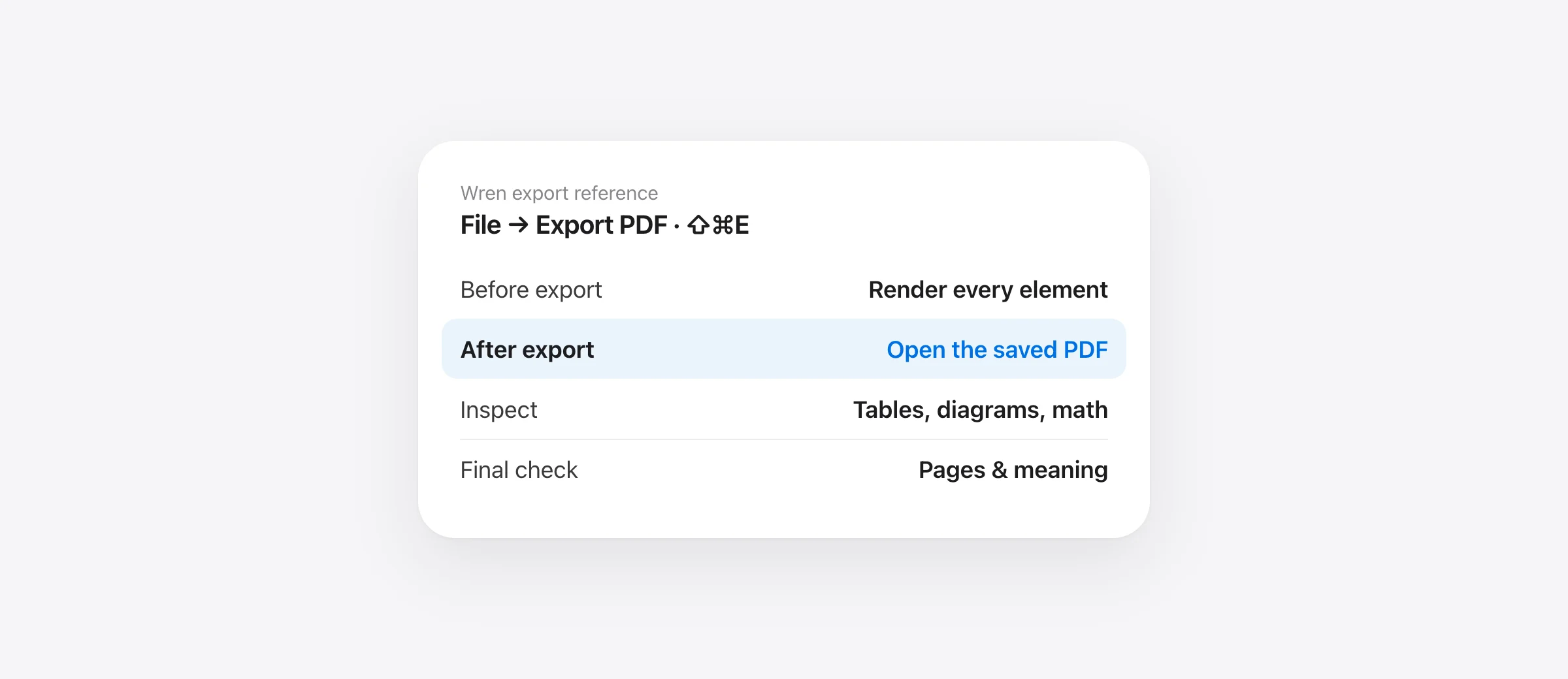
- Open the Markdown file in Wren and check the rendered content.
- Choose File → Export PDF, or press Shift + Command + E.
- Save the PDF, then open that saved file in Preview.
- Inspect table edges, diagram labels, math, code and page breaks before sharing.
To convert Markdown to PDF on Mac, you need a workflow that renders the document before laying it out as pages. Renaming notes.md to notes.pdf does not perform that conversion. Printing raw source from a text editor can also preserve the punctuation instead of the formatting you intended.
For an occasional local handoff, Wren's export route avoids assembling a command-line toolchain. For repeatable batch generation or a publishing process with specific templates, a configurable pipeline such as Pandoc may be the better fit. Start with the destination's requirements rather than choosing a converter by its preview alone.
Choose the export route by the job
| Job | Route to evaluate | Main check |
|---|---|---|
| Send one readable local document | Wren PDF export | Actual saved pages and diagram size |
| Generate many documents consistently | Pandoc plus a configured PDF engine | Dependencies, templates and automation |
| Send a document for continued editing | Markdown plus its assets | Recipient's renderer and required features |
| Share a browser-readable snapshot | Self-contained HTML export | Embedded assets and recipient behavior |
PDF fixes the presentation at a particular moment. It is useful for a review packet or handoff, but it is not a replacement for the source when the document will keep changing. Keep the Markdown and any local assets so the next revision has an editable starting point.
Use a small export fixture before a long document
Download our original PDF handoff test file. It includes a heading, a table, a Mermaid flowchart, a short formula and code. Its sentence about a $450 design approval also contains a qualification: migration is excluded. Check both the structure and the meaning after export.
The fixture is deliberately small enough to inspect quickly. If it fails, you can identify the feature involved without reading a long specification. If it passes, your real document still needs review: wide tables, long code lines or a dense graph can expose layout problems the sample does not have.
Open the fixture in a reader before exporting. If a diagram is still source code at that stage, solve the rendering issue first. Our Mermaid viewer guide provides a smaller diagram example and a troubleshooting sequence.
Export Markdown to PDF in Wren
Wren requires Apple silicon and macOS 26 or later. It is currently free, with no account or paid tier. Open your Markdown file, review the rendered document, and use File → Export PDF or Shift + Command + E.
- Save the intended revision. Make sure the document contains the changes you want to share.
- Inspect the reading view. Check that local assets and diagrams have appeared.
- Export to a new PDF filename. Keep the source and avoid overwriting an earlier handoff you may need to compare.
- Choose appearance deliberately. Wren normally exports light pages; its dark-mode export panel offers Keep dark appearance.
- Open the saved PDF. Review that artifact rather than relying on the source window.
Wren's export uses the Mac printing pipeline. It is a document handoff, not a promise of a custom publishing template. If you need controlled running headers, exact institutional formatting or a certified accessible PDF, evaluate those requirements separately instead of assuming a successful export establishes them.
Inspect five things in the saved file
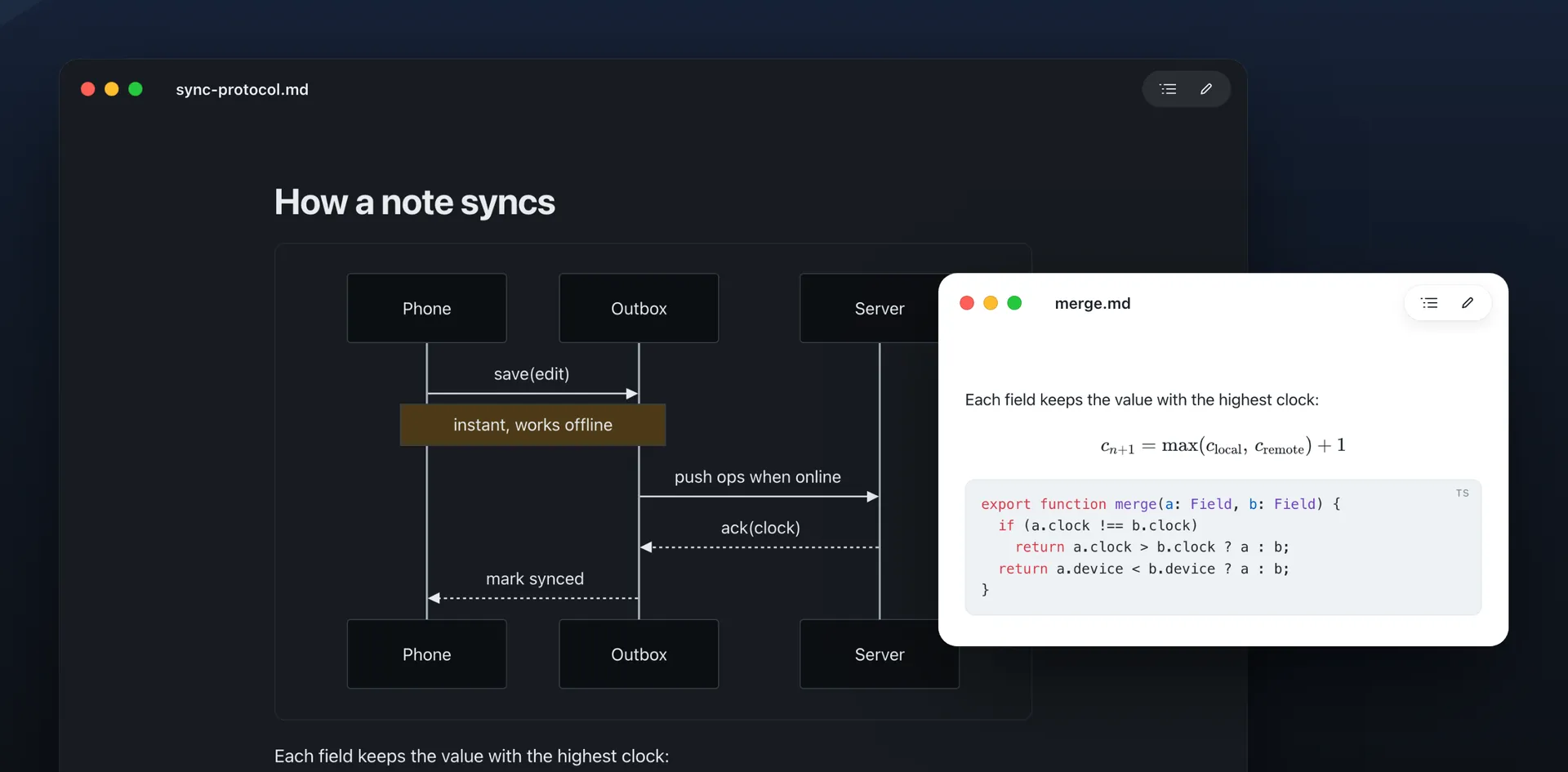
Use Preview or the PDF reader your recipient uses. Apple's Preview guide covers viewing PDFs and page navigation. A quick first-page glance is not enough for a document with several element types.
| Element | Inspect | A useful correction |
|---|---|---|
| Tables | Right edge, header labels and row continuity | Shorten headings or split an oversized table |
| Diagrams | Smallest label and branch meaning | Simplify the graph or share a separate diagram |
| Code | Long lines, indentation and clipped characters | Use shorter illustrative lines or a linked source file |
| Math | Missing symbols, baseline and formula context | Reduce the expression to a supported test first |
| Page boundaries | Detached headings and awkward content splits | Restructure long sections and re-export |
Also verify the actual content. In the fixture, the migration exclusion must survive. A PDF that looks professional but presents the wrong scope is a failed handoff. After a revision, check the saved file's name and location so you do not accidentally send the earlier version.
Why diagrams and math need a complete rendering pipeline
Mermaid is diagram source, not a picture already embedded in the Markdown. Math notation similarly needs a supported renderer. Wren bundles Mermaid and KaTeX for those steps, but a different converter may treat the same blocks as ordinary code or text.
Use the sample to separate missing support from a problem in your document. If its short graph renders and your complex graph fails, reduce your graph until the unsupported or invalid part is clear. If both remain raw, inspect the converter's supported features.
Do not assume that rendering in a web service proves local export will behave identically. The libraries, fonts and page layout can differ. Keep a tiny compatibility test with the document if you depend on a particular diagram or formula.
When a command-line converter makes more sense
Pandoc is worth evaluating for an automated build or a repeatable document format. Its official manual explains PDF generation through separate engines, with LaTeX as the default route and other options selectable through --pdf-engine. Installing the converter and configuring the PDF engine are distinct setup steps.
Before adopting that route, define the output you need: page size, fonts, repeated structure, citations and special elements. Maintain the conversion command and dependencies with the project so another person can reproduce the document. Test diagram processing explicitly instead of assuming a Mermaid fence is enough.
For a single document, the setup cost may exceed the work of reviewing a local export. For a recurring report, the same setup can become useful because the process is recorded and repeatable. Choose the tool according to that frequency.
Use HTML or rich text when PDF is the wrong handoff
Wren also offers self-contained HTML export with Option + Shift + Command + E, and Copy as Rich Text with Shift + Command + C. HTML suits a browser-readable snapshot; rich text suits pasting into another writing app. Inspect the result in the receiving app because it may interpret formatting differently.
Self-contained does not mean every original network reference is guaranteed to have succeeded. Check missing assets before and after export, and test the artifact in the environment where it will be read. A local conversion does not change the destination's sharing or storage settings.
If you simply want to read a file, avoid converting it at all: open the Markdown directly. For choosing a reader or publishing tool with a different scope, see the Mac Markdown app comparison.
For a document that should adapt to a browser window, use the Markdown-to-HTML export guide. It includes a local-image fixture and a moved-copy test.
Frequently asked questions
How can I convert Markdown to PDF on Mac?
Open the .md file in a renderer, check the formatted document, then export a PDF. In Wren, use File → Export PDF or Shift + Command + E. Open the saved PDF in Preview and inspect it before sharing.
Is Wren's Markdown-to-PDF export free?
Wren is currently free, with no account or paid tier, and includes PDF and HTML export. It requires Apple silicon and macOS 26 or later. Check the product page for current requirements.
Can a PDF include Mermaid diagrams?
Yes, when the export workflow renders the diagrams before producing the PDF. Wren bundles Mermaid rendering. Test your actual diagram and inspect its labels in the exported file; merely putting Mermaid source in a code fence does not guarantee conversion in every tool.
Why does Pandoc say a PDF engine is missing?
Pandoc's direct PDF route uses a separate PDF engine. Its default route uses LaTeX, with alternative engines supported through --pdf-engine. Choose an engine supported by your setup rather than assuming Pandoc alone installs the whole pipeline.
Can I export without uploading my document?
A local app or command-line pipeline can do the conversion on your Mac. Wren renders bundled Markdown, Mermaid and math locally, while remote assets referenced by a document may still need a connection. Keep necessary assets local and test the final export.
Sources

Telman Gadimov builds Wren, a free Markdown reader, and Murmur, an on-device dictation app for Mac. We make Wren. Its export controls were checked against the app source; alternative workflow descriptions use official documentation checked October 18, 2026. The downloadable fixture is original. This guide does not claim that every document will paginate perfectly or that the PDF is accessibility-certified.


