Preview a Markdown file now
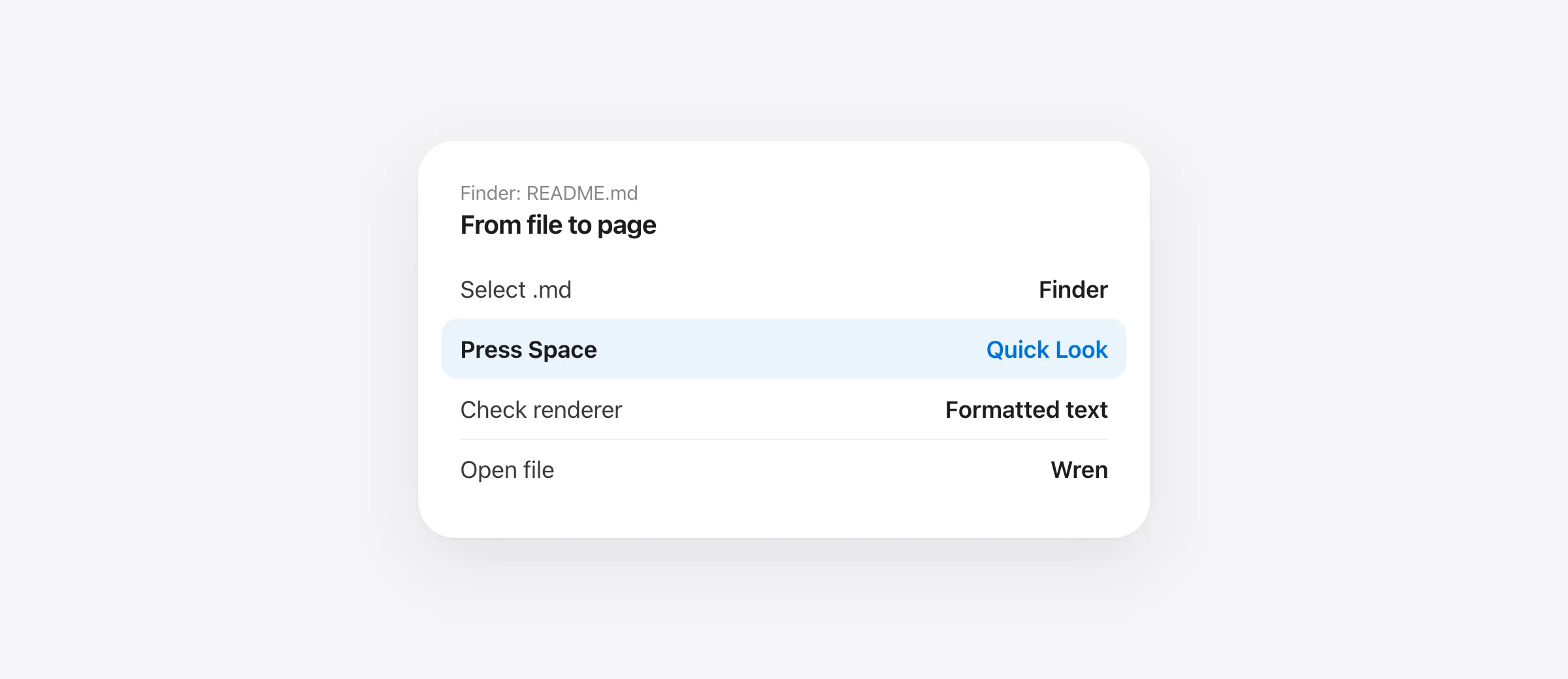
- In Finder, select a
.mdfile and press Space. - If it opens as raw Markdown, check whether a Markdown Quick Look extension is installed and enabled.
- Test headings, a code block, an image and a Mermaid fence in one known file.
- Open the file in a reader when you need a persistent view or live updates.
Markdown Quick Look on Mac starts with Finder, not a full editor. Apple's Quick Look instructions say to select a file and press Space, then press Space or Escape to close the preview. This is useful when you are scanning a folder of READMEs, plans or notes and only need to check what each file contains.
A Quick Look window and a Markdown renderer are separate pieces. The window can preview the selected file, but a readable page with headings, tables, code and diagrams depends on an active renderer for .md. We make Wren, a free Markdown reader for compatible Macs that includes a Finder Quick Look extension. This guide shows how to check the result rather than assuming an installation has taken over every preview.
Use Finder for a one-file glance
Open a folder containing README.md or another Markdown file. Select the file once and press Space. You can move through multiple selected files with the arrow keys while Quick Look stays open, according to Apple's guide. Use the toolbar's Open action when you decide the file needs a full reading window.
Check the visible output. A good rendered preview should make the document's heading structure, lists and code blocks easy to distinguish. If you see literal hash marks and pipe characters, you are looking at source text rather than the formatted view you expected. The file may still be valid; the problem is in preview selection or rendering. Double-clicking the file tests the default app and is a different check from pressing Space.
| Task | Use | Limit |
|---|---|---|
| Glance at one selected file | Finder Quick Look | Closes when you leave the glance |
| Read a document while another app edits it | Wren reading window | Requires a compatible Mac and local file |
| Rewrite source with editor tools | VS Code or another Markdown editor | More interface than a quick glance |
Our Mac Markdown viewer comparison covers the wider choice of readers and editors. Wren requires Apple silicon and macOS 26 or later. If you only need Finder previews, QLMarkdown is a dedicated open-source Quick Look extension; check its current requirements and enable its renderer before evaluating it. Readers on older Macs should compare the other options too.
Check the Quick Look extension if formatting is missing
Apple's Login Items & Extensions guide lists Quick Look extensions under System Settings → General → Login Items & Extensions. Check that a Markdown extension is enabled. If more than one app offers a preview for the same file type, the extension currently selected by macOS may not be the one you expected. Test with one file after changing settings; do not assume the default “Open With” app determines the Quick Look renderer.
A simple diagnosis has three files: a plain test.md with a heading, a second with a code fence, and a third with a Mermaid diagram. If the heading renders but the diagram does not, the extension is active but that feature or syntax needs attention. If nothing renders as Markdown, focus on the extension and file association. If Wren opens the file correctly but Finder still shows raw source, the reading app is fine and Quick Look needs separate investigation.
Do not change system settings blindly for a single file. First confirm the filename actually ends in .md and the content is text. Finder can hide extensions; Apple's extension-display guide shows how to reveal them. A file accidentally named README.md.txt may be treated differently.
Preview a Mermaid block without uploading the file
GitHub's diagram guide documents Mermaid inside a fenced code block labeled mermaid. Use a small known-valid block when testing a local preview:
```mermaid
flowchart LR
  Draft --> Review
  Review --> Approve
```
Wren bundles its diagram renderer for offline use. A document that references a remote image still depends on that remote source, so “offline app” does not make every external asset local. If the preview shows the Mermaid source instead of a diagram, confirm the fence language and syntax first, then check which Quick Look extension is handling the file. For a large diagram, open the document in Wren to zoom and inspect it; Finder's glance is less suited to detailed review.
Know when Quick Look has done its job
Quick Look answers “is this the file I need?” It is less suitable for following an AI agent that rewrites the same plan several times. Wren's reading window can stay beside a terminal, reload a saved file and mark new or edited blocks. Our live Markdown preview guide explains that workflow and its limits. For Claude Code specifically, read saved Claude Code plans in Wren shows how the file gets into the loop.
Also distinguish a rendered preview from a diff. A new paragraph may be easy to spot in Wren, but a deleted paragraph is absent from the current document. Use Git or another history source when you need an exact record of removals. If the Markdown file is part of an agent change you may want to undo, our agent backup guide covers that separate task.
Frequently asked questions
How do I preview a .md file in Finder?
Select the file in Finder and press Space. Quick Look opens without launching the default app. For formatted Markdown, a compatible Quick Look extension must provide the rendering.
Why does Quick Look show Markdown source rather than a formatted page?
The active preview provider may be showing plain text, or a Markdown rendering extension may be disabled or unavailable. Check Login Items & Extensions settings and test the file in a dedicated viewer.
Can Wren's Quick Look preview render Mermaid diagrams?
Wren advertises a rendered Finder Quick Look preview and bundled Mermaid rendering. Test a small valid mermaid fenced block in your own .md file; an invalid diagram or a different active extension can produce another result.
Is Quick Look the same as Wren's live reading window?
No. Quick Look is for a quick preview of a selected Finder file. Wren's reading window stays open, watches file saves and marks new or edited blocks.
Does setting Wren as my default .md app control Quick Look?
Default opening and Quick Look preview are separate macOS behaviors. Verify both by double-clicking one file and pressing Space on a selected file.
Sources

Telman Gadimov builds Wren, a free Markdown reader, and Murmur, an on-device dictation app for Mac. We make Wren, which includes a Markdown Quick Look extension. Finder steps are checked against Apple documentation; Wren behavior is checked against the product page and app feature inventory on October 13, 2026. Other Markdown extensions may differ.


