Choose by the developer task
- Local prompt entry and technical writing: Murmur on Apple silicon with macOS 26+.
- Spoken file references in supported editors: evaluate Aqua Voice’s file tagging.
- Voice interaction with coding agents: evaluate Superwhisper’s Mac integrations.
- Custom processing and output: VoiceInk’s configurable modes.
- Navigation and code editing by voice: investigate Talon, a different category of tool.
The best dictation app for developers on Mac should preserve the parts of your sentence that a general writing assistant might smooth away: a negation, a version number, an identifier or a constraint. A fluent paragraph that changes “do not retry” into “retry” is a bad prompt, regardless of how quickly it appears.
We make Murmur and recommend it for a specific use case: entering prompts and technical prose with local processing. This guide also covers reasons to choose other tools. The comparison uses documentation checked October 12, 2026; we have not benchmarked these apps against one another.
For the reading side of that workflow, see how to review an agent’s saved Markdown plan in Wren.
First decide what “voice coding” means for you
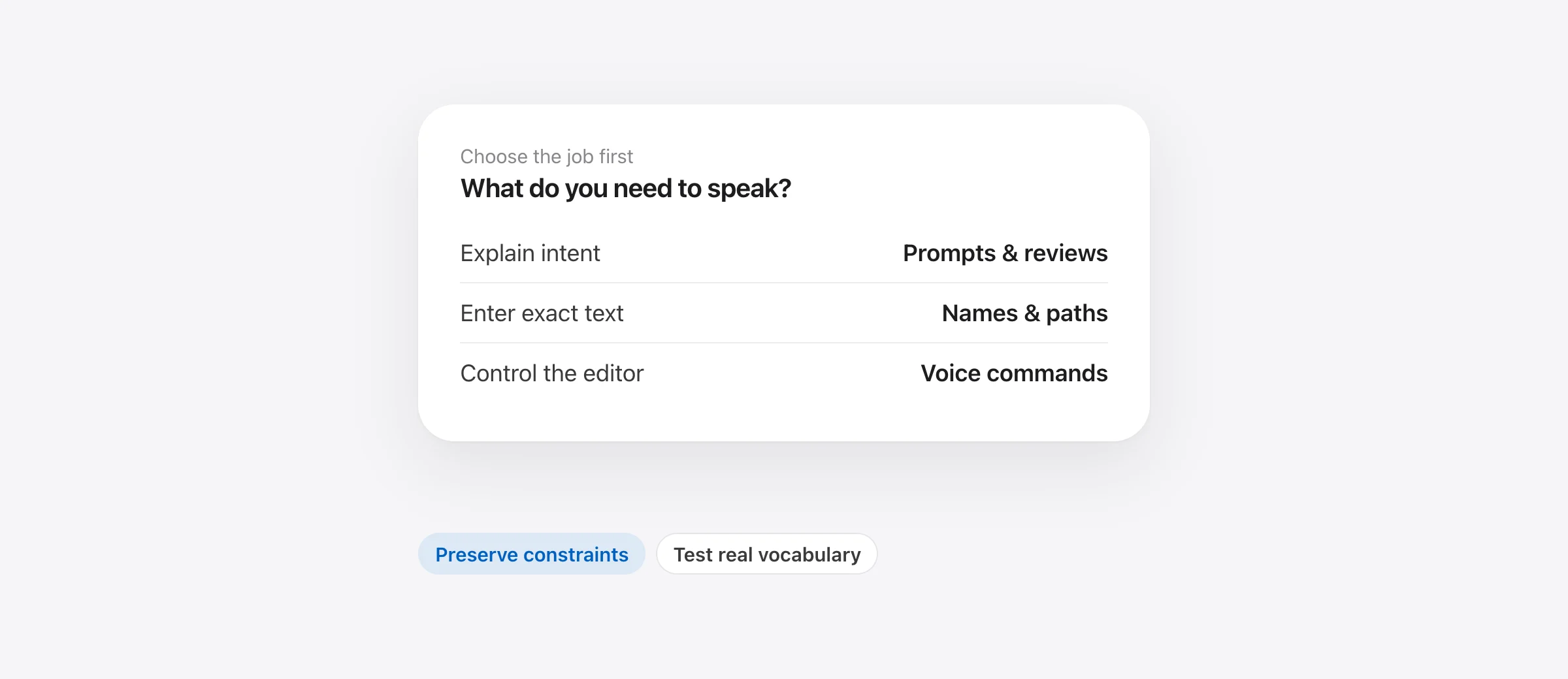
| Job | Example | Capability to buy for |
|---|---|---|
| Explain intent | Describe a bug, draft a review, or give an agent a task | Reliable dictation, technical vocabulary and controlled cleanup |
| Enter exact text | A path, identifier, flag or short code fragment | Spelling control, replacements, snippets and restrained formatting |
| Operate the editor | Select a symbol, move the cursor, change a line and navigate files | Voice commands and application control |
If your work is mainly explaining tasks to an AI assistant, start with prompt dictation. You do not need to solve full hands-free editing to benefit. If you need to operate the editor without a keyboard or pointer, evaluate that requirement explicitly; text insertion alone will leave most of the job unfinished.
Developer dictation options compared
| Tool | Why shortlist it | Check before paying |
|---|---|---|
| Murmur | Local dictation, Technical style, dictionary and snippets | Hardware, macOS and language fit; no automatic file tagging |
| Aqua Voice | File tagging in supported coding tools | Exact editor support and the plan for the features you need |
| Superwhisper | Mac coding-agent plugins and configurable dictation | The supported agent and your chosen local or cloud mode |
| VoiceInk | Modes with provider, prompt and output choices | Model capability, output behavior and any external API fees |
| Talon | Voice commands and hands-free computer input | Command setup and how it fits your editing routine |
Murmur: for prompts, bug reports and technical prose
Murmur inserts dictated text where the cursor is. You can use it for a prompt field, an issue description, a commit-message draft or a review comment, subject to the destination app accepting the paste. Hold right ⌘ to speak and release to insert.
The useful developer detail is Technical style. It skips AI polish and applies technical formatting rules, including removing a trailing period. This reduces unwanted prose formatting. It does not turn speech recognition into a compiler or guarantee the casing of a symbol.
Choose a style per app, and add recurring project names to the dictionary. Use a saved snippet for an exact phrase or path you repeat. A dictionary hint helps recognition; a snippet inserts known text. They solve different problems.

One limitation to test: an editor may contain both source code and an AI chat panel. An app-level style does not automatically distinguish those two fields. Check the result in each place instead of assuming one preset is ideal for both.
The regular license is $19 once for up to three Macs. Murmur requires Apple silicon and macOS 26+; AI writing features need Apple Intelligence. The first 2,000 words are free without an account. It does not navigate your repository, attach files to prompts or replace a voice-control system.
Aqua Voice: when editor file tagging matters
Aqua’s file-tagging guide describes spoken filenames becoming references through editor autocomplete. It lists support for Cursor and Windsurf, among others, but not every coding surface. The chosen file can still depend on autocomplete, especially when several files share a name.
That makes the feature worth testing on a real project. Try two files with the same basename in different folders and confirm which reference gets inserted. Correctly transcribing a filename and attaching the intended file are different outcomes.
Check the feature tier as well as the headline price. Pro is $10 monthly or $8 per month billed annually; Realtime Mode is listed under Max, priced at $30 monthly or $24 per month annually. For disconnected use, Aqua’s FAQ says availability depends on platform, version and mode; confirm your configuration instead of treating offline support as universal.
Superwhisper and VoiceInk: for deeper configuration
Superwhisper’s Mac agent integrations can bring up questions, accept voice replies and surface completion notifications. This is a reason to evaluate it if your friction is keeping up with an agent’s requests, rather than typing the initial prompt.
VoiceInk’s modes let you choose processing and output, including normal pasting or a configured command. Its model guide distinguishes local cleanup from providers that support custom prompts. A fixed cleanup model should not be assumed to perform arbitrary developer formatting.
For both, recreate one demanding task before adding more modes. If the requirement is preserving a block of technical instructions, see whether the result keeps every constraint. If it is writing structured issue reports, inspect the sections and any details the model adds.
Use our VoiceInk vs Superwhisper comparison for the pricing, local AI restrictions and setup trade-offs. More configuration is useful when you need it; otherwise it is more work to maintain.
Talon: when you need to control and edit by voice
Talon combines dictation with custom commands and other hands-free input. It is the category to investigate when your goal includes navigation and editing actions, not just entering paragraphs.
Expect to evaluate the command vocabulary and setup alongside recognition quality. A dictation app can produce a good sentence while still being a poor replacement for moving around a source file. Conversely, learning a command system may be unnecessary if all you need is a faster way to explain a bug.
A developer trial script you can reuse
For repeated names and jargon, use our Mac dictation custom vocabulary guide. It includes a worksheet that tests both corrected terms and unwanted substitutions in ordinary text.
Allow about 15 minutes after installation and downloads. The examples below are test material, not outputs we measured. Run them in a scratch document or an unsent prompt field, using the same microphone for each app.
| Test | Say something like | Check |
|---|---|---|
| Constraints | “Add retry handling, but do not retry validation errors. Keep the public API unchanged.” | Both restrictions survive |
| Correction | “Use a five-second timeout, actually ten seconds, and only one retry.” | The final value is ten; the retry limit remains one |
| Vocabulary | “The Postgres migration fails after the webhook handler starts.” | Your project’s names are spelled as intended |
| Exact identifier | Speak a real symbol from a sample project | Casing, underscores and punctuation match exactly |
| Destination | Repeat a short prompt in your editor, browser and local note | Text reaches the intended field without an unwanted submission |
Record the corrections needed and the time until the prompt is ready to submit. Do not count only the interval until the first words appear. If one app is faster to transcribe but regularly loses a constraint, the cleanup work matters more than the initial timing.
For identifiers, test both an unfamiliar word and one you have added to the app’s vocabulary. That reveals whether customization solves your repeated errors. For recurring exact text, test a replacement or snippet rather than repeatedly correcting it by hand.
Check the boundary between dictation and the coding tool
Local recognition can keep audio processing on your Mac. It does not decide where the receiving editor or AI service sends a prompt afterward. Consider the dictation app and the destination separately when choosing a setup for private project information.
Also inspect paste and send behavior. Test multiline text in an unsent field before using it in a terminal. A new line can behave differently across applications, and optional automatic-send features change the result. Reliable insertion includes knowing when the text remains available for review.
Our offline Mac dictation guide covers local speech and cleanup settings. For the broader market, see best dictation apps for Mac.
Buy for the task you repeat most
Already using Aqua and considering a change? Our Aqua Voice alternatives for Mac compares four replacements and includes a switching test that checks your existing editor workflow.
For explaining bugs and dictating prompts locally, trial Murmur on your existing Mac. If file references are the bottleneck, test Aqua in your exact editor. If agent questions interrupt your workflow, evaluate Superwhisper’s integrations. If you need custom processing and delivery, compare VoiceInk’s modes. For hands-free navigation and code editing, evaluate a command tool such as Talon.
Use the hardest everyday sentence as the deciding test: the one with an unusual name, a correction and a constraint. A tool that reliably preserves that sentence has a clearer value than a promise about how many times faster you could type.
Frequently asked questions
What is the best dictation app for developers on Mac?
Choose by task. Murmur is a focused option for local prompts and technical writing on a compatible Mac. Evaluate Aqua Voice for supported editor file tagging, Superwhisper for agent integrations, and VoiceInk for custom modes. For controlling the computer and editing code by voice, investigate Talon.
Can I dictate into Cursor without a special integration?
For ordinary prompt entry, an app that inserts text at the active cursor may be sufficient. Test the actual field and shortcut. Automatic file references, agent notifications and voice approvals are separate integration features; ordinary text insertion does not imply them.
Does Murmur’s Technical style use AI rewriting?
No. Technical style skips AI polish and applies technical formatting rules, including removing a trailing period. It is useful when preserving technical wording matters, but it does not guarantee exact code or identifier recognition.
Is dictating prompts the same as coding hands-free?
No. Dictation supplies text. Hands-free coding also needs navigation, selection, correction and commands. A tool that writes a prompt does not necessarily provide those controls.
Will local dictation keep an AI prompt offline?
Only the dictation stage is local. Once the text is placed in another application, that application’s processing and sync settings determine where it goes next.
Sources
- Murmur: features and requirements
- Murmur: privacy
- Aqua Voice: file tagging and supported editors
- Aqua Voice: plans and feature gates
- Aqua Voice: internet and offline availability
- Superwhisper: coding-agent integrations
- Superwhisper: plans
- VoiceInk: mode settings and output behavior
- VoiceInk: model choices
- Talon: hands-free input and custom commands

Telman Gadimov builds Murmur, a dictation app for Mac that runs entirely on-device. We make Murmur. This guide compares documented developer workflows checked October 12, 2026. Example prompts are evaluation material, not measured app output or an accuracy benchmark.


