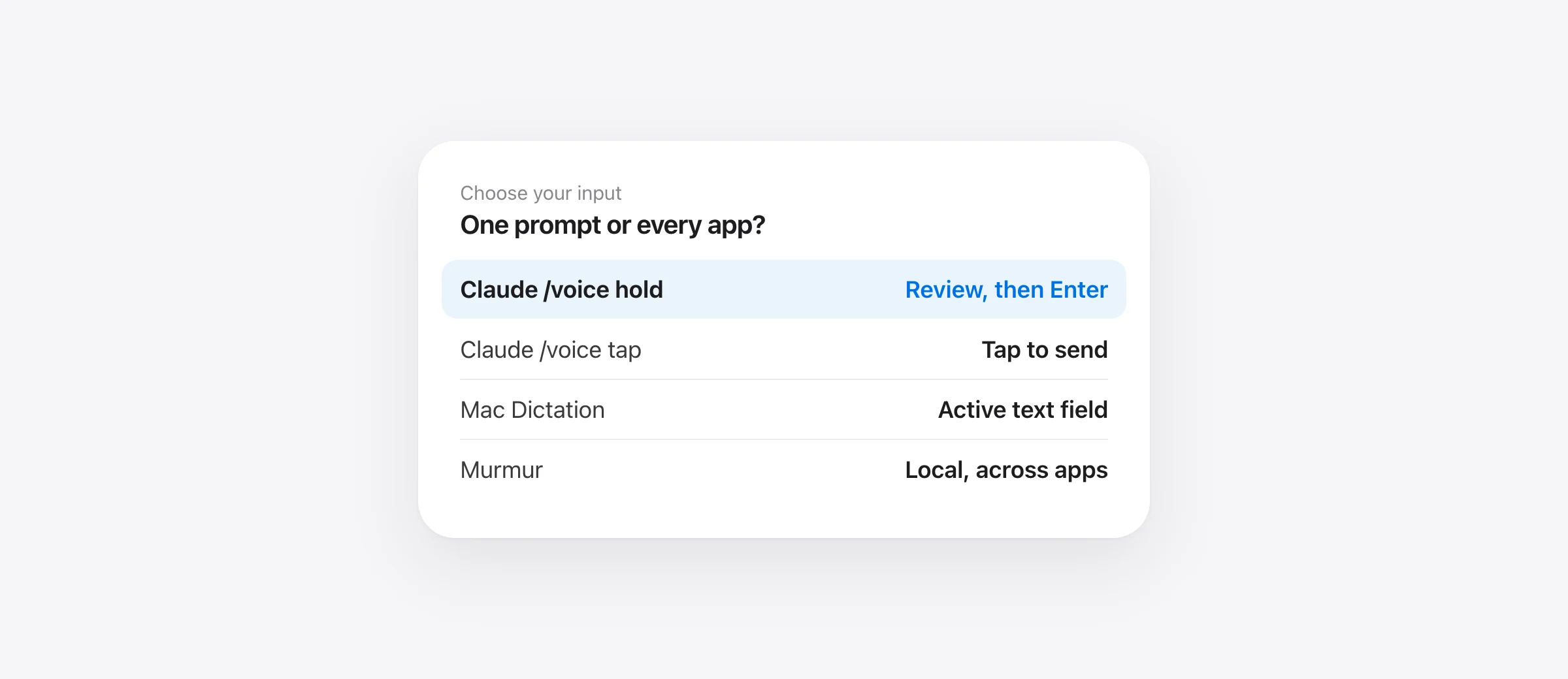
Choose the input route
- Use Claude Code's /voice hold for prompts only inside an eligible local Claude session.
- Use /voice tap when you want hands-free start and send; check the transcript before relying on it.
- Use Mac-wide dictation when you also speak in Terminal, Cursor, a browser or a review comment.
- Keep your last step separate: inspect the finished text, then decide whether to submit.
Claude Code voice dictation on Mac now has a built-in route. Anthropic's voice dictation guide documents /voice, a hold mode and a tap mode. That changes the decision for anyone who previously installed a separate dictation app just to speak into Claude's prompt. The question is what your whole work session needs: one Claude input, or text entry across every tool around it.
We make Murmur, a local Mac-wide dictation option. This guide starts with Claude's built-in feature because it may already solve your prompt-entry problem. It then shows when system Dictation or Murmur can cover more of the workflow. For a broader tool comparison, see our Mac dictation apps for developers. None of these input tools replaces review of what an agent proposes or changes.
Set up Claude Code's own /voice first
In a local Claude Code session, type /voice. Anthropic says this runs a microphone check and can trigger macOS's microphone permission request for your terminal. If your terminal was denied, open System Settings → Privacy & Security → Microphone, enable that terminal, and retry. The documented feature requires a Claude.ai account; API-key, Bedrock, Google Cloud and Foundry authentication do not provide this speech service. It also requires a microphone on the machine running Claude Code, so the built-in route is unavailable in cloud and SSH sessions.
| Mode | How to start | What happens when you stop |
|---|---|---|
| Hold | /voice hold, then hold Space in the prompt | Transcript is inserted; you press Enter to send by default |
| Tap | /voice tap, then tap Space with an empty prompt | A second tap ends recording and sends a transcript of at least three words |
| Off | /voice off | Claude's voice trigger is disabled |
The official guide notes that hold mode briefly warms up while the terminal detects key repeat. Tap mode starts without that warmup, but its automatic submission changes how much time you have to inspect the transcript. A short transcript under three words stays in the input. Recording stops after 15 seconds of silence or two minutes total in tap mode. These details matter more than a generic “voice mode available” badge.
Test with a harmless prompt, such as “Summarize the README without changing files.” Watch whether it remains in the input or sends. Confirm the mode before dictating a prompt that mentions deletion, migration or credentials. Anthropic also documents Esc or Ctrl+C to cancel an active recording.
Where does the audio go?
Claude Code's documentation explicitly says /voice streams recorded audio to Anthropic's servers for transcription. It is not local speech recognition. Claude says the transcription itself does not consume Claude message tokens, but that is a usage detail, not a privacy statement. The resulting prompt still belongs to your Claude Code session after you send it.
Apple's Mac Dictation guide says Dictation can enter text wherever you can type and directs users to Keyboard settings to check whether their chosen configuration processes general text Dictation on device. Do that check on your own Mac rather than assuming every language and setting is offline. Murmur's recognition and cleanup run on the Mac; its hardware and OS requirements are listed on the product page.
The privacy boundary has two stages. Local transcription controls where the audio is processed. Submitting the resulting text to an AI coding service controls where the prompt goes. A local dictation app does not make an online agent session offline. Our offline dictation guide explains the distinction in more detail.
Choose the route that matches the work surface
| Need | Start here | Limit to verify |
|---|---|---|
| Speak only into an eligible local Claude session | Claude /voice hold | Audio goes to Anthropic; requires Claude.ai sign-in |
| Speak across Mac text fields | macOS Dictation | Check processing location and exact terminal behavior |
| Speak prompts, issue reports and reviews with local cleanup | Murmur | Compatible Mac required; destination service still receives submitted text |
| Navigate and edit source code without a keyboard | Evaluate a voice-control tool | Text insertion alone cannot operate the whole editor |
Murmur's value is consistency across applications. Hold right Command, speak, release, and review the inserted text in the active field. Its Technical style reduces prose cleanup for developer prompts; dictionary entries and snippets help with recurring vocabulary and exact phrases. This is still dictation: it does not read your repository, attach a file reference, or approve an agent's tool call. If you only need Claude's prompt and its built-in voice works well, no extra app is required.
Before using any Mac-wide tool in a terminal, try a short unsent prompt. Check that the cursor is in Claude's input rather than a shell line, and that newlines do not submit a half-finished instruction. Recheck after changing terminal apps or keyboard shortcuts. The destination is as important as the transcript.
Write a prompt that survives transcription
Speech works best for intent and context. Exact identifiers, flags and paths deserve a second look. Use four short parts: outcome, relevant file or feature, constraints, and verification. For example:
Find why the sign-in callback sometimes retries twice. Inspect the existing retry logic first. Do not change the public API or remove the failure log. Propose a small fix and a test that reproduces the duplicate retry before editing.
After dictation, verify the words do not, the count twice, and any actual path you name. A fluent transcript with one reversed constraint is a bad coding request. If an identifier is hard to pronounce reliably, type it, paste it, or use a tested snippet. Our technical vocabulary guide includes a repeatable test for names and unwanted substitutions.
When the agent saves a long plan as Markdown, read the saved file instead of relying on memory of the spoken request. Our Claude Code plan-review workflow in Wren shows how to inspect changed blocks, diagrams and unresolved assumptions. Before a risky implementation turn, check your agent backup setup; voice input does not create a restore point.
Troubleshoot the specific failing layer
If /voice is unknown, check Claude's sign-in method first. Its docs say API keys or third-party providers can take precedence over a Claude.ai login. If voice starts but captures silence, check System Settings → Sound → Input and the terminal's microphone permission. If Space only types spaces in hold mode, try /voice tap: Claude documents key-repeat detection as a reason hold may fail. If a Mac-wide dictation app transcribes correctly into Notes but not Claude, investigate focus and terminal text insertion, not the microphone.
If neither route can enter text reliably, use typed prompts until the failure is isolated. Keep the agent's review and execution controls separate from the speech tool. For the recovery side of the same workflow, read what Claude Code rewind can and cannot restore.
Frequently asked questions
Does Claude Code have built-in voice dictation?
Yes. In an eligible local Claude Code session, run /voice. Claude documents hold and tap modes. Availability depends on signing in with a Claude.ai account and having a local microphone.
Is Claude Code /voice private or offline?
Claude says /voice streams audio to Anthropic for transcription. It needs a network connection. Murmur processes its dictation locally, but the prompt may still go to the coding agent after you submit it.
Does releasing Space send the prompt?
In Claude Code's default hold mode, release inserts the transcript and waits for Enter. Tap mode sends after the second tap when the transcript has at least three words. Check the active mode before dictating a sensitive or incomplete request.
Can I dictate into Claude Code over SSH?
Claude's built-in /voice requires a local microphone and is not available in cloud or SSH sessions. A Mac-wide dictation tool may enter text into your local terminal window, but you must verify that the terminal and remote session accept the text as intended.
Can Murmur attach project files or approve Claude actions by voice?
No. Murmur enters text at the active cursor. File attachment, tool approvals and execution controls remain in Claude Code.
Sources

Telman Gadimov builds Murmur, a dictation app for Mac that runs entirely on-device. We make Murmur, a Mac-wide dictation app. Claude Code and Apple behavior comes from their official documentation checked October 13, 2026; the comparison is a workflow analysis, not an accuracy or speed benchmark.


