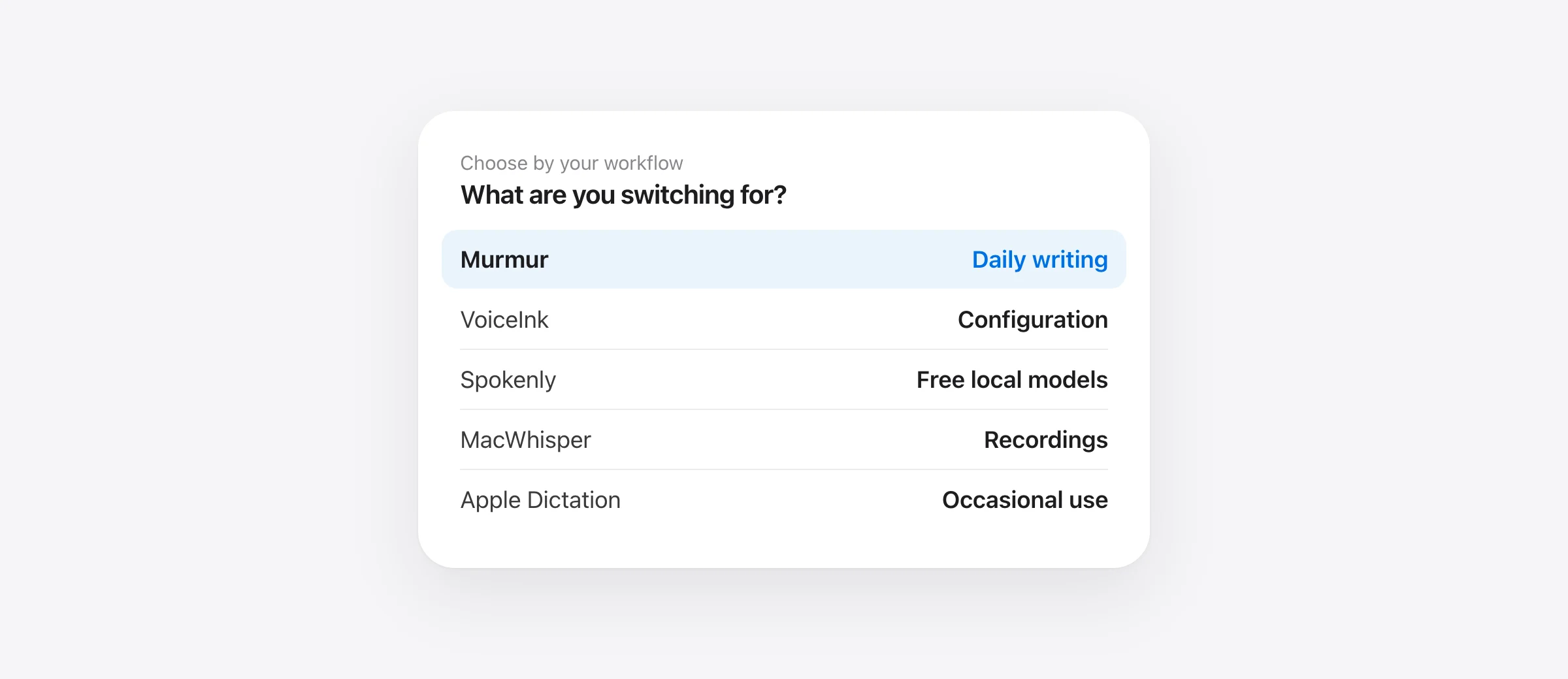
Choose by the reason you are switching
- Everyday writing with local AI cleanup: Murmur, if your Mac meets its requirements.
- More control at a lower one-time price: VoiceInk.
- Free local speech models: Spokenly, or keep using Superwhisper’s free plan.
- Recordings and subtitles: MacWhisper.
- A few messages a day: try Apple Dictation before paying.
The best Superwhisper alternative for Mac depends on which part of Superwhisper you want to replace. Dictating a short email, transforming a rambling note with a custom prompt, and transcribing an interview are different jobs. A replacement can be excellent at one and unsuitable for the others.
This guide focuses on five options with a clear reason to consider them. We make Murmur. Our recommendations are based on the vendor documentation linked below and Murmur’s current features, checked October 12, 2026. We have not run a controlled accuracy comparison across these five apps.
Before switching, check what you already have
Superwhisper is not subscription-only: its published plans include free local dictation and a $249.99 lifetime license. Pro also costs $8.49 monthly or $84.99 annually. If your only complaint is recurring billing, a different plan may solve it without a migration.
Nor is Superwhisper cloud-only. Its S1-mini language model provides local English cleanup in Message and Mail modes. That limitation matters if you use Custom or Meeting modes; local support in one workflow does not establish it in every workflow.
If you already own lifetime access, treat that payment as money already spent. Compare a replacement against the work it would improve today, not a subscription you no longer pay. Keeping a tool that already works can be the cheapest decision.
Superwhisper alternatives at a glance
| Alternative | Best reason to try it | Price route | Main check before switching |
|---|---|---|---|
| Murmur | Live writing and voice editing with on-device AI | $19 once | Apple silicon, macOS 26+, Apple Intelligence for AI |
| VoiceInk | Configurable local dictation | From $25 once | Choose speech and enhancement models separately |
| Spokenly | Free local models | Free local tier | Cloud services have separate pricing |
| MacWhisper | Recordings, exports and dictation in one app | Free tier; Pro €64 once | Check your required workflow in the edition you download |
| Apple Dictation | Occasional speech-to-text without another app | Included with macOS | Check language and processing information in Settings |
These are different product scopes, not equal-feature packages. Prices exclude any applicable tax, paid cloud API use and optional future upgrades. Murmur’s regular price is shown; temporary offers are excluded.
1. Murmur: for writing directly into your Mac apps
Murmur fits a specific routine: place your cursor in a message, email or document, hold right ⌘, speak, and release. Speech recognition and AI cleanup run on the Mac. You can assign writing styles to apps, add unusual names to the dictionary, and use snippets for text you repeat.
The reason to choose it is the combination of that focused workflow and a small one-time purchase. A developer might want Technical style in an editor and Casual style in a chat app without maintaining a separate model configuration for each. For an existing draft, select text and hold right ⌥ to give a rewrite instruction.

What you give up: Murmur does not replace Superwhisper’s file transcription, choice of cloud models or cross-platform setup. It requires Apple silicon and macOS 26 or later. AI polish and voice editing require Apple Intelligence to be enabled and available; test your language during the trial.
You get 2,000 free words without an account. The regular license covers up to three Macs. Version 1 updates are included; future major versions may be paid upgrades. Try it on the text you actually write before purchasing.
2. VoiceInk: for people who want to keep configuring
Choosing between these two specifically? Our VoiceInk vs Superwhisper comparison examines included AI services, local cleanup restrictions and a practical trial.
VoiceInk is the option to investigate if you like adjusting a dictation app but want a lower entry price. Its Mac licenses cost $25 for one Mac, $39 for two, or $49 for three; the project is open source.
The choice is not simply “AI on or off.” VoiceInk’s model guide separates transcription from enhancement, with local and hosted options. That is useful if the replacement needs to behave differently for a short chat message and a carefully formatted work note.
What to test: recreate your most important mode first. Check whether your vocabulary survives cleanup and whether your spoken instructions produce the structure you need. Do not buy solely because the same speech-model name appears in both apps: insertion, context and post-processing can change the final result.
3. Spokenly: for a free local starting point
Spokenly’s local tier offers unlimited use of local Whisper and Parakeet models without an account. Hosted services are a separate choice. That makes it worth evaluating when the main requirement is entering text without committing to another license.
What to test: use the free configuration for an ordinary working session. Include names, a longer paragraph and the app where you most often dictate. If you later connect a paid API, record that cost separately; a free app with a billed provider is not a zero-cost workflow.
Compare it with Superwhisper’s free plan before migrating. If neither needs a purchase for your task, price alone will not decide between them. Choose the shortcut, language behavior and correction workflow that suits you.
4. MacWhisper: when recordings matter more than quick replies
For a direct decision between these two apps, see MacWhisper vs Superwhisper. It compares the current overlap in dictation and file transcription, edition differences, and the review work after recognition.
MacWhisper combines file transcription, subtitle exports, meeting recording and system-wide dictation. Pro is listed at €64 once. It belongs on this shortlist when “dictation app” really means a place to process recordings as well as enter live text.
What to test: import one representative file, check an export, and try live dictation in your main writing app. A tool can be a good purchase even if you use its dictation feature only occasionally, provided its recording workflow replaces another task you need done.
Murmur is not an alternative for importing interviews. Choosing between these two starts with the job, before price or model choice.
5. Apple Dictation: when a separate purchase is unnecessary
Start with the built-in option if you mainly dictate short passages. Apple’s Dictation guide explains setup and where to check whether your selected configuration processes general dictation on-device.
What to test: dictate three things you wrote yesterday. If you can comfortably fix the results and do not need additional controls, you have your answer. A longer feature list does not create a need for paid software.
If dictation fails altogether, use our Mac dictation troubleshooting guide before deciding that a different app is necessary.
A 15-minute switching test
Set aside about 15 minutes after installation and model downloads. This is a proposed evaluation, not a claim that we measured these apps with this test.
- Save your current setup. Follow Superwhisper’s backup instructions. Keep a readable copy of essential vocabulary and prompts; another app may not import them.
- Pick three real tasks. Use a short reply, a paragraph with names or technical terms, and a spoken correction such as “Thursday, actually Friday.”
- Repeat them in the replacement. Use the same microphone and destination app. Count corrections and note any missed insertion or shortcut conflicts.
- Test your non-negotiable requirement. Disconnect for offline work, import a file for transcription work, or recreate a custom mode for rewriting work.
- Decide before your next renewal. Keep the current app until the replacement handles those tasks. Save any history you need before removing software.
Count the work after transcription, too. A fast result that needs a name fixed, a sentence restored and the text moved into the right field may be slower to use than a result that arrives slightly later.
Which alternative should you buy?
For live writing on a compatible Mac, try Murmur. For model and prompt configuration, evaluate VoiceInk. For a no-cost starting point, compare Spokenly with what Superwhisper already provides free. For recordings, evaluate MacWhisper first. For occasional text entry, begin with Apple Dictation.
Use the one-time purchase guide if billing is your deciding factor, or the offline dictation guide if the full workflow must work without a connection.
Frequently asked questions
What is a cheaper alternative to Superwhisper for Mac?
For everyday dictation with local AI cleanup, Murmur is $19 once on Apple silicon with macOS 26 or later. VoiceInk starts at $25 once. If basic transcription is enough, try a free local option before buying another app.
Do I need to replace Superwhisper to use dictation offline?
No. Superwhisper can use local speech models. If you also want AI cleanup, check the language model and supported mode separately; choosing local speech alone does not make cloud cleanup work offline.
Can I move my Superwhisper modes into another app?
Do not assume a direct import exists. Back up your settings, then recreate the vocabulary, replacements and prompts you actually use. Mode behavior and supported features differ between apps.
Which alternative should I choose for recordings?
Start by evaluating MacWhisper if audio files, subtitles and recorded conversations are the main job. Murmur focuses on live dictation and voice editing, not importing recordings.
Sources
- Superwhisper: plans and pricing
- Superwhisper: local and cloud language models
- Superwhisper: backing up settings
- VoiceInk: pricing and license options
- VoiceInk: choosing models
- Spokenly: local models and pricing
- MacWhisper: features and pricing
- Apple: Dictation on Mac
- Murmur: license and upgrade terms

Telman Gadimov builds Murmur, a dictation app for Mac that runs entirely on-device. We make Murmur. This is a comparison of documented features and purchase terms, checked October 12, 2026, not a hands-on accuracy ranking of these apps.


